
ThinX OS היא מערכת Linux משובצת של ChipPC — שתוכננה מהיסוד לקליינטים דקים. עולה תוך שניות, מתחברת מיד, ו- Xcalibur מנהל כל הגדרה מרחוק. בלי IT מקומי. בלי מורכבות. רק פרודוקטיביות.
 Read-Only Filesystem
RDP · Citrix · Horizon
פריסה ללא מגע
802.1X EAP-TLS
USB Policy Enforced
Read-Only Filesystem
RDP · Citrix · Horizon
פריסה ללא מגע
802.1X EAP-TLS
USB Policy Enforced
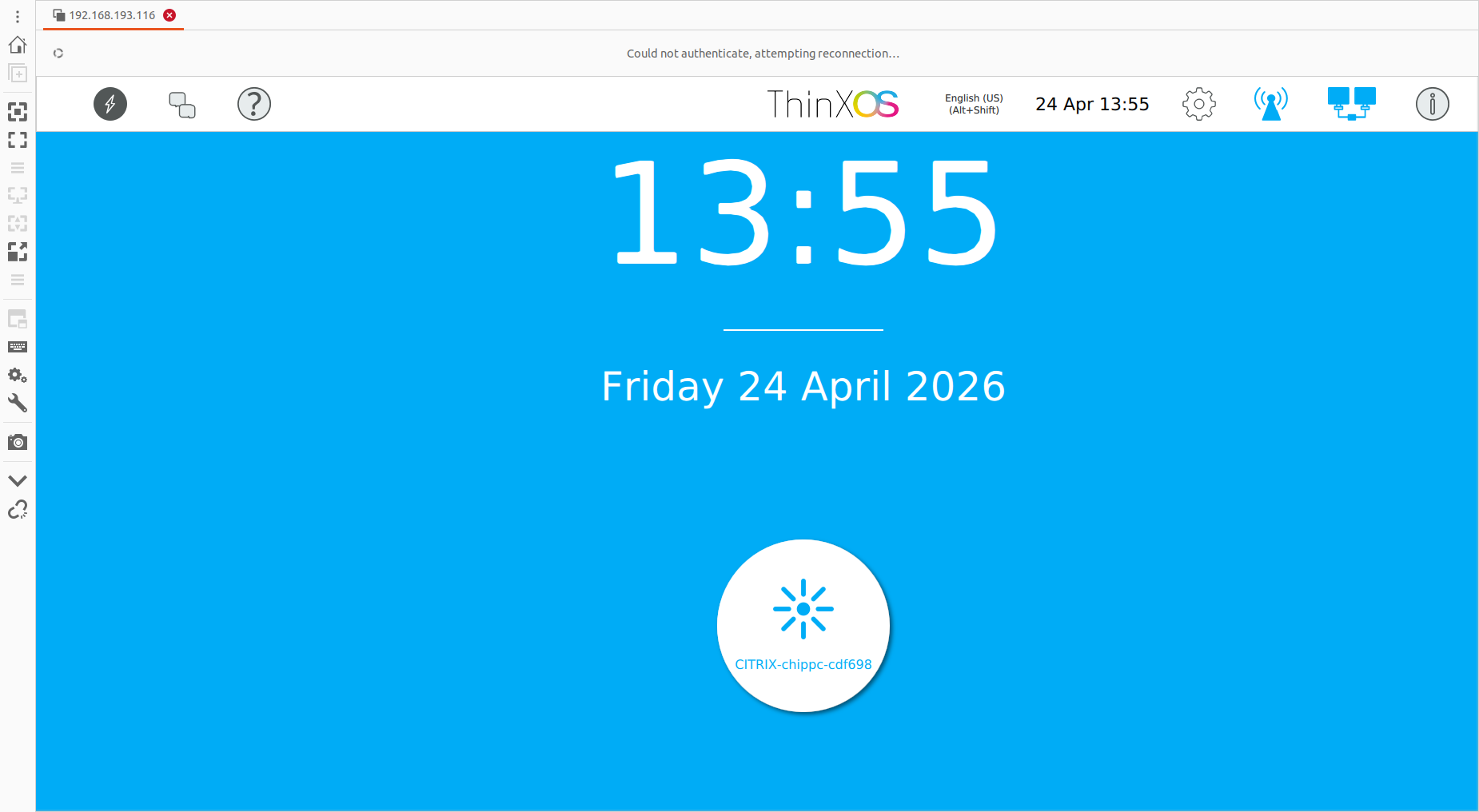
ThinX OS — נקי, מהיר ומנוהל לחלוטין מ-Xcalibur Global
Most thin client OS solutions require local administrators, complex imaging workflows, and on-site technicians. ThinX OS flips this model completely. Every setting — from display resolution to VPN credentials — is pushed remotely from the Xcalibur console. לעולם לא תצטרכו לגעת במכשיר שוב.
בקשת ניסיון חינם — ללא כרטיס אשראיPlug in a ChipPC device — it auto-registers to Xcalibur and receives its full configuration without any manual steps.
Display settings, connections, wallpaper, screensaver, security policies — all configured and deployed from Xcalibur in seconds.
Read-only filesystem means ransomware and malware have nowhere to persist. Nothing to patch, nothing to maintain locally.
אם משהו משתבש, הבזיקו מכשיר חדש מ-USB עם Rufus. חזרה לרשת תוך פחות מ-5 דקות.
מבתי חולים ועד אולמות מסחר, ThinX OS מספקת חוויית נקודת קצה צפויה, מאובטחת וקלה לניהול.
גישה ל-HIS / EHR, החלפת משתמשים מהירה, נעילת קיוסק עבור תחנות עבודה קליניות.
נקודות קצה מחוזקות עבור אולמות מסחר, כספרים בסניפים, וסבבי VDI של משרד אחורי.
מכשירים מאובטחים ב-802.1X עם נתיב ביקורת, תעודות SSL/TLS, ואפס אחסון מקומי.
כיתות מעבדה ותחנות עבודה משותפות עם חיבורים ומדיניות הנדחפים מרכזית.
נקודות קצה של קופה (POS), משרד אחורי וקיוסק — מוכנים לעבודה, מוחלפים תוך דקות ממתקן USB.
תחנות סוכן VDI מסוג חבר-והפעל עם ניתוב מחדש של אוזניות/מיקרופון USB ותמיכה מרחוק.
ThinX OS רזה בעיצובו — ללא מיותרים, ללא תהליכי רקע, ללא חולשות אבטחה
מהפעלה קרה ועד מסך החיבור בשניות. ללא מסכי פתיחה, ללא פסי טעינה, ללא המתנה.
מערכת קבצי בסיס לקריאה בלבד. אין גישת כתיבה למשתמשים או יישומים. חסינה מפני כופרה ותוכנות זדוניות.
RDP, Citrix ICA/HDX, VMware Horizon (Omnissa Blast/PCoIP) and VNC — all native, all optimised.
מכשיר חדש מופעל, מגלה את Xcalibur ברשת ומוריד את תצורתו המלאה — אוטומטית.
Every parameter pushed from Xcalibur. Display resolution, VNC password, auto-login, screensaver — all without touching the device.
ping, traceroute ובדיקות קישוריות מובנות. אבחן בעיות ישירות מהמכשיר או מרחוק דרך Xcalibur.
צרו USB מאתחל עם Rufus. התקינו מחדש מכשיר בדקות — ללא שרת הדמיה.
ניהול דו-כיווני מלא: דחיפת משימות, עדכון מערכת הפעלה, שליטה מרחוק, צפייה ביומני ביקורת — הכל מ-Xcalibur.
לוחות פשוטים, הגדרות ברורות, ללא עומס — מעוצב למשתמשים שרק רוצים לעבוד
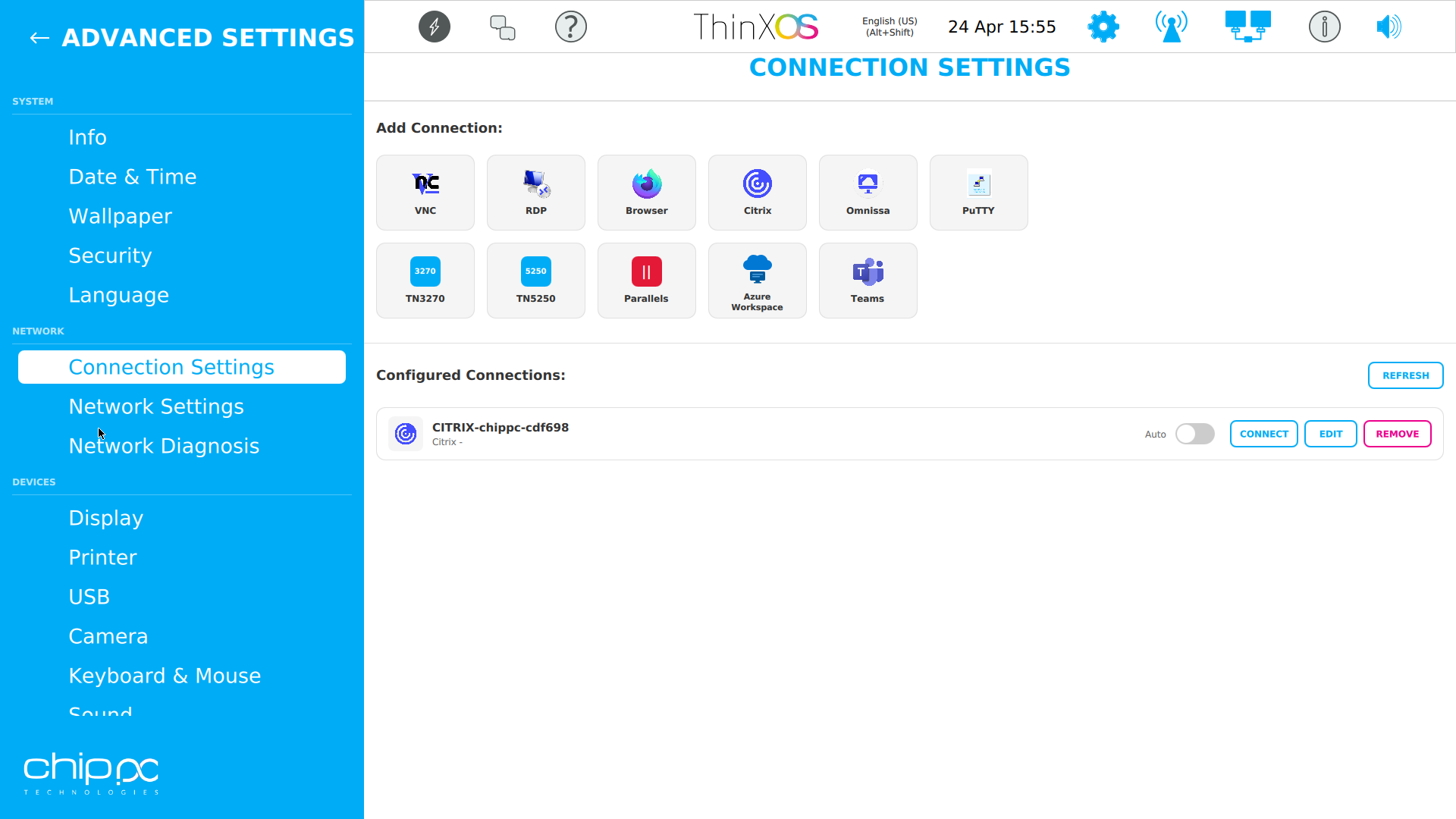
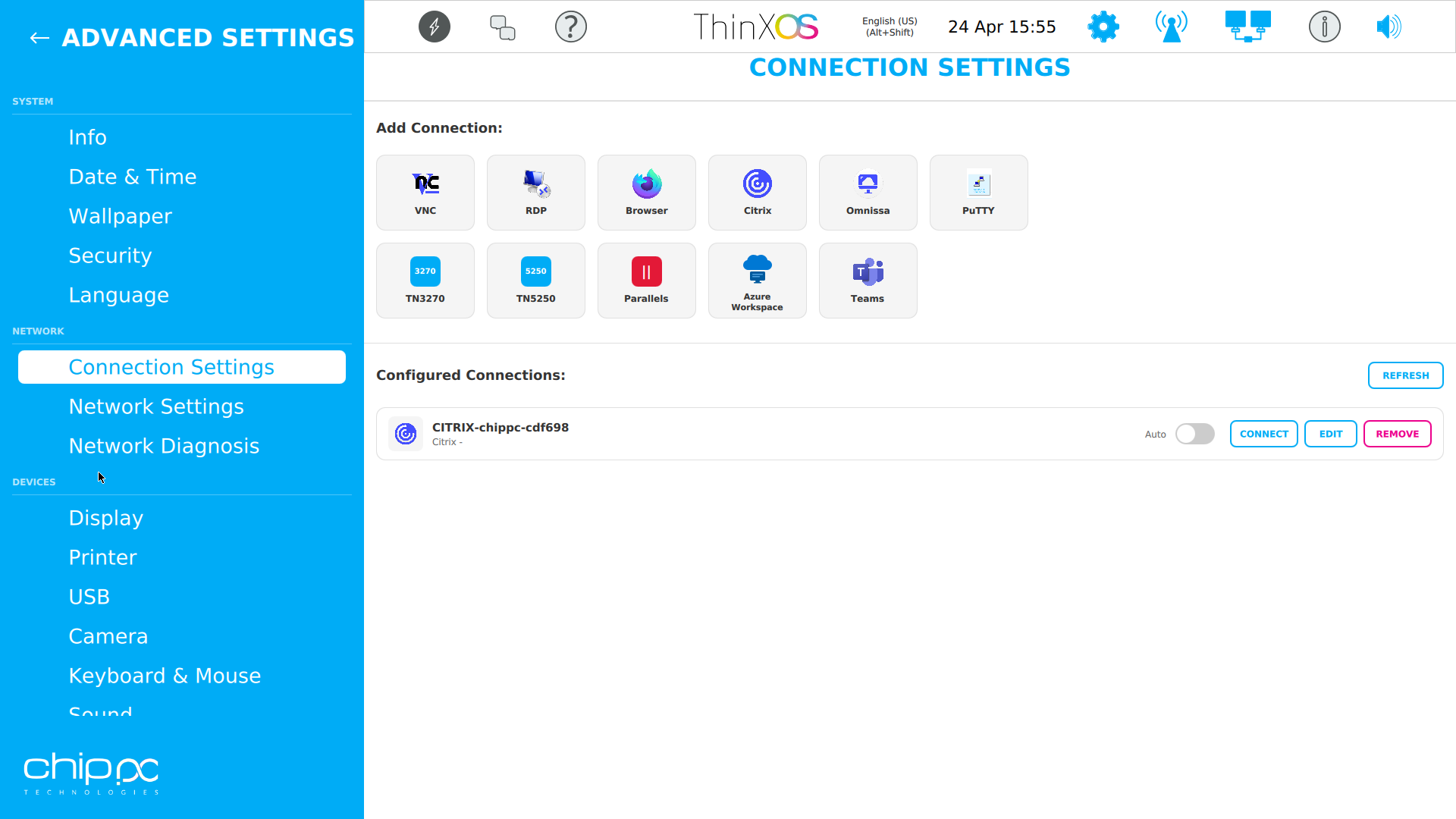
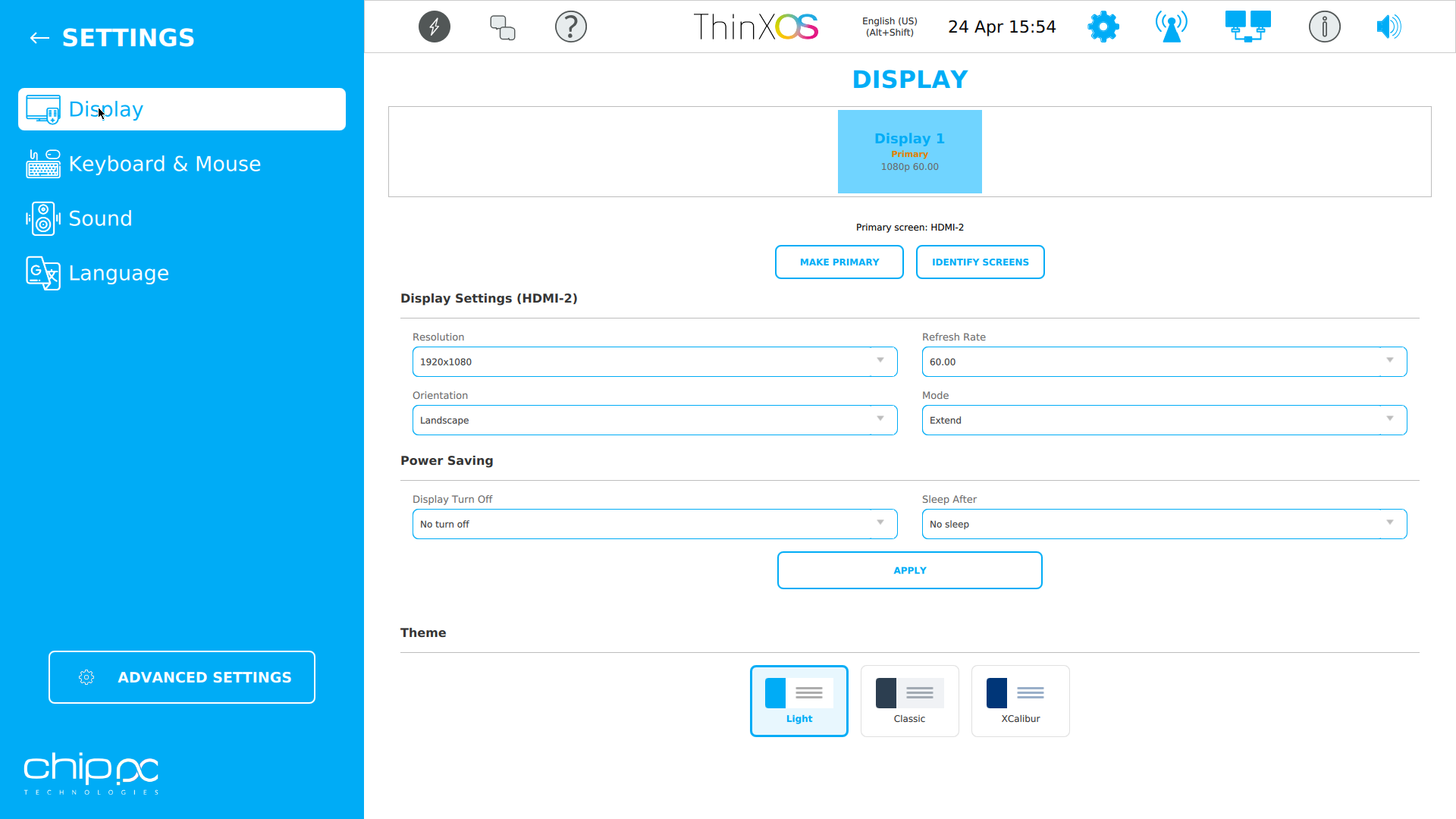
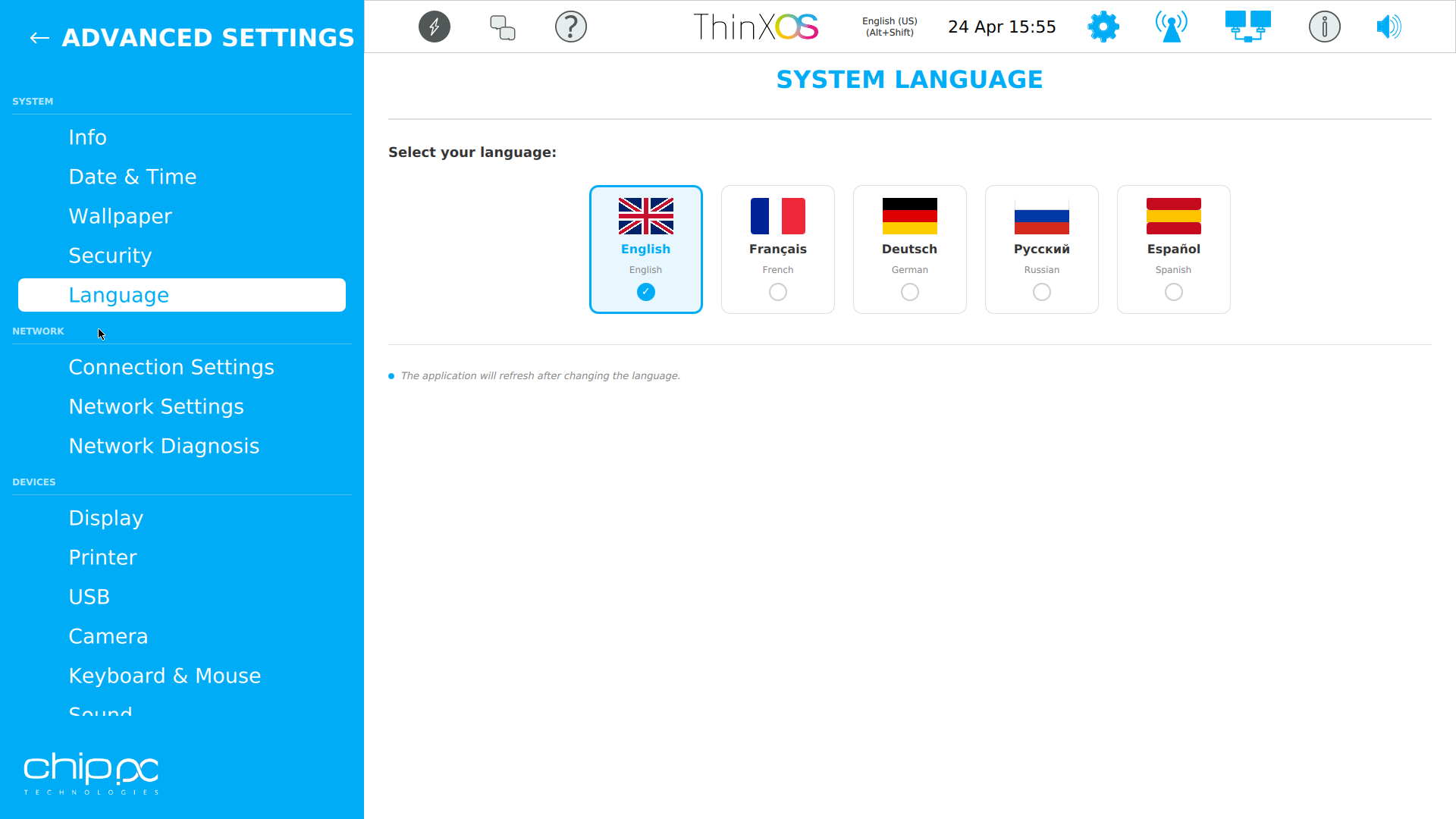
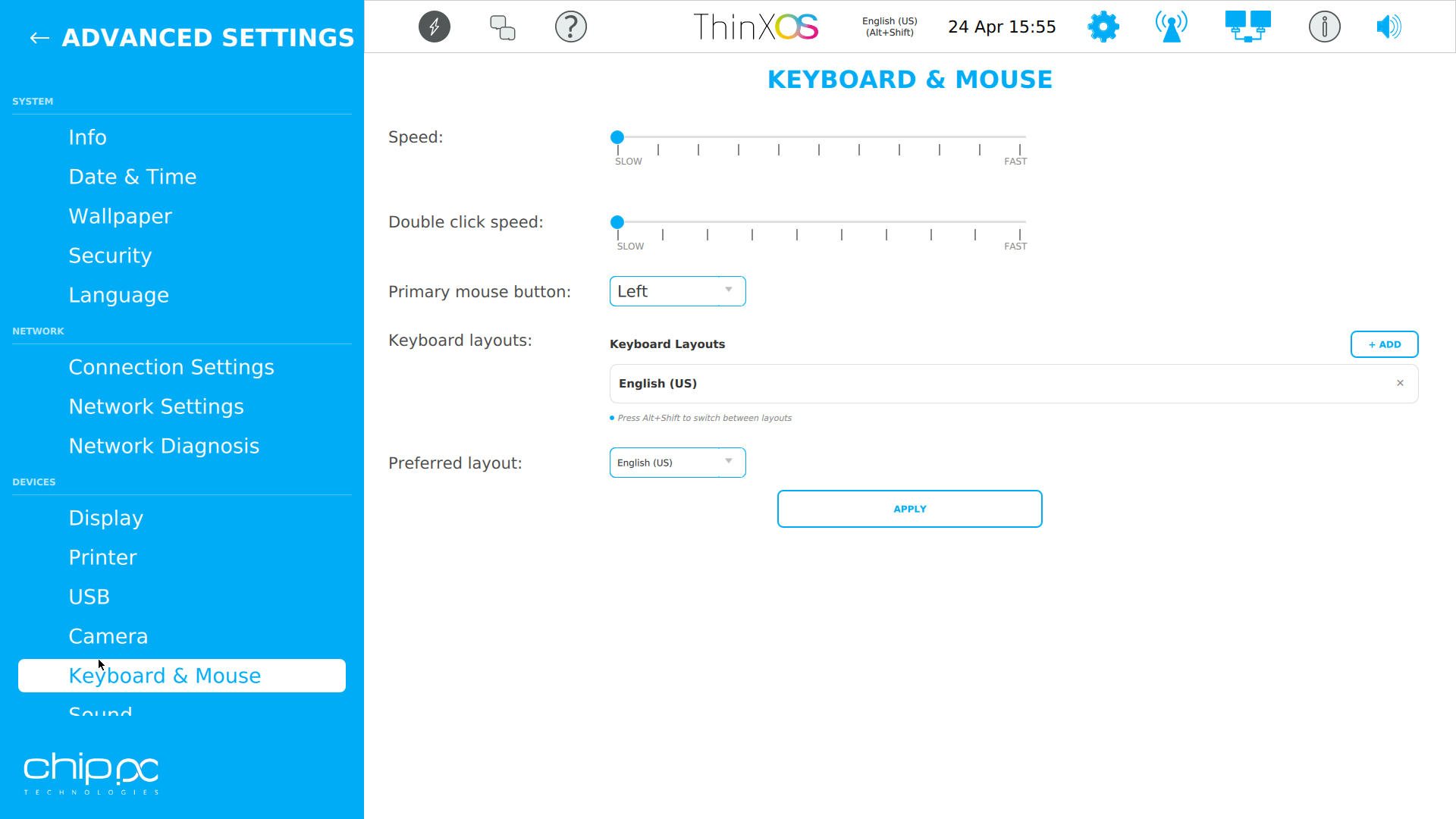
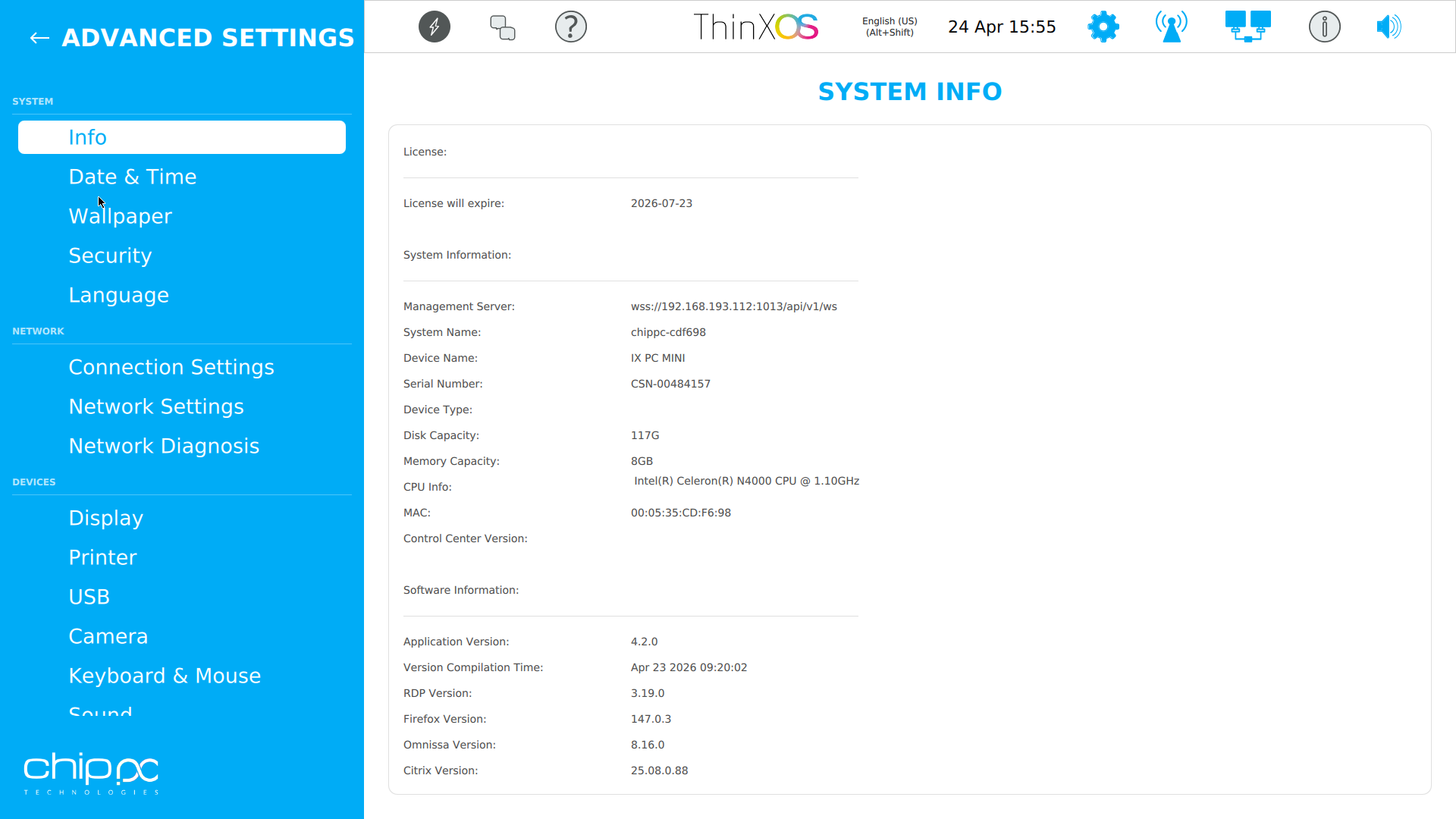
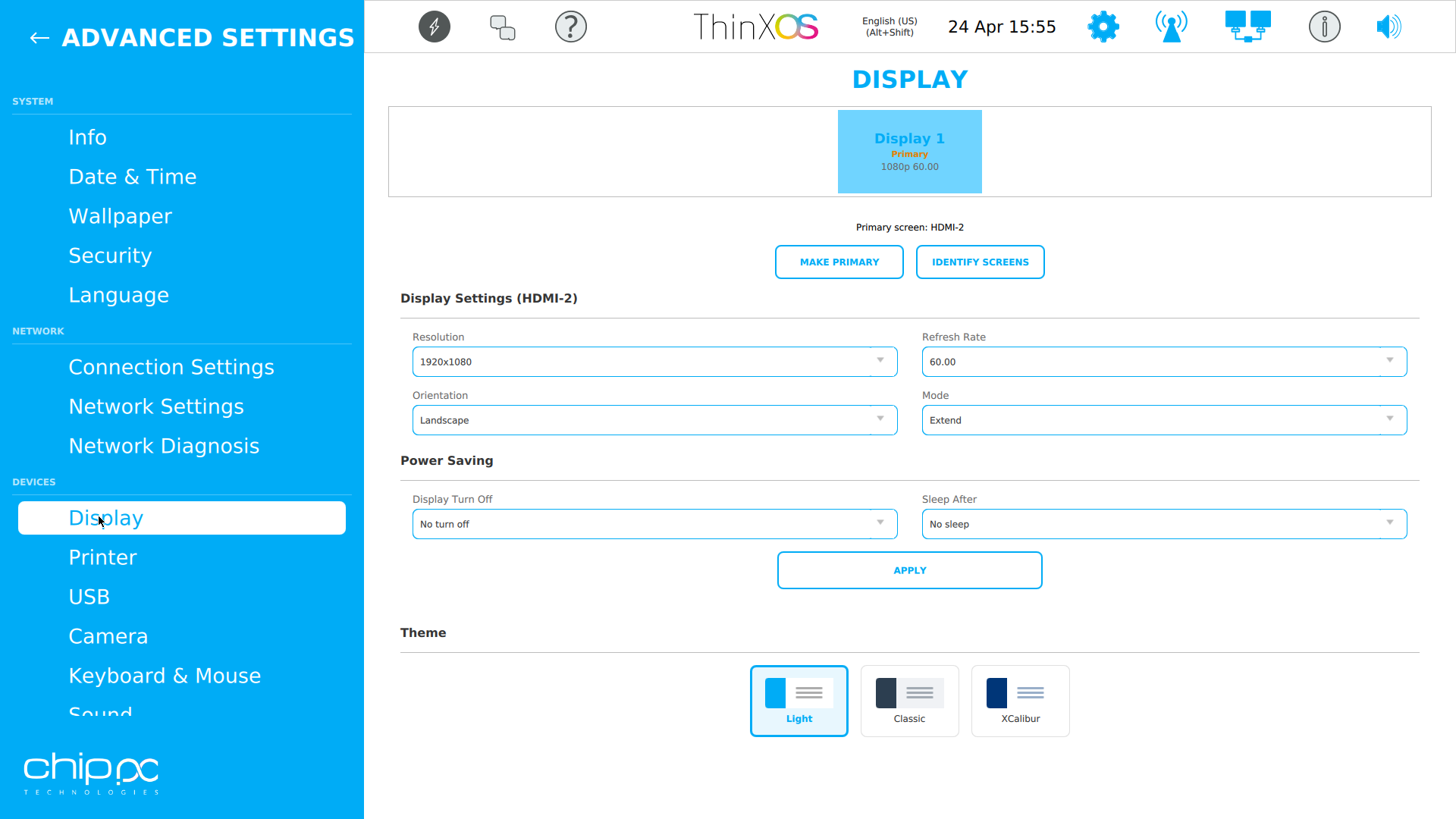
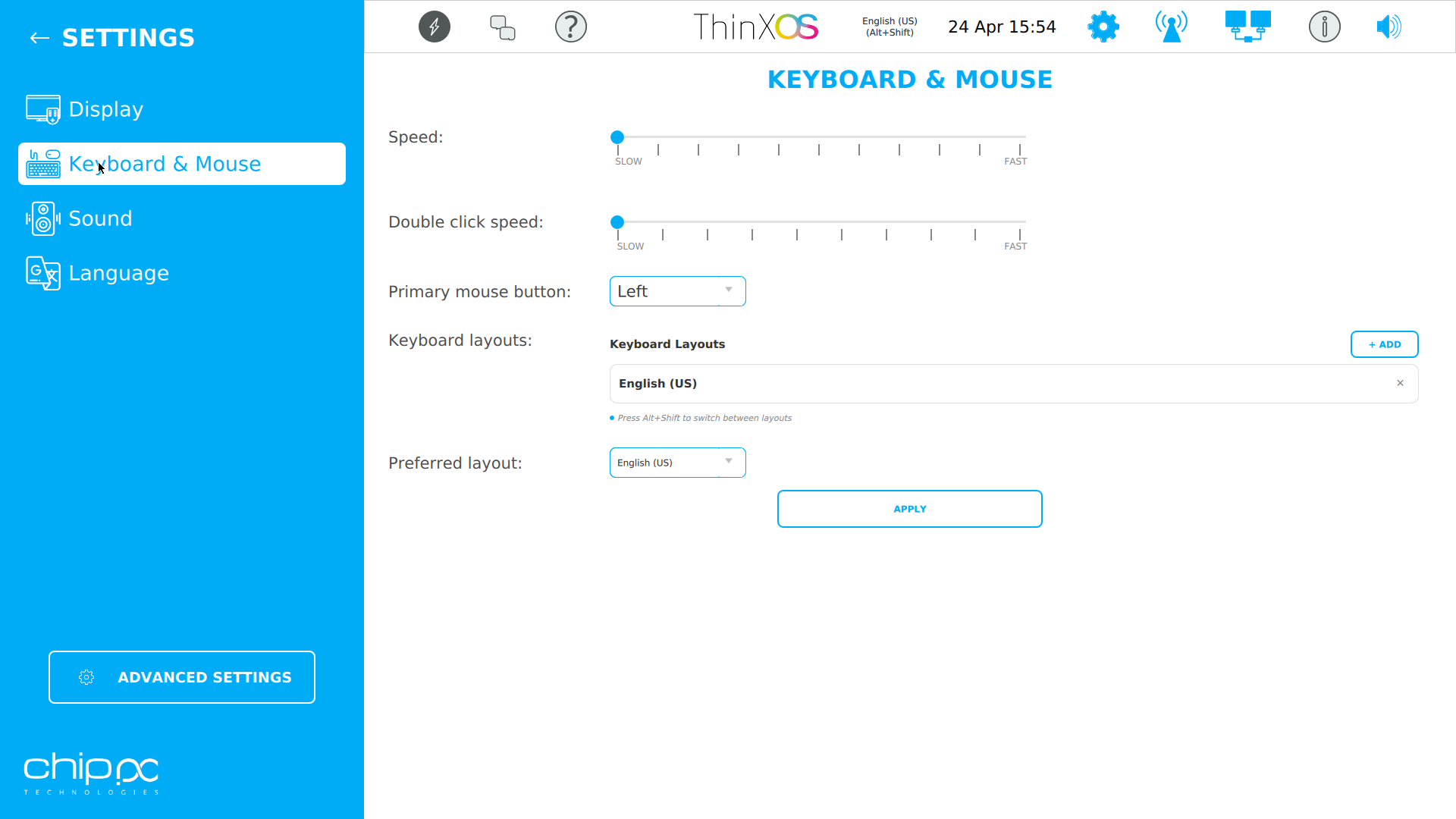
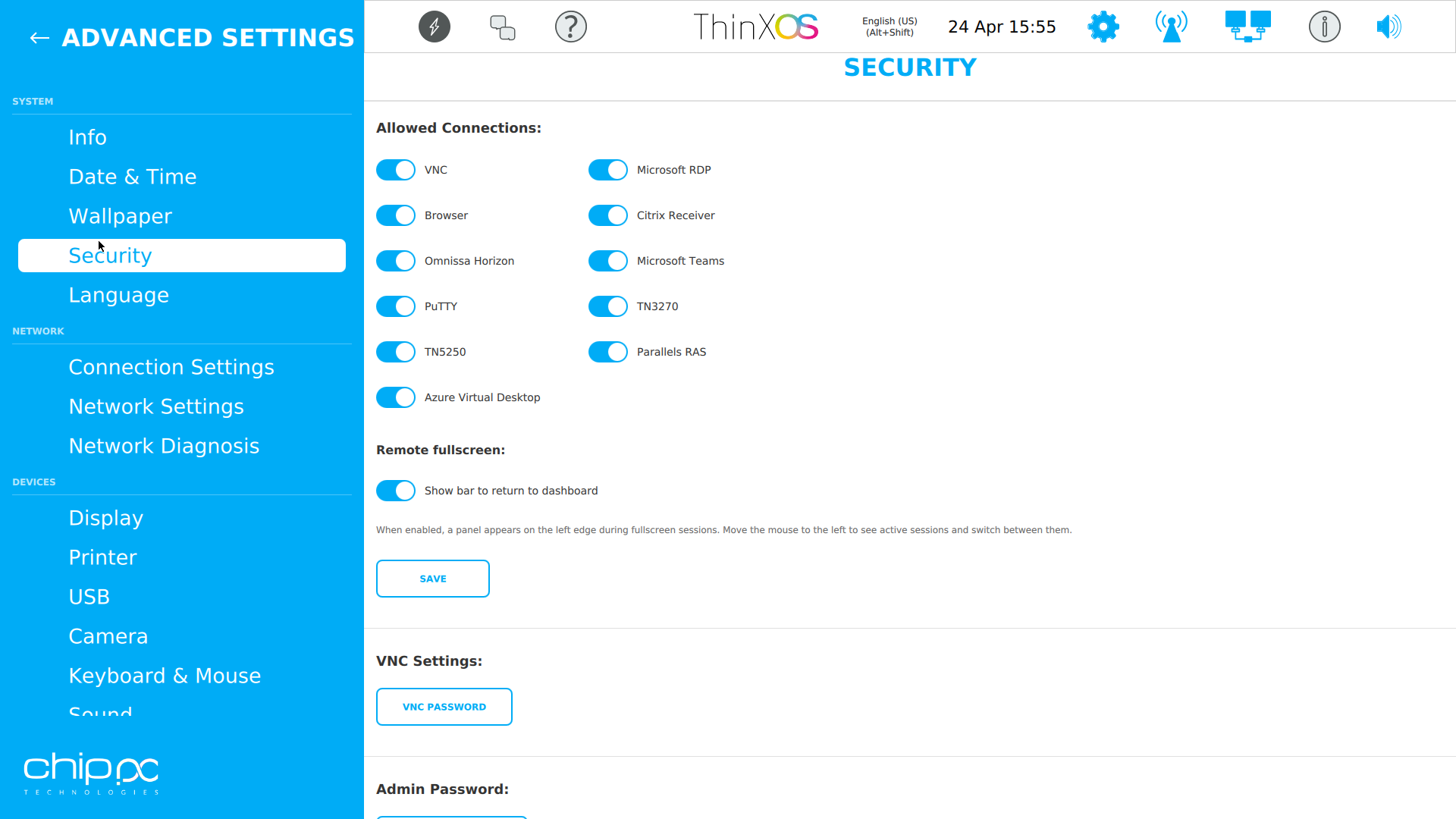
לחצו על כל צילום מסך להגדלה
אשף ההגדרה של ThinX OS כל כך פשוט שהמשתמשים שלכם יכולים לעשות זאת בעצמם
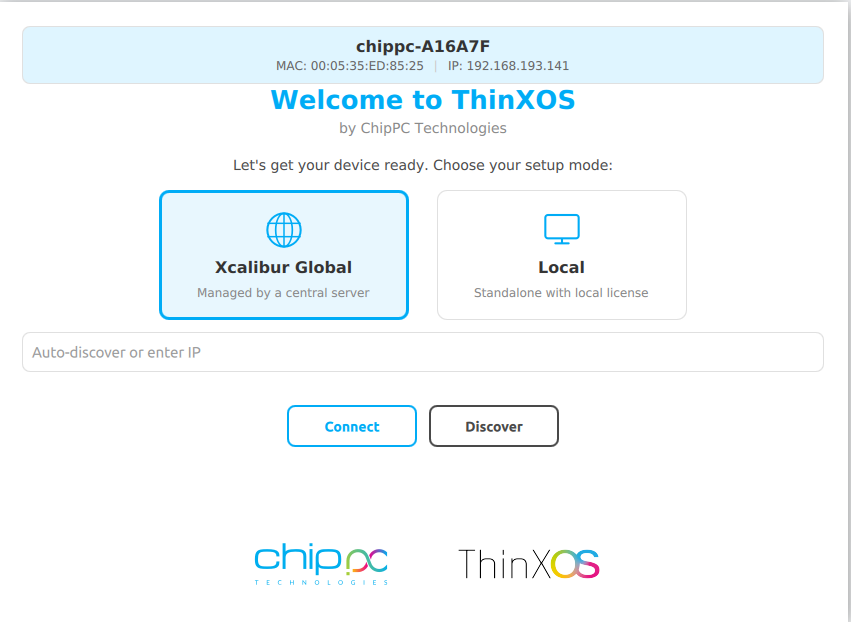
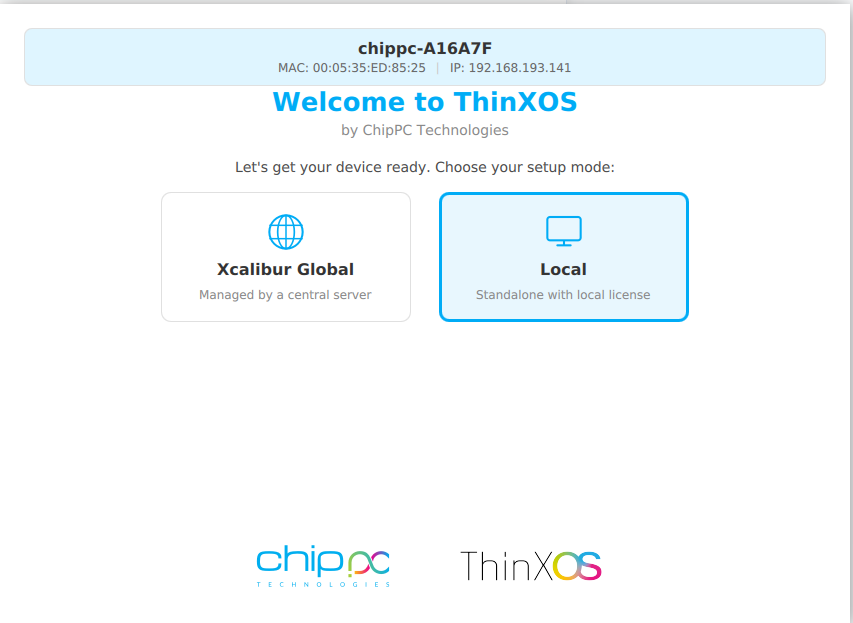
Choose between Xcalibur Global (managed fleet) or Local (standalone).
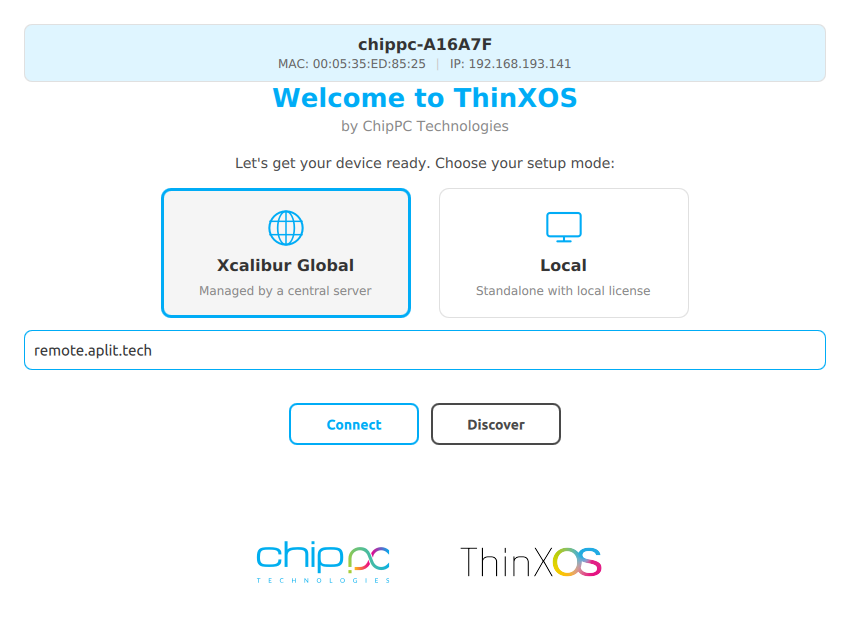
הזינו את כתובת שרת Xcalibur. המכשיר נרשם ומצטרף אוטומטית.
Type your XXXX-XXXX-XXXX license code (received by email) and click Apply.
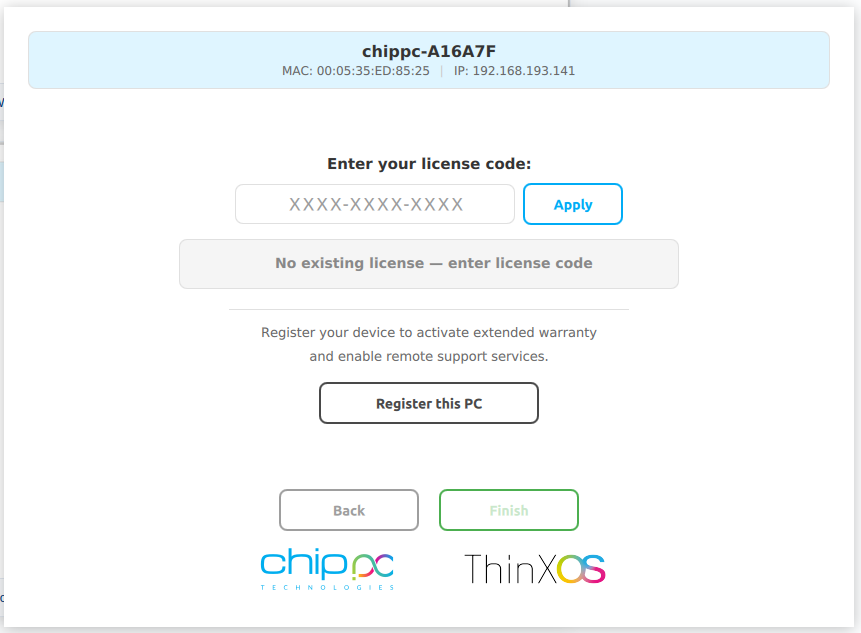
Click רשמו מחשב זה לאחריות ותמיכה. המכשיר מופיע בלוח הבקרה של Xcalibur.
החליפו את הציטוטים הבאים בעדויות לקוחות שלכם בעורך הדפים של WordPress.
We replaced 800 Windows endpoints with ChipPC thin clients running ThinX OS. Boot time dropped from 90 seconds to a few seconds, and helpdesk tickets fell by more than 60%.
The read-only filesystem changed our security posture overnight. We stopped worrying about ransomware on endpoints — there's literally nothing to encrypt.
Pushing a new RDP connection to 1,200 thin clients now takes one click in Xcalibur. Before, we used to plan the same operation as a two-week project.
Security is not an add-on in ThinX OS — it is the foundation. Every architectural decision was made to eliminate attack surfaces and protect end-user data, helping you meet enterprise security and privacy requirements in healthcare, finance, government, and education.
The entire ThinX OS root filesystem is mounted read-only at boot time. לכופרה אין היכן לכתוב. תוכנות זדוניות אינן יכולות להישאר לאחר אתחול. Even if a session is compromised, the OS reverts to a clean state on next boot — automatically.
Xcalibur enforces USB policies on every ThinX OS device: חסמו את כל אחסון USB, אפשרו רק ציוד היקפי מאושר, או הגדירו מצב קריאה בלבד. Prevent data exfiltration and enforce BYOD policies without any local IT intervention.
ThinX OS supports 802.1X EAP authentication for wired and wireless networks. רק מכשירים מאומתים ורשומים יכולים להתחבר לרשת הארגונית שלכם. Certificates are managed and deployed remotely via Xcalibur.
ThinX OS has no local administrator or user accounts to compromise. אין סיסמה לגנוב, אין חשבון לפרוץ, אין נתיב להסלמת הרשאות. All management is done through Xcalibur, protected by 2FA and role-based access control.
Deploy SSL/TLS certificates to any device or group remotely via Xcalibur. הצפינו כל חיבור — RDP, VNC, תעבורת ניהול — מקצה לקצה. Certificate renewal and distribution are fully automated, eliminating human error.
Every action on every device is logged with user identity, timestamp, and device ID. ייצוא יומן ביקורת מובנה ודוחות מתוזמנים help your organisation align with GDPR and internal compliance policies.
ThinX OS מתחבר לכל תשתית שולחן עבודה וירטואלי מובילה מיד עם ההתקנה
Pair ThinX OS with Xcalibur Global to add Azure AVD, Microsoft Teams, PuTTY, TN5250/3270 and Parallels connections, all deployable centrally.
פועל על כל חומרת תחנת הדקה של ChipPC — משאבים מינימליים, ביצועים מקסימליים
| Component | Minimum | Recommended |
|---|---|---|
| Device | כל תחנת דקה נוכחית של ChipPC | הדגם העדכני ביותר של תחנת דקה ChipPC |
| CPU | תואם x86 / x64 | Intel Atom / Celeron / Core i3+ |
| RAM | 2 GB | 4 GB+ |
| Storage | 4 GB Flash | 8 GB+ Flash / SSD |
| Network | 100 Mbps Ethernet | Gigabit Ethernet (Wi-Fi optional) |
| Management | Xcalibur Global (trial included) | רישיון מלא של Xcalibur Global |
| שחזור USB | Rufus (Windows) + 8 GB USB | Rufus 4.x, 16 GB USB |
הזינו שם, חברה ודוא"ל עסקי. לוקח 30 שניות.
דוא"ל אוטומטי מעביר את קישור תמונת ThinX OS מיידית.
השתמשו ב-Rufus לכתוב את התמונה ל-USB והפעילו את מכשיר ChipPC שלכם.
A second email brings your free trial licence (ThinX OS + Xcalibur Global). Start managing your fleet right away.
כל מה שצריך לדעת לפני הורדת ThinX OS
XXXX-XXXX-XXXX).
ThinX OS is a מוצר מסחרי — but you can לנסות בחינם for a limited time. מלאו את הטופס to receive two emails: one with the ThinX OS download link, and one with your trial licence (covering ThinX OS and Xcalibur Global). No credit card. No commitment during the trial.
Your data is confidential and never shared. מדיניות פרטיות