Xcalibur Global היא פלטפורמת הניהול הארגונית שנבנתה במיוחד עבור thin clients של ChipPC עם ThinX OS. לפרוס, להגדיר, לנטר ולשלוט במאות או אלפי endpoints — בלי לעזוב את הדפדפן. בלי agents. בלי מורכבות. בלי ביקורים באתר.
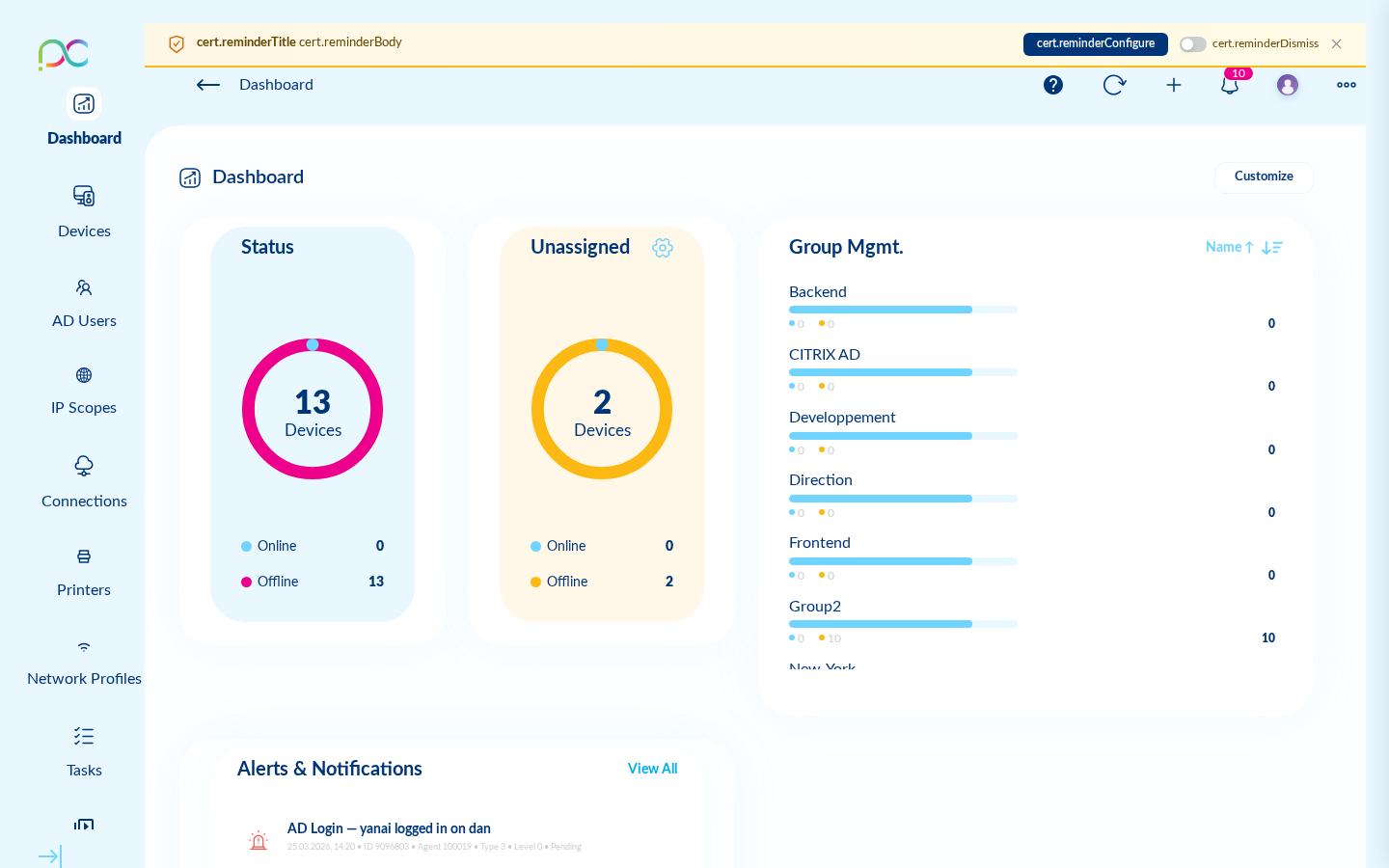 10,247 Devices Online
Tasks: 128 running
Remote sessions: 7
3 open tickets
All policies in sync
10,247 Devices Online
Tasks: 128 running
Remote sessions: 7
3 open tickets
All policies in sync
Xcalibur Global — סקירת צי בזמן אמת. הכל במבט אחד.
פלטפורמות אחרות דורשות agents, VPN, שרתי imaging וטכנאים באתר. Xcalibur works differently. Because ThinX OS is built to communicate natively with Xcalibur, there is nothing to install on endpoints. Open your browser, log in, and you have complete control over every device — whether it's in the next room or on another continent.
בקשת ניסיון ל-Xcalibur GlobalXcalibur communicates directly with ThinX OS. Nothing to deploy, nothing to update on endpoints.
Take VNC control of any device from your browser. No extra software. Works from anywhere in the world.
Create a task, select all devices, click Deploy. Configuration changes reach every endpoint in seconds.
Power on a new ChipPC device — it discovers Xcalibur automatically, registers, and gets its configuration without human intervention.
From hospitals and trading floors to schools and contact centers — Xcalibur scales the same way for every fleet size.
HIS / EHR endpoints, fast user switching, kiosk lockdown, GDPR-aligned audit trail.
Hardened trading-floor and branch endpoints with SSL, MAC whitelist and 802.1X.
RBAC, 2FA, immutable audit logs and on-premises hosting — your data stays in your country.
Lab classrooms with one-click connection deployment and remote control for support.
POS endpoints provisioned in minutes, replaced from a USB stick if a unit fails.
Plug-and-play VDI agent stations with built-in helpdesk and remote VNC control.
Real screen recordings from a live production system — no animations, no mockups
The live dashboard: device status, hardware performance, fleet health — all in real time.
Build a configuration task and push it to hundreds of devices in under 60 seconds.
Pick a protocol (RDP, Citrix, VNC, Teams, PuTTY…), configure it, and push it to your entire fleet instantly.
Manage tickets, chat with end-users, and resolve issues — all from one Kanban board inside Xcalibur.
From device provisioning to helpdesk tickets — Xcalibur covers the full IT lifecycle
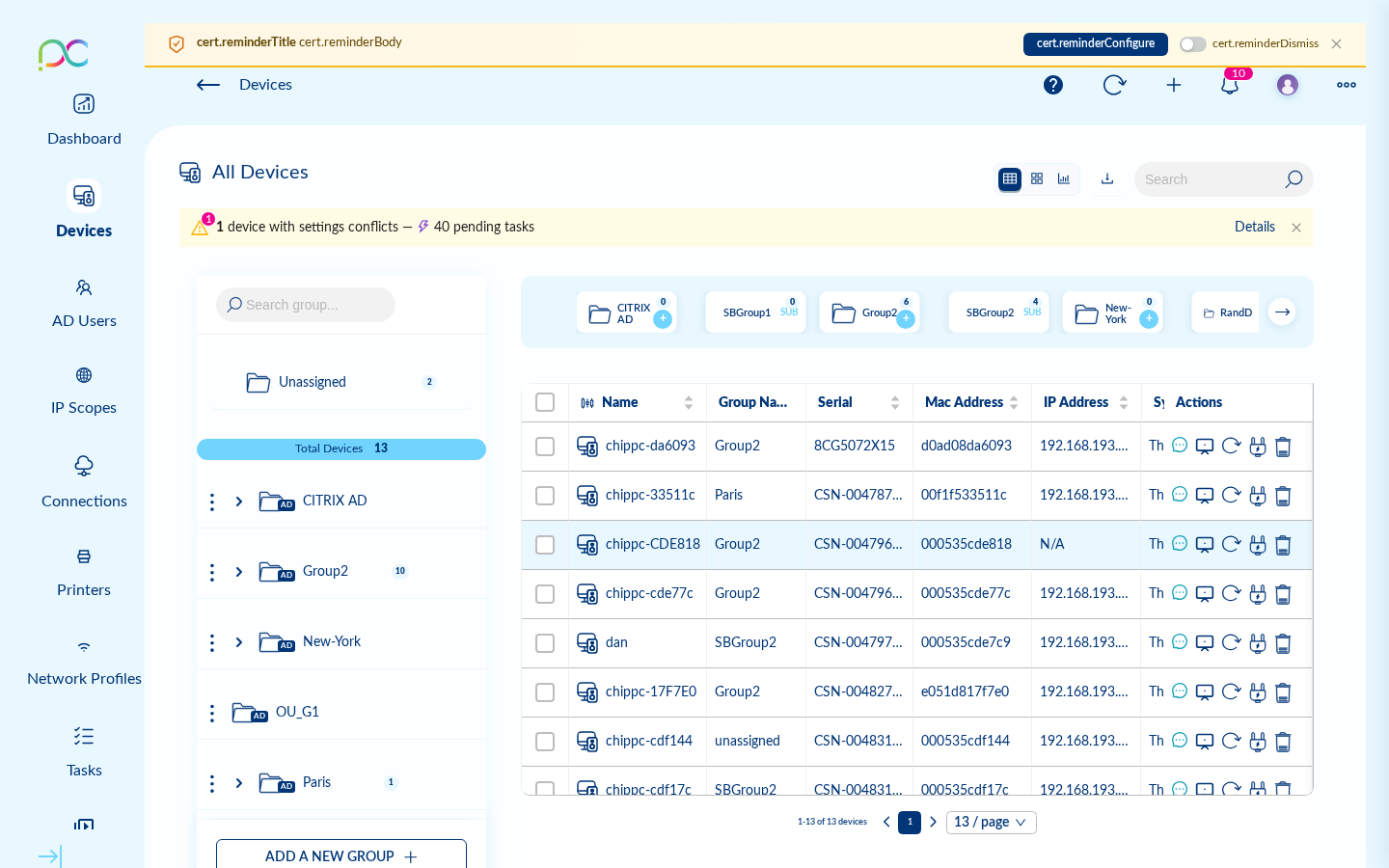
See every device in your organisation: online status, hardware specs, IP address, last seen, assigned user. Group devices by site, department, or role. The automatic approval queue validates new devices joining your network — no rogue endpoints, ever.
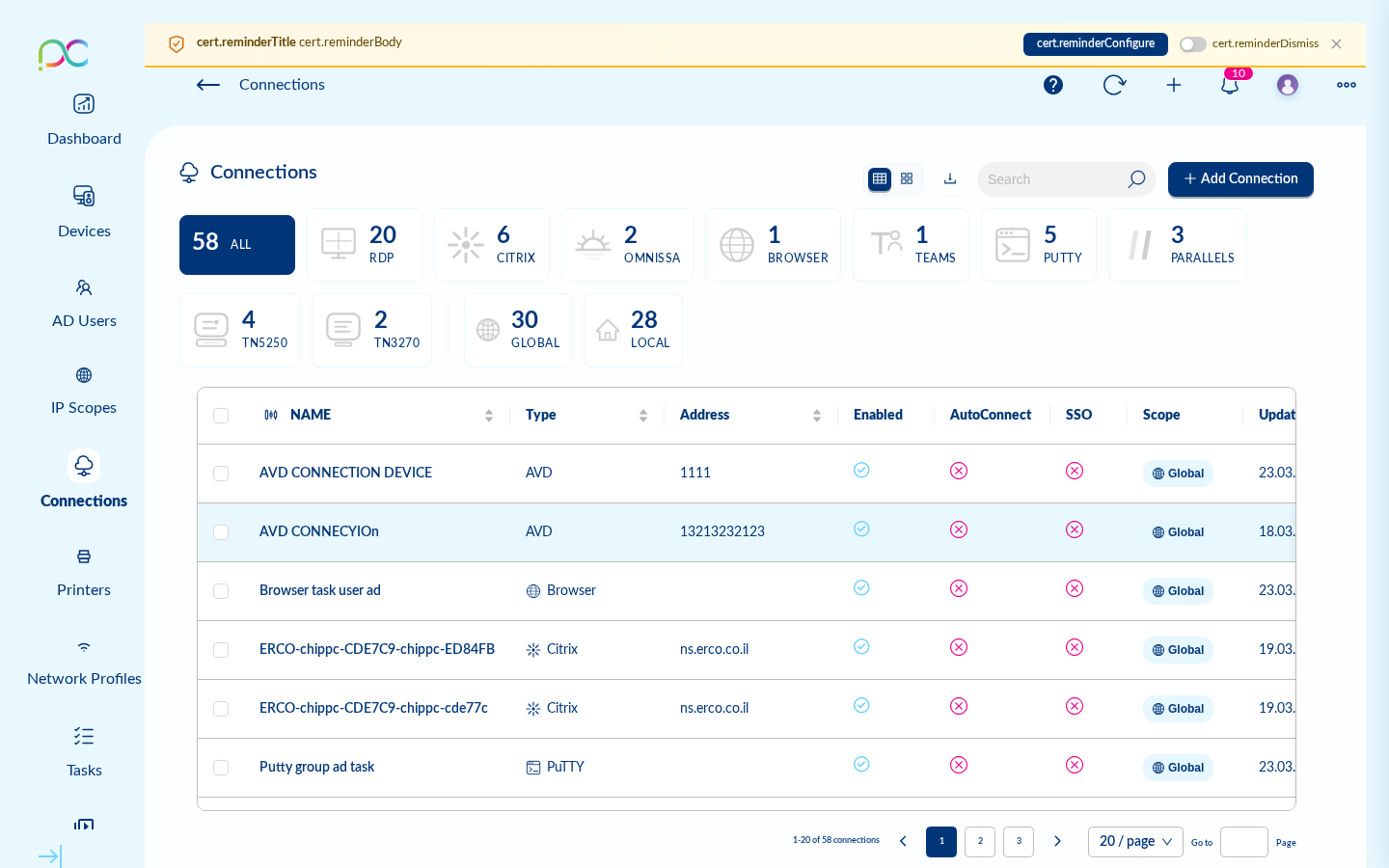
Create RDP, VNC, Citrix, AVD, Microsoft Teams, PuTTY, Browser, TN5250/3270 and Parallels connections from the Xcalibur wizard — and deploy them to individual devices or entire groups in one action. Users see their connection icons the moment they power on.
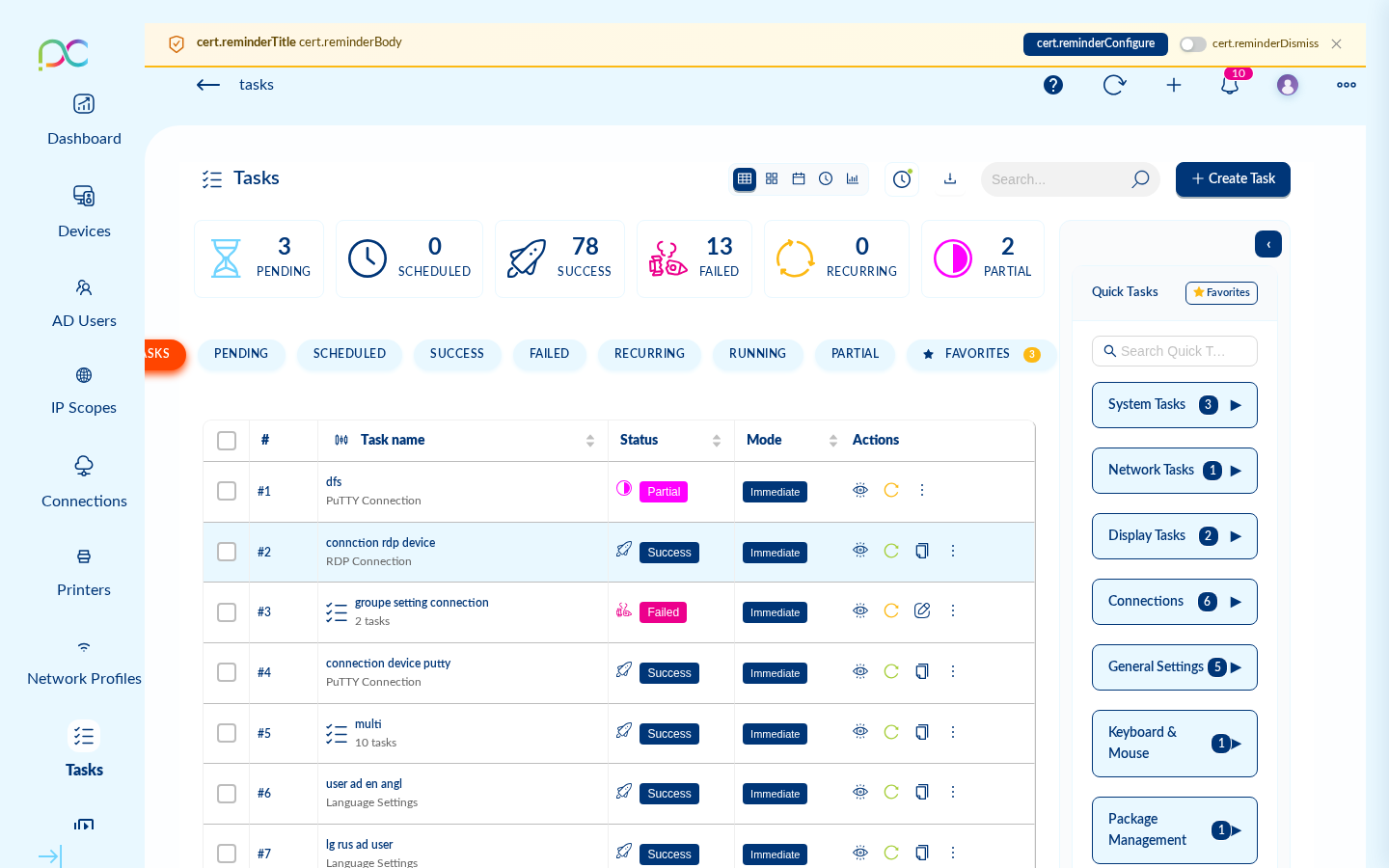
Run a task immediately, schedule it for tonight, or set it to repeat every Monday morning. Tasks cover everything: push a setting, change a wallpaper, update ThinX OS, reboot a device group — all with full status tracking and history.
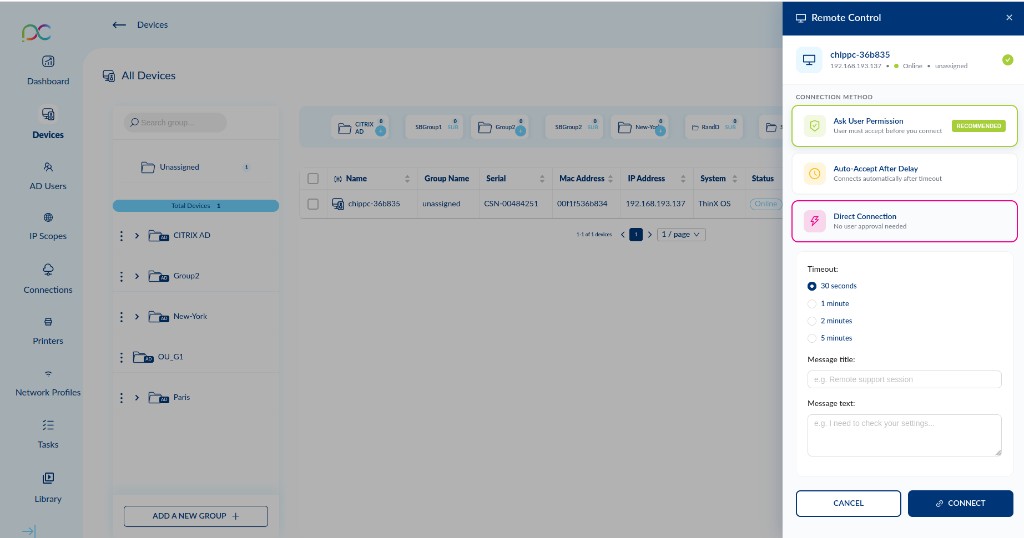
Click any device and open a full VNC session directly in your browser tab. No plug-in, no download, no extra tool. Three modes give you flexibility: ask the user's permission, auto-accept after a delay, or connect silently for maintenance. Record sessions for compliance and training.
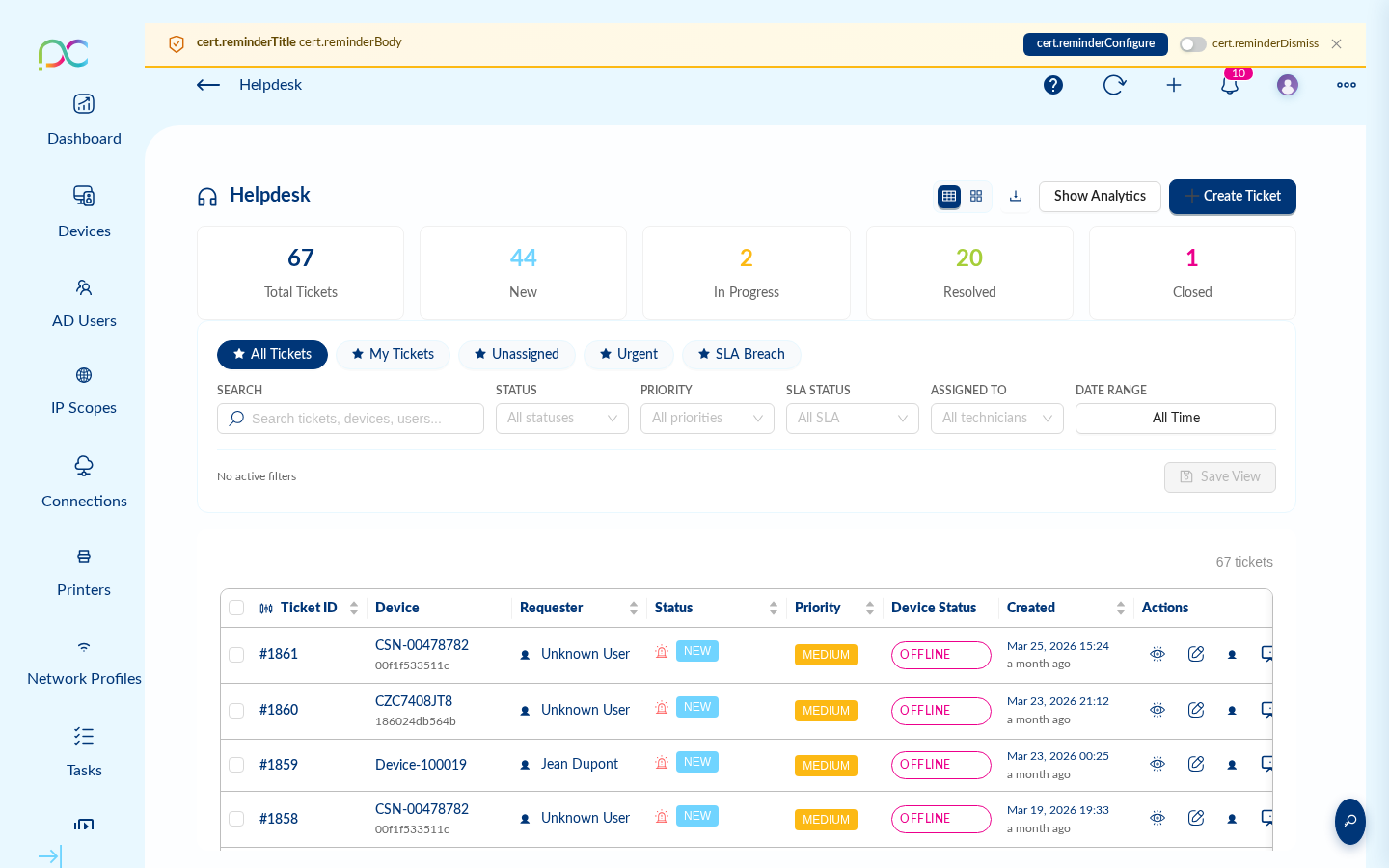
A full ticket management system lives inside Xcalibur. Kanban board, comments, file attachments, response templates, and real-time chat with end-users. No Zendesk, no Jira, no extra subscription. Everything your IT team needs is already here.
Click any screenshot to enlarge
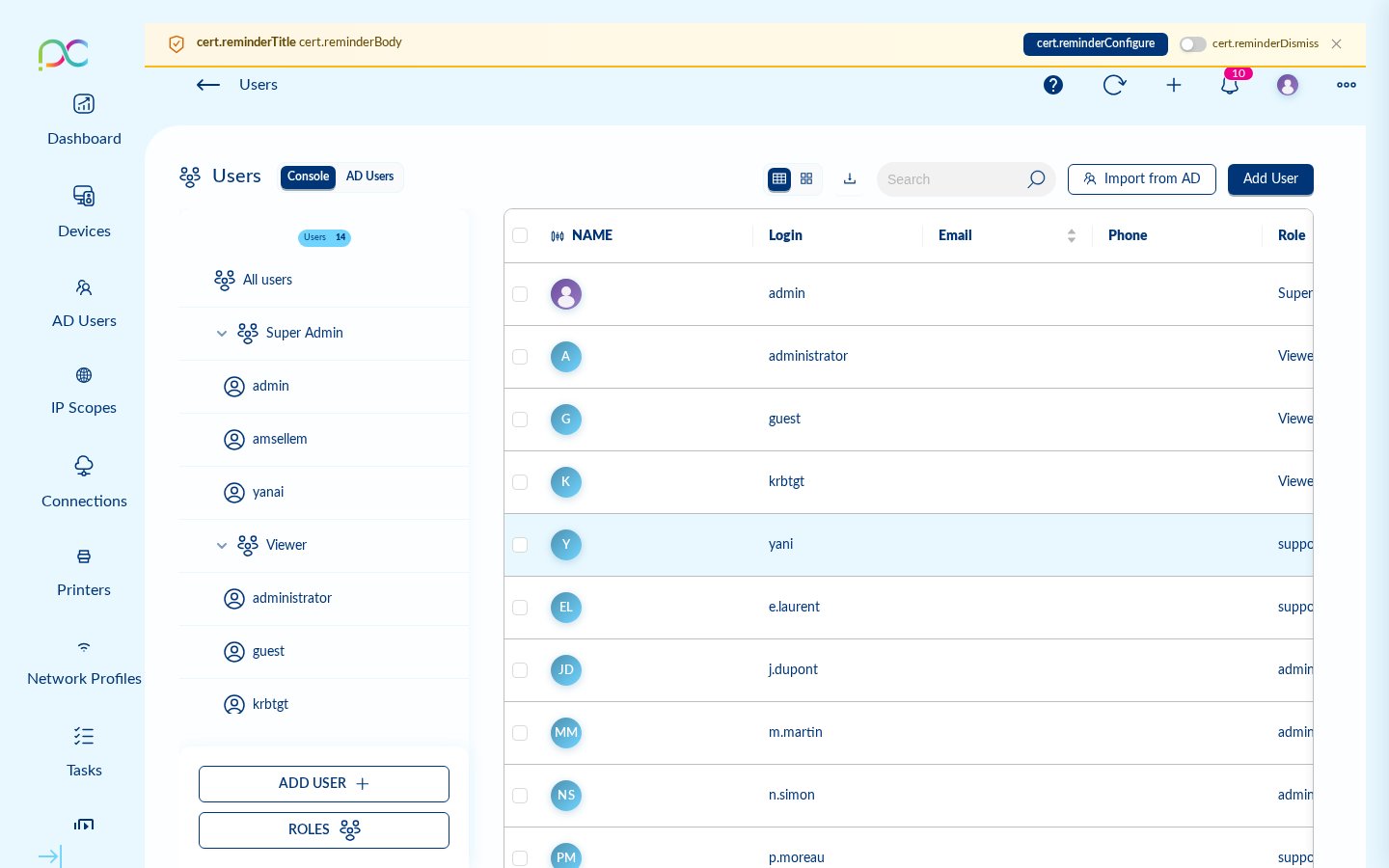
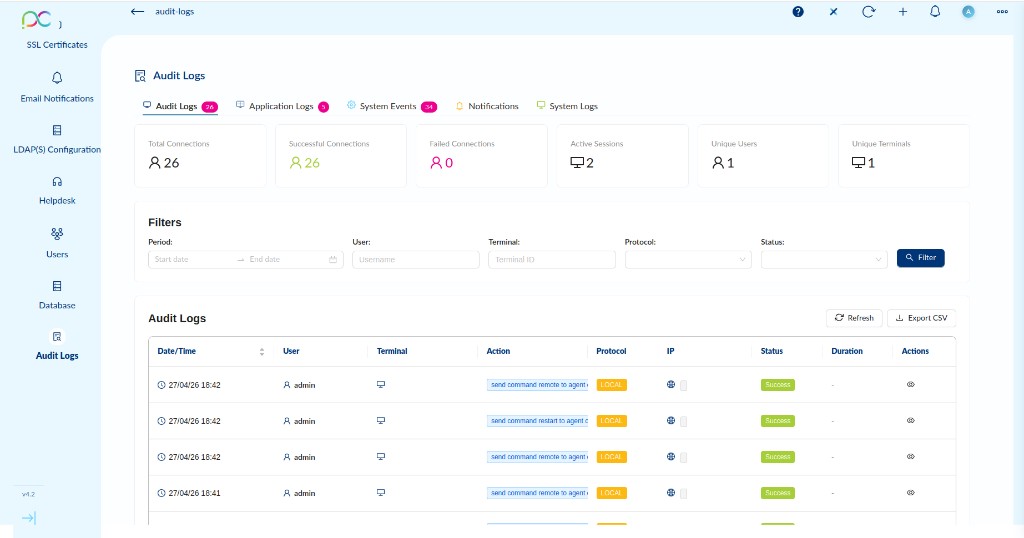
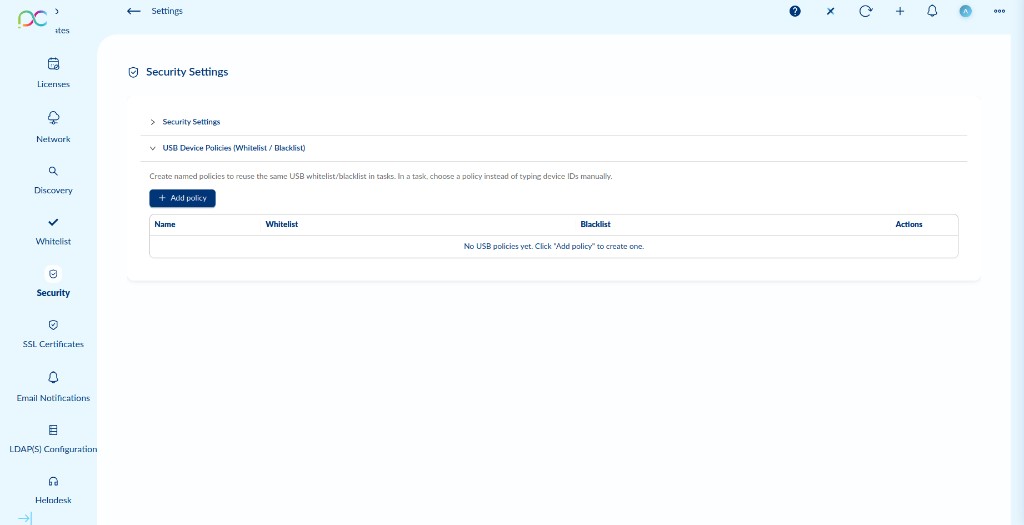
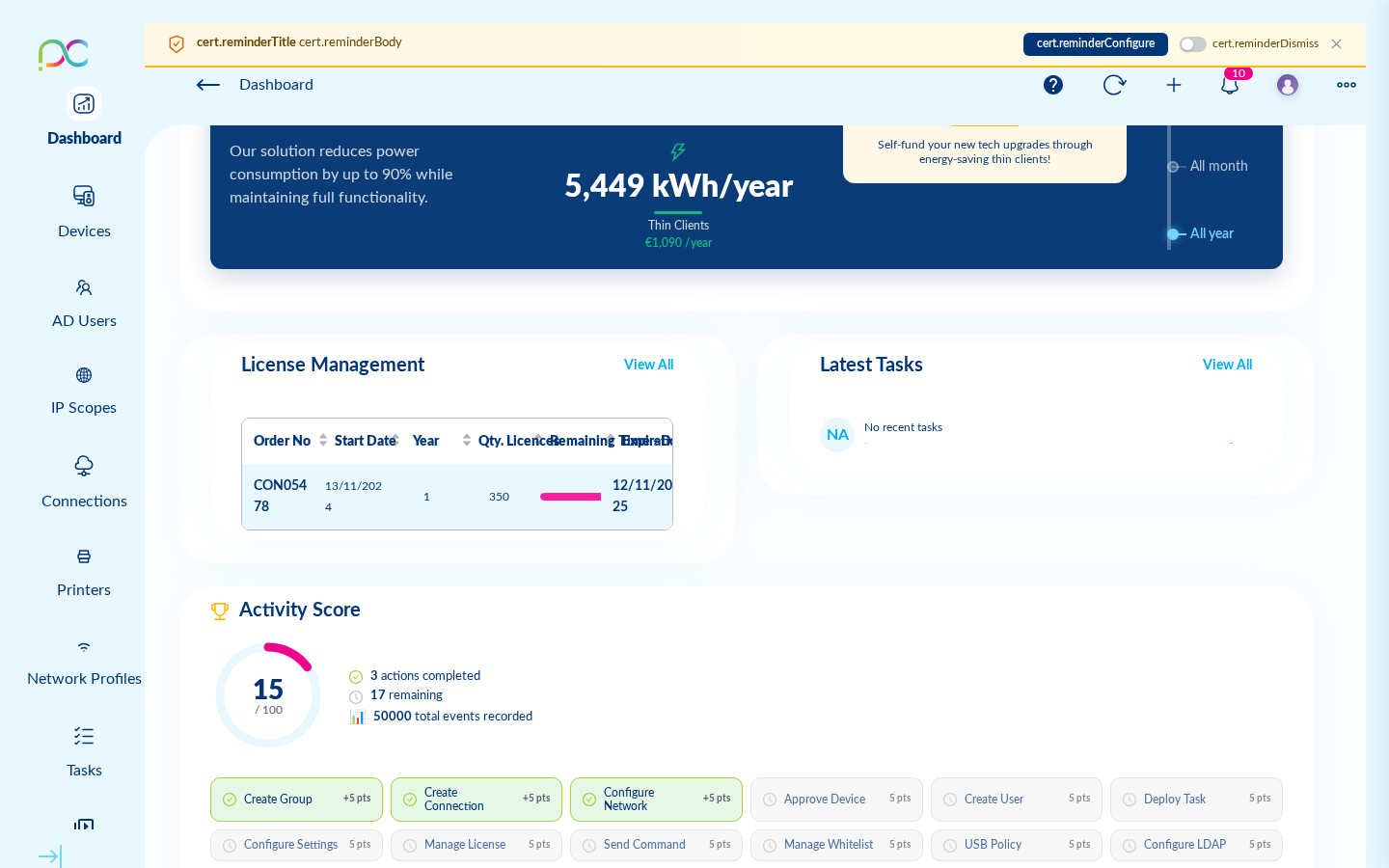
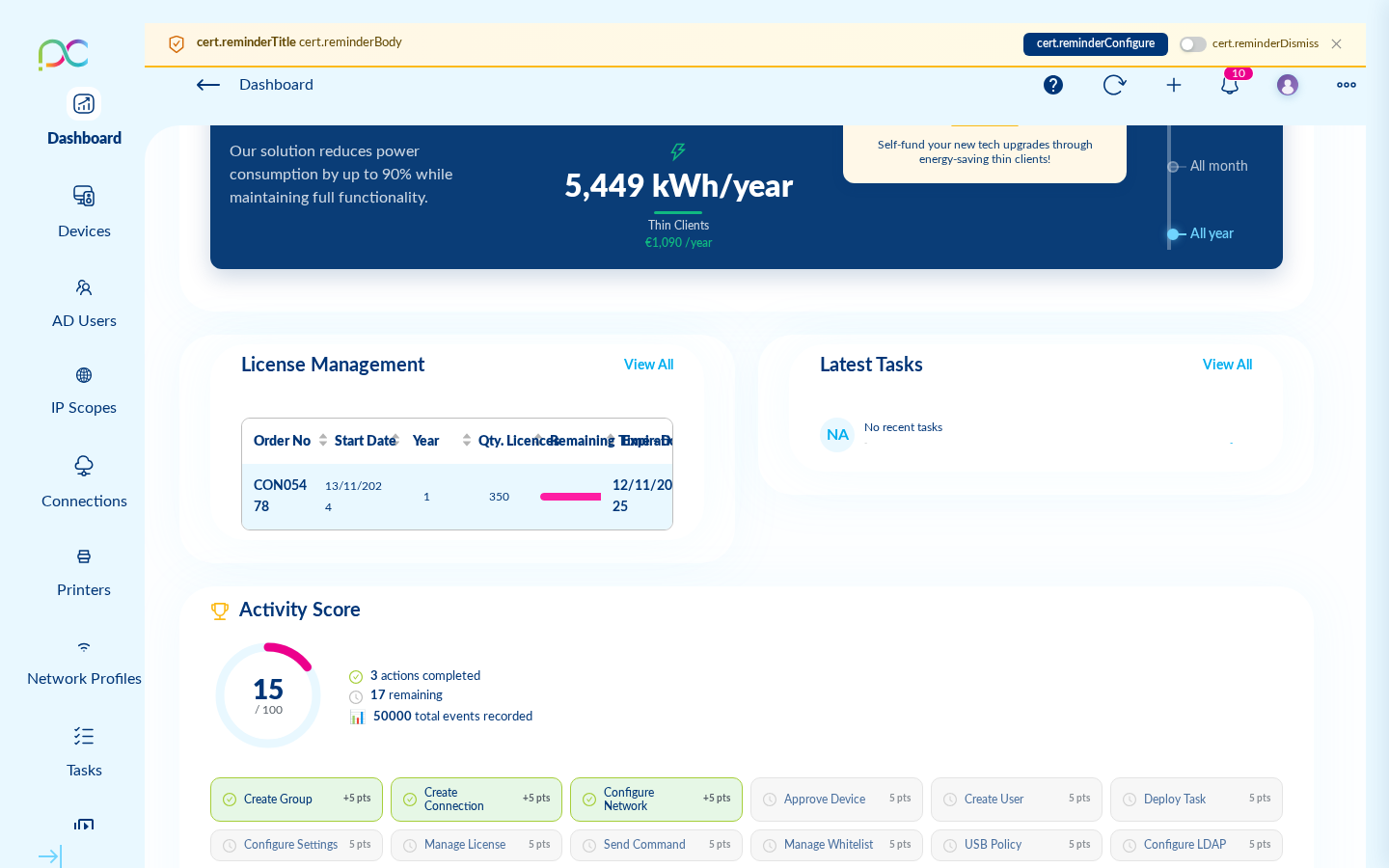
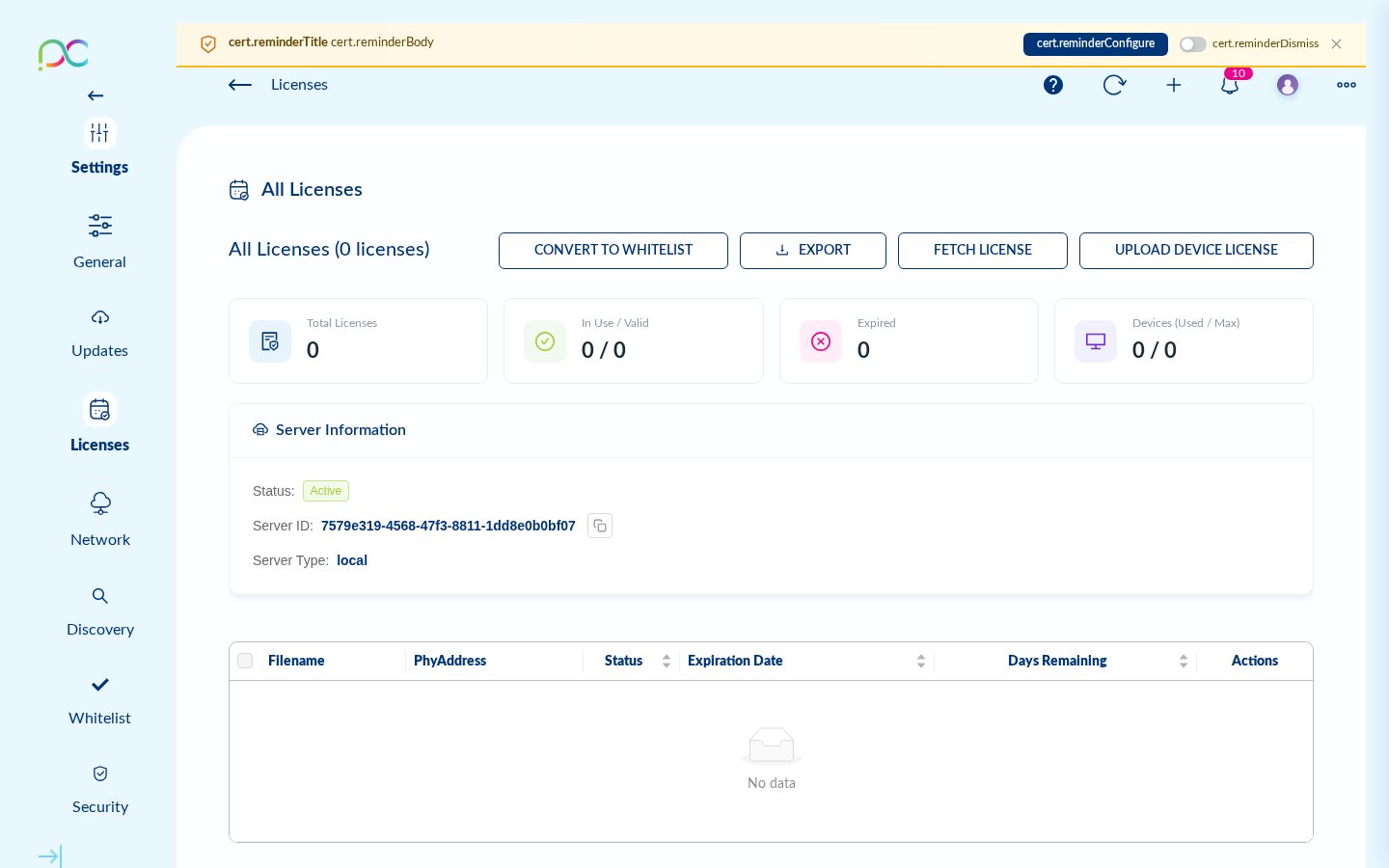
Xcalibur gives your IT team granular security control over every endpoint in your organisation. From USB device policies to 802.1X certificates, every security parameter is enforced remotely — without touching a single device on-site. Built to support GDPR-aligned audit, traceability and access-control practices across your fleet.
Block all USB storage devices, allow only whitelisted peripherals by device ID, or enforce read-only mode. Stop data exfiltration at the hardware level. Policies are applied instantly to any device or group from Xcalibur.
Only devices whose MAC addresses are registered in Xcalibur can connect to your fleet. Rogue or unknown endpoints are automatically rejected. Maintain a clean, auditable device inventory at all times.
Deploy, renew, and revoke SSL/TLS certificates across your entire fleet from one screen. Encrypt every connection — management traffic, RDP sessions, VNC — end to end. No manual cert distribution, no expired certificates.
Create custom admin roles with fine-grained permissions per feature. Enforce two-factor authentication for all Xcalibur users. Sync your Active Directory or LDAP — users log in with their corporate credentials.
Every action in Xcalibur is logged: who did what, when, on which device. Export audit trails for GDPR, internal-IT audits and regulatory needs. Schedule automated compliance reports delivered to your inbox.
Push 802.1X EAP certificates to any device remotely via Xcalibur. Only authenticated, managed endpoints can access your corporate network. Works with any 802.1X-capable switch or Wi-Fi infrastructure.
Purpose-built for ThinX OS — every feature designed to eliminate complexity
No agent to install — Xcalibur talks directly to ThinX OS. Zero endpoint software to deploy or update.
100% browser-based — Manage your entire fleet from Chrome, Edge, or Firefox. No client required.
Scales to thousands of devices — SQLite for small teams, Microsoft SQL Server for larger fleets. Same interface either way.
On-premises or cloud — Install Xcalibur on your own Linux or Windows server, or deploy in your cloud.
Zero-touch provisioning — New devices register and configure themselves automatically when powered on.
Full audit trail — Every action logged with user, timestamp, and device. Perfect for compliance.
Integrated helpdesk — No third-party ticketing tool needed. Tickets, chat, and remote control in one place.
Enterprise security — 2FA, LDAP/AD sync, USB policies, MAC whitelist, 802.1X certificates, SSL per device.
Why ChipPC customers choose Xcalibur over generic UEM platforms and competing thin-client managers
| Capability | Xcalibur Global | Generic UEM (Intune, Jamf…) | IGEL UMS / Stratodesk |
|---|---|---|---|
| Built specifically for ChipPC thin clients | ✓ Native | ✗ | Partial |
| No agent to install on endpoints | ✓ | Required | Required |
| In-browser VNC remote control (no plugin) | ✓ | ✗ | Add-on |
| Built-in helpdesk (Kanban + chat) | ✓ | ✗ | ✗ |
| Native ThinX OS integration (zero touch) | ✓ | ✗ | Limited |
| Free loan device for evaluation | ✓ | ✗ | ✗ |
| On-premises deployment (your data stays yours) | ✓ | Cloud only | ✓ |
| Per-device pricing — no surprises | ✓ Transparent | Tier-based | Module add-ons |
Comparison summarised from public information at the time of writing. צרו קשר for a tailored side-by-side analysis.
Trusted by IT teams managing thousands of endpoints across 30+ countries.
"We migrated from a competing thin client manager to Xcalibur in a weekend. The in-browser VNC alone saves our helpdesk team hours every single day — no more remote desktop clients to install."
"Pushing OS updates and security policies to 1,200 thin clients used to be a two-week project. With Xcalibur, it's a one-click scheduled task. We now do it every Friday night automatically."
"The audit log and 2FA finally let us pass our internal security review. Every action on every device is logged. Everything the auditor asked for was exportable in two clicks."
Installs on your existing Windows or Linux server with a guided wizard
| Component | Minimum | Recommended |
|---|---|---|
| OS | Ubuntu 20.04+ / Windows Server 2016+ | Ubuntu 22.04 LTS |
| CPU | 2 cores | 4+ cores |
| RAM | 4 GB | 8 GB (16 GB for 1,000+ devices) |
| Disk | 20 GB | 100 GB SSD |
| Database | SQLite (included) | MSSQL Server 2016+ |
| Network | 100 Mbps | 1 Gbps |
| Browser (admin) | Chrome / Firefox / Edge 90+ | Latest Chrome |
בקשו מכשיר בהשאלה חינם and be fully operational within hours
Fill in the form below. A ChipPC expert will arrange your free loan ChipPC thin client.
Run the installer wizard on your Windows server. SQLite is bundled — no DBA required. Microsoft SQL Server supported for large fleets.
Power on your ChipPC loan device — it auto-registers to Xcalibur and appears in your dashboard.
Push connections, deploy settings, monitor hardware, take remote control — all from your browser.
Everything procurement, IT and security teams typically ask before booking a demo
Try ChipPC thin clients and Xcalibur Global in your own environment at no cost. A ChipPC expert will contact you to arrange your free loan device and provide your Xcalibur trial license.
Your information is kept confidential and never shared with third parties. Privacy Policy