
ThinX OS is ChipPC’s embedded Linux-besturingssysteem — vanaf de basis gebouwd voor thin clients. Start in seconden, verbindt direct, en Xcalibur beheert elke instelling op afstand. Geen lokale IT. Geen complexiteit. Gewoon productiviteit.
 Read-Only Filesystem
RDP · Citrix · Horizon
Zero-Touch implementatie
802.1X EAP-TLS
USB Policy Enforced
Read-Only Filesystem
RDP · Citrix · Horizon
Zero-Touch implementatie
802.1X EAP-TLS
USB Policy Enforced
ThinX OS — Schoon, snel en volledig beheerd vanuit Xcalibur Global
Most thin client OS solutions require local administrators, complex imaging workflows, and on-site technicians. ThinX OS flips this model completely. Every setting — from display resolution to VPN credentials — is pushed remotely from the Xcalibur console. U hoeft een apparaat nooit meer aan te raken.
Gratis proef aanvragen — Geen creditcardPlug in a ChipPC device — it auto-registers to Xcalibur and receives its full configuration without any manual steps.
Display settings, connections, wallpaper, screensaver, security policies — all configured and deployed from Xcalibur in seconds.
Read-only filesystem means ransomware and malware have nowhere to persist. Nothing to patch, nothing to maintain locally.
Als er iets misgaat, herstel een apparaat van een USB-stick met Rufus. Binnen 5 minuten weer online.
Van ziekenhuizen tot handelsvloeren, ThinX OS biedt dezelfde voorspelbare, veilige en eenvoudig te beheren eindpuntervaring.
HIS / EHR-toegang, snelle gebruikerswissel, kiosk-lockdown voor klinische werkstations.
Geharde eindpunten voor handelsvloeren, bankloketten en backoffice VDI-sessies.
Apparaten beveiligd met 802.1X met audittrail, SSL/TLS-certificaten en nul lokale opslag.
Laboratoriumklaslokalen en gedeelde werkstations met centraal gepushte verbindingen en beleid.
POS-, BackOffice- en kiosk-eindpunten — direct klaar voor gebruik, in enkele minuten vervangen vanaf een USB-stick.
Plug-and-play VDI-agentstations met USB-headset-/microfoonomleiding en ondersteuning op afstand.
ThinX OS is slank by design — geen bloat, geen achtergrondprocessen, geen kwetsbaarheden
Van koude start tot verbindingsscherm in seconden. Geen opstartschermen, geen laadbalkken, geen wachten.
Alleen-lezen root-bestandssysteem. Geen schrijftoegang voor gebruikers of applicaties. Immuun voor ransomware en persistente malware.
RDP, Citrix ICA/HDX, VMware Horizon (Omnissa Blast/PCoIP) and VNC — all native, all optimised.
Nieuw apparaat start op, ontdekt Xcalibur op het netwerk en downloadt de volledige configuratie — automatisch.
Every parameter pushed from Xcalibur. Display resolution, VNC password, auto-login, screensaver — all without touching the device.
Ingebouwde ping, traceroute en connectiviteitstests. Problemen direct van het apparaat of op afstand via Xcalibur diagnosticeren.
Maak een opstartbare USB-stick met Rufus. Apparaat in minuten opnieuw installeren — geen imagingserver nodig.
Volledig bidirectioneel beheer: taken pushen, OS bijwerken, remote control overnemen, auditlogboeken bekijken — alles vanuit Xcalibur.
Eenvoudige panelen, duidelijke instellingen, geen rommel — ontworpen voor gebruikers die gewoon willen werken
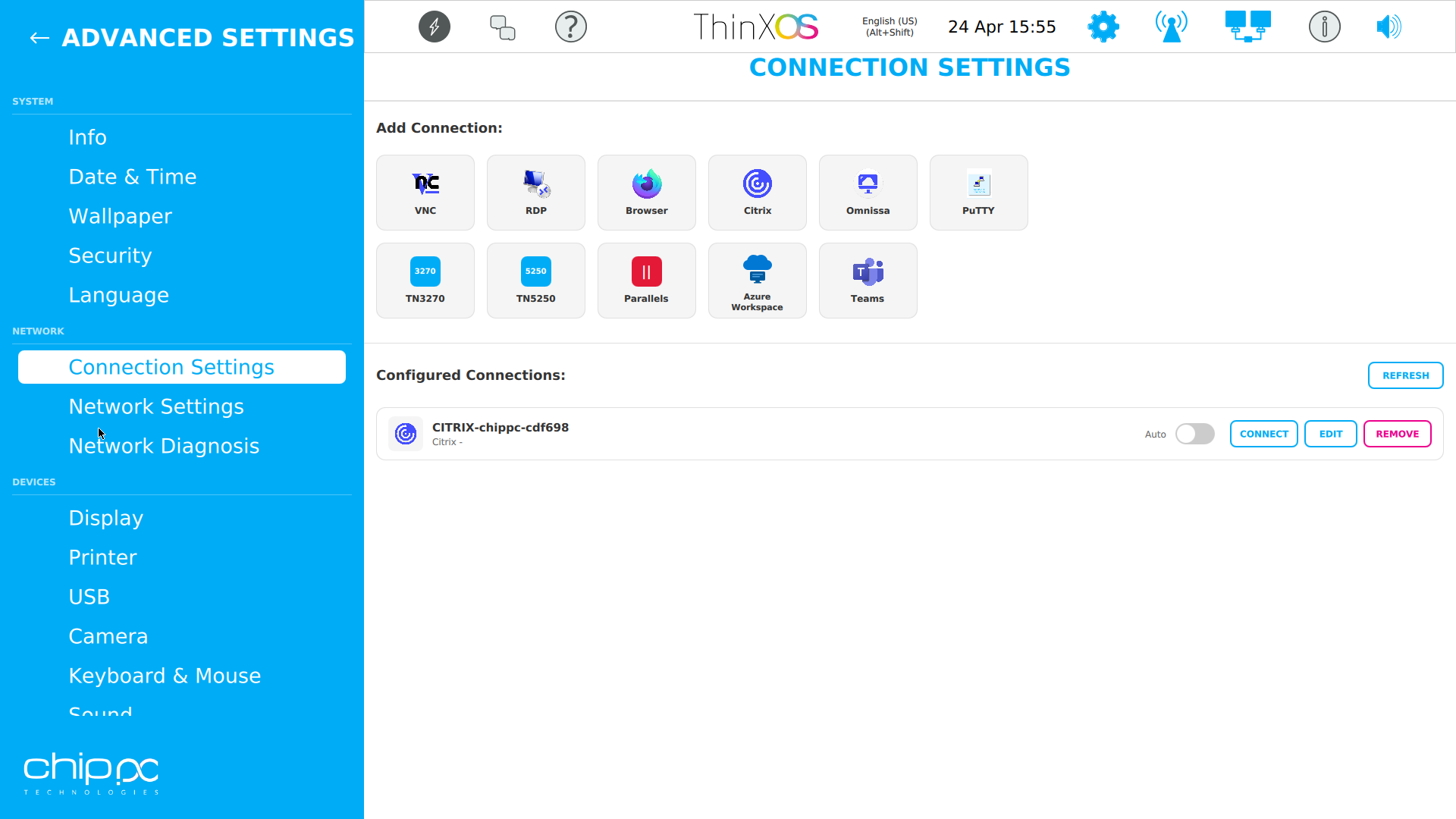
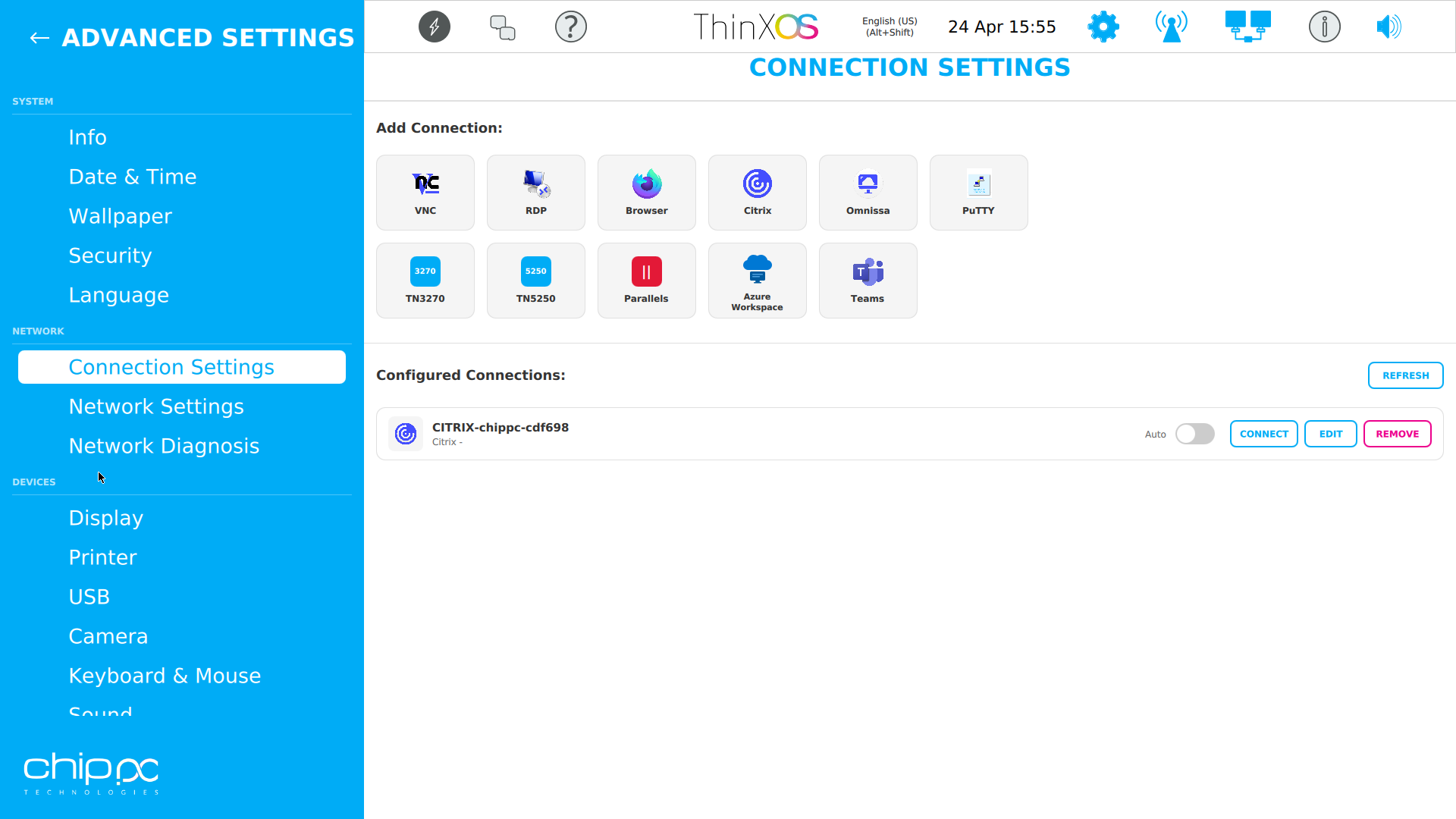
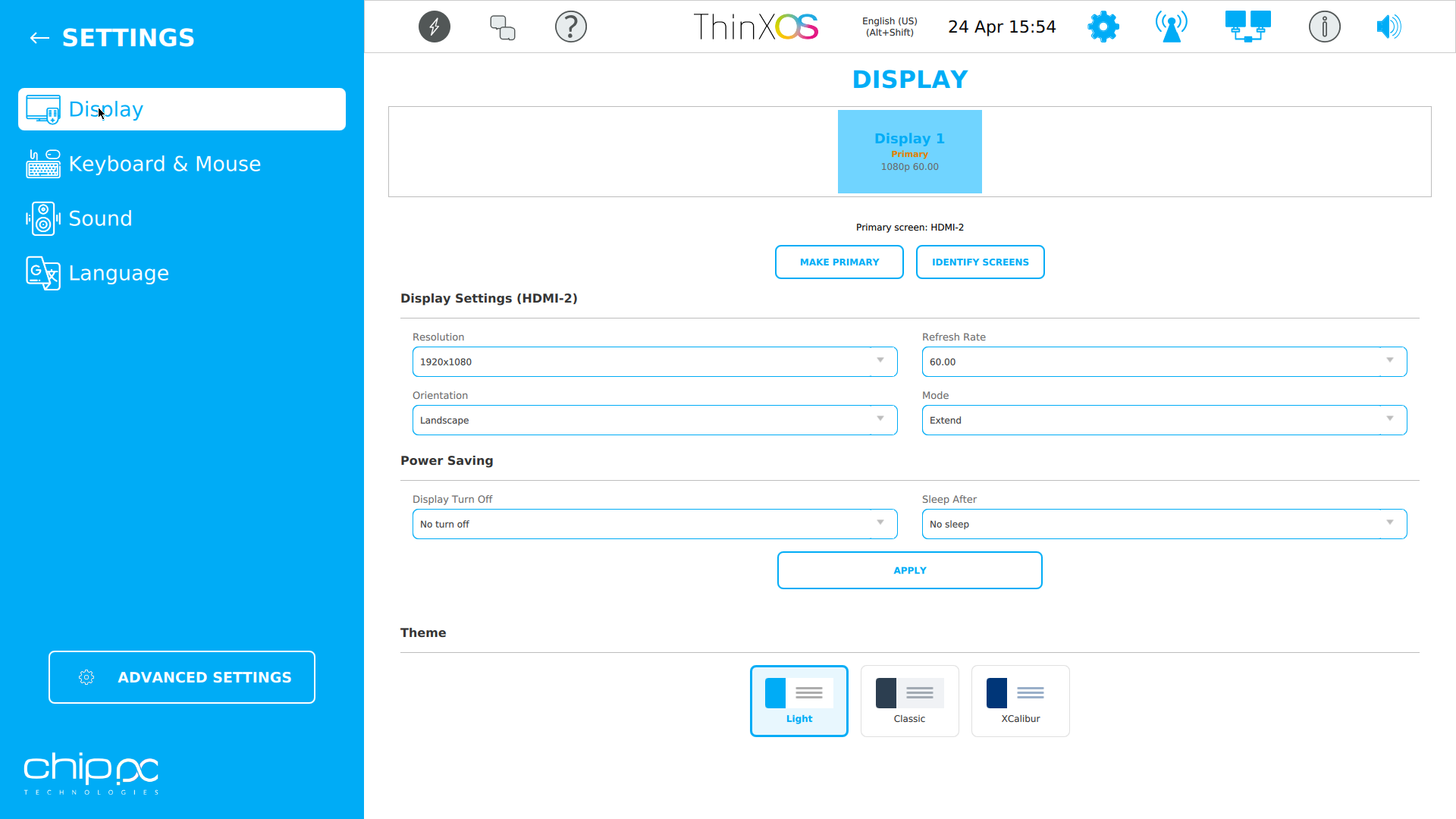
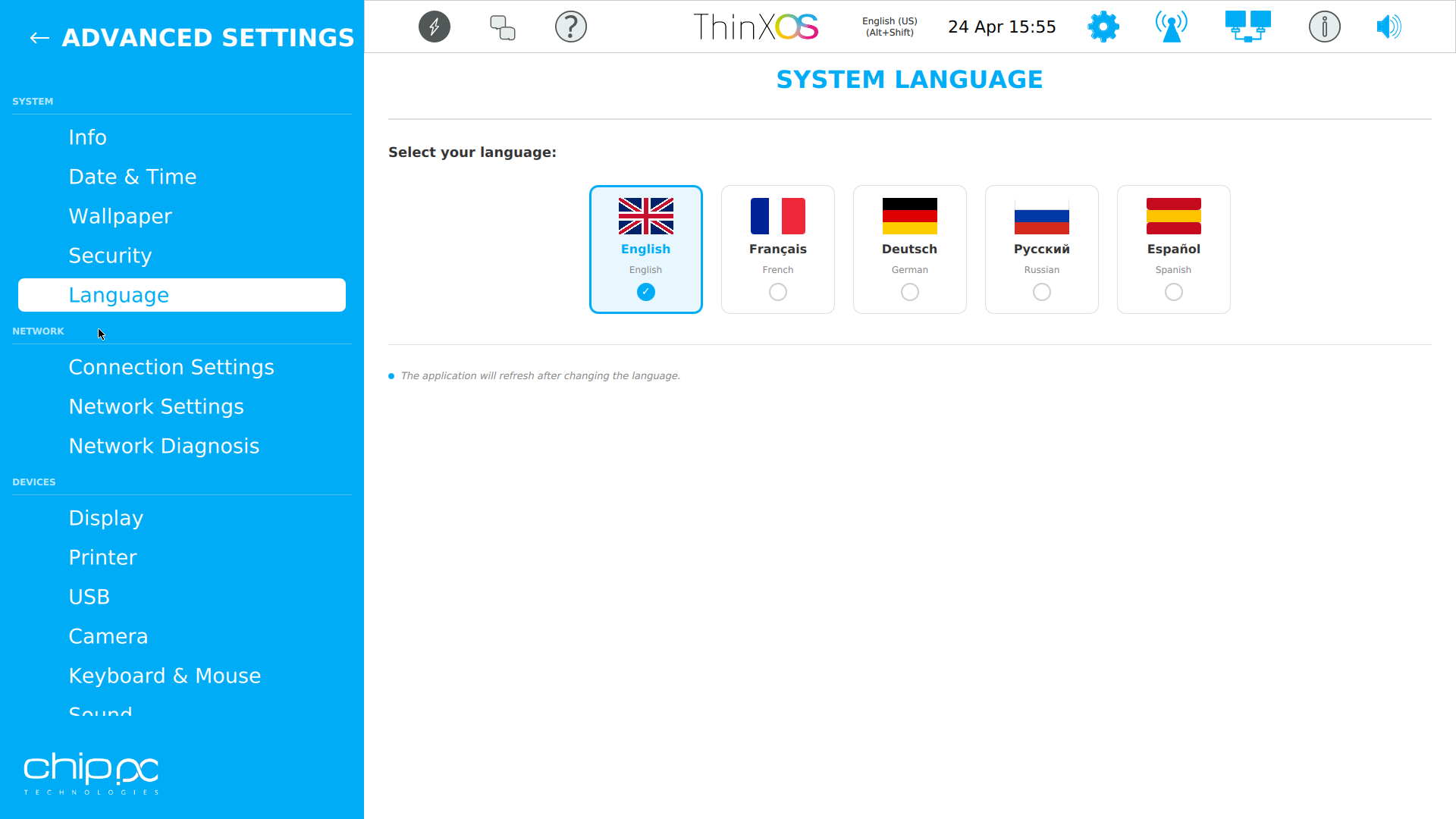
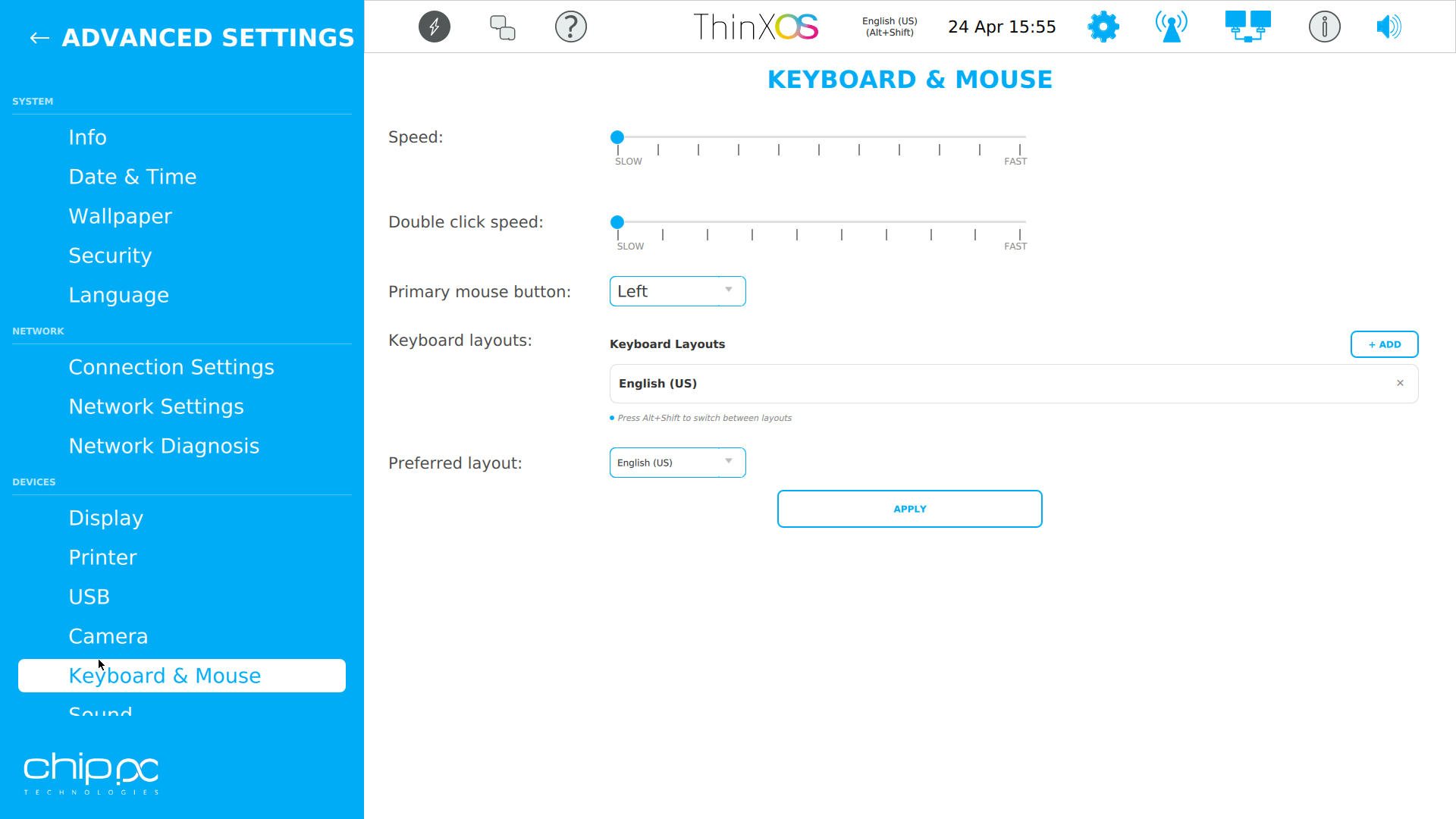
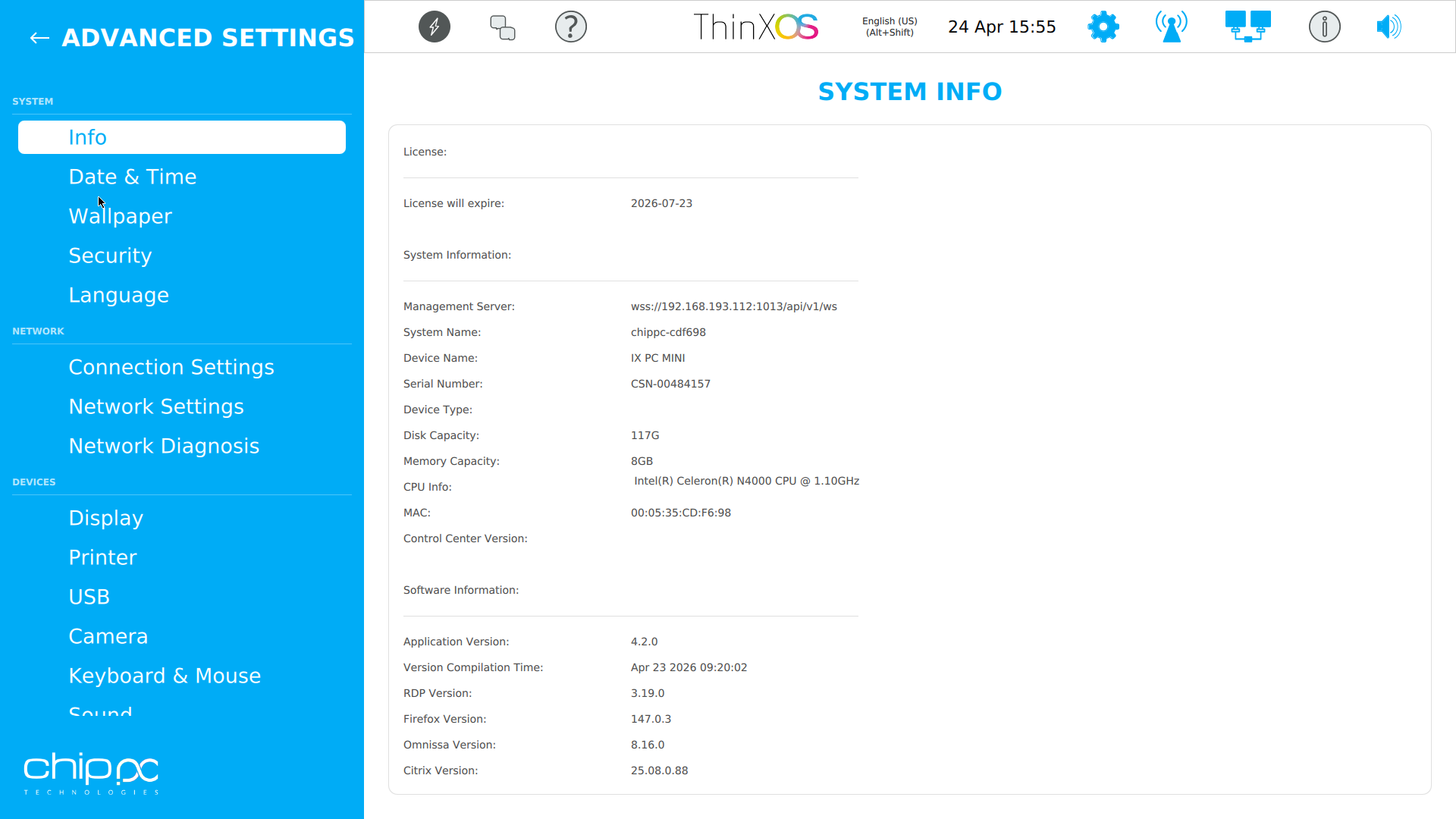
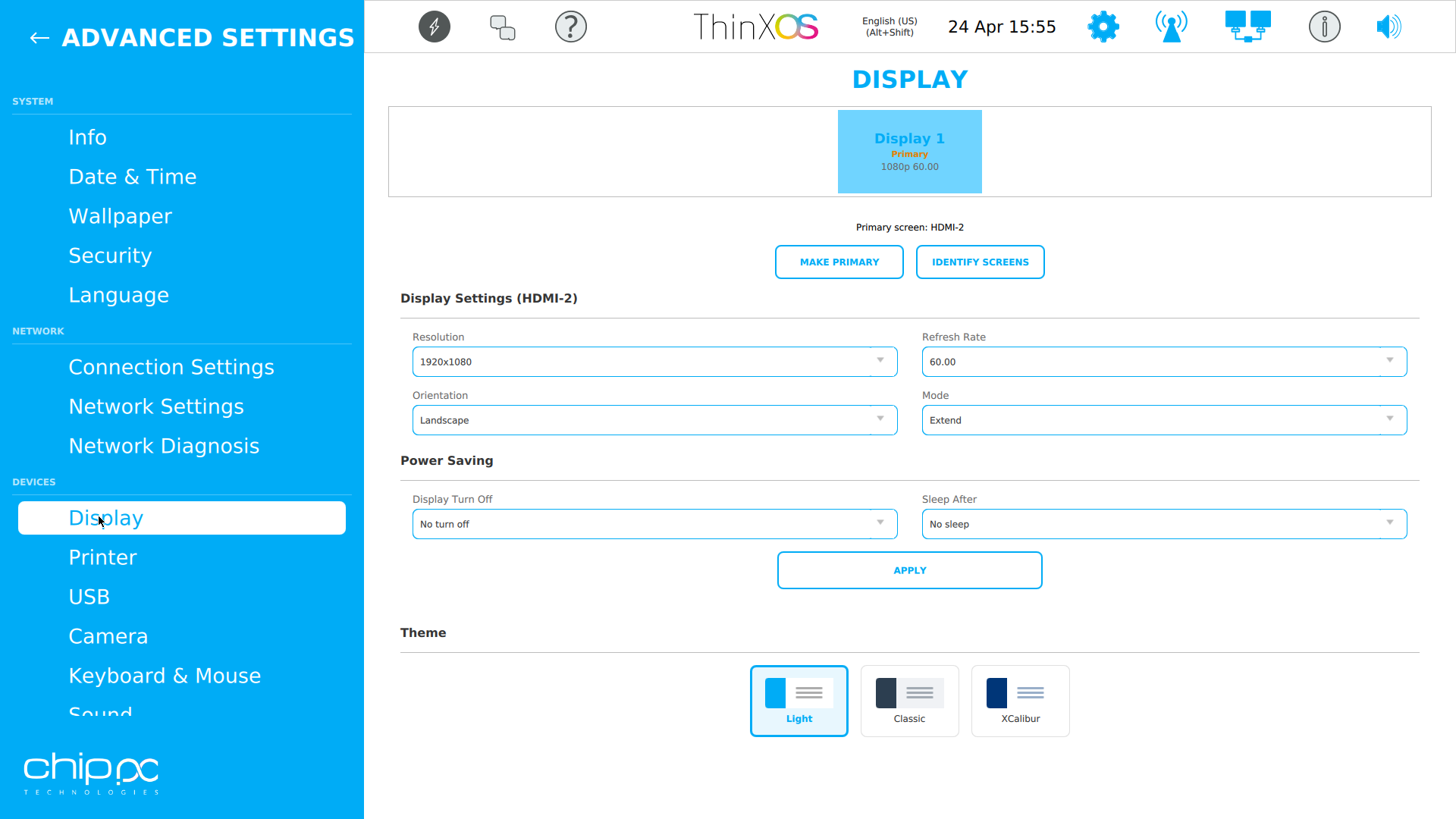
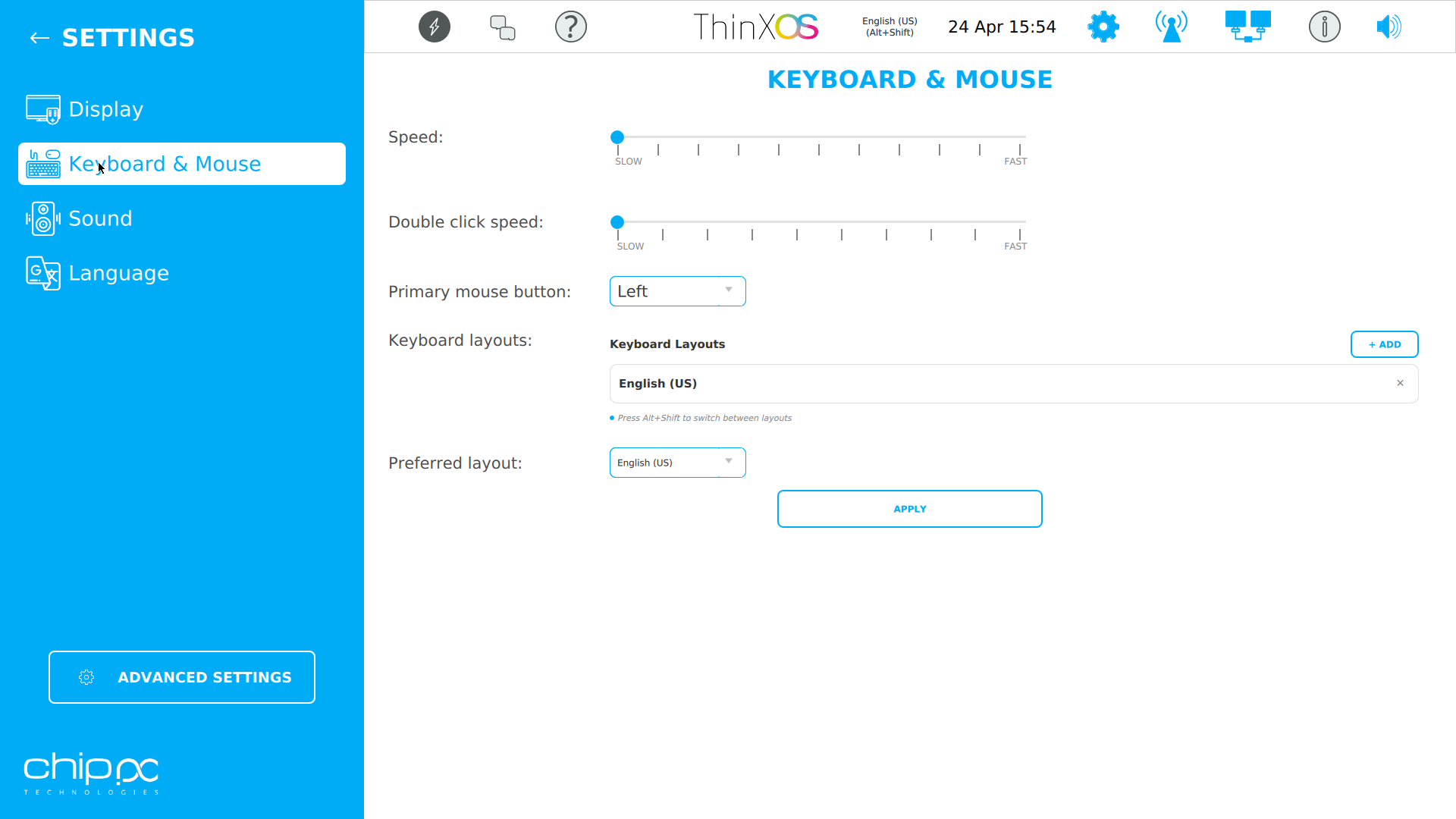
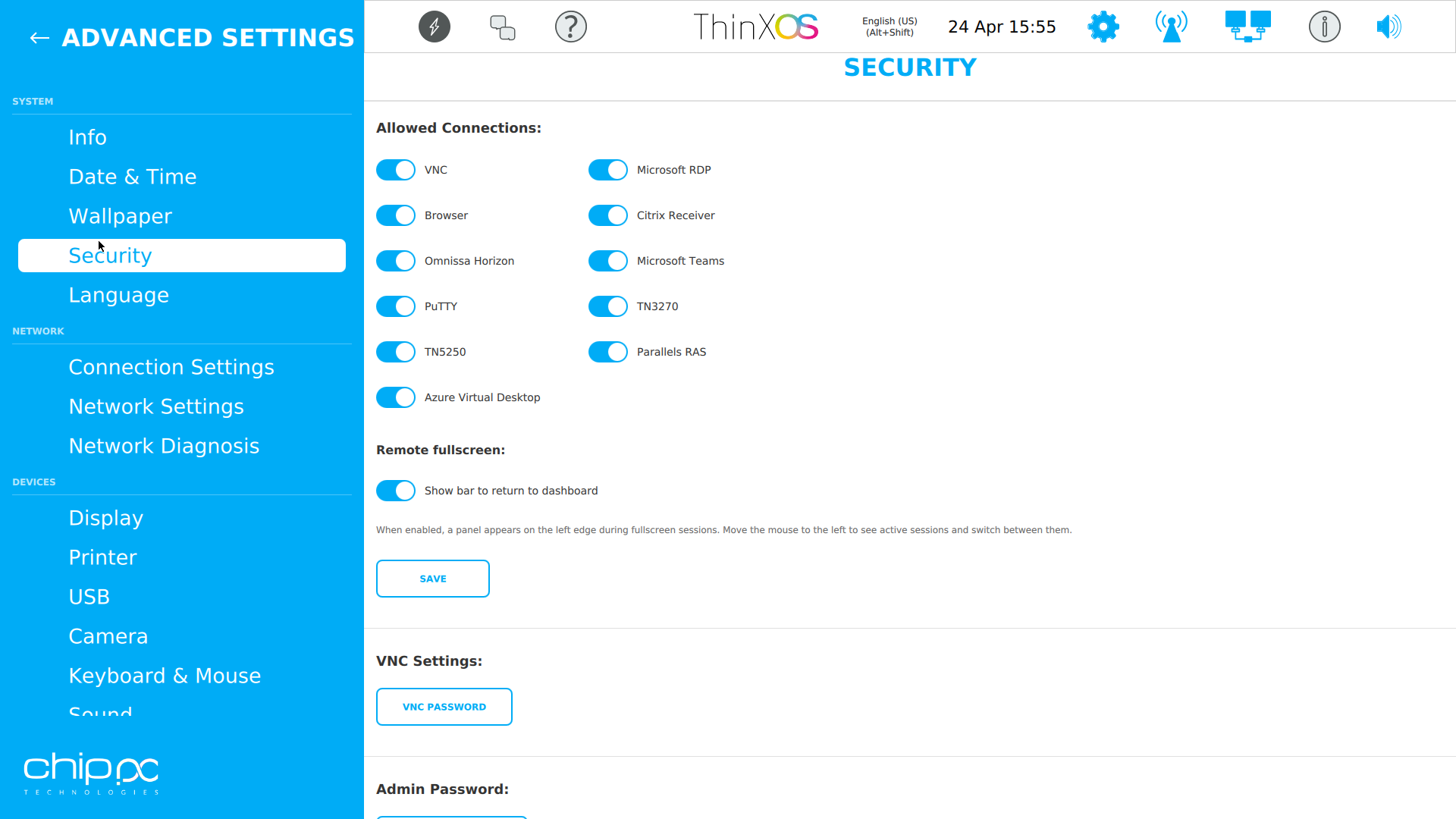
Klik op een schermafbeelding om te vergroten
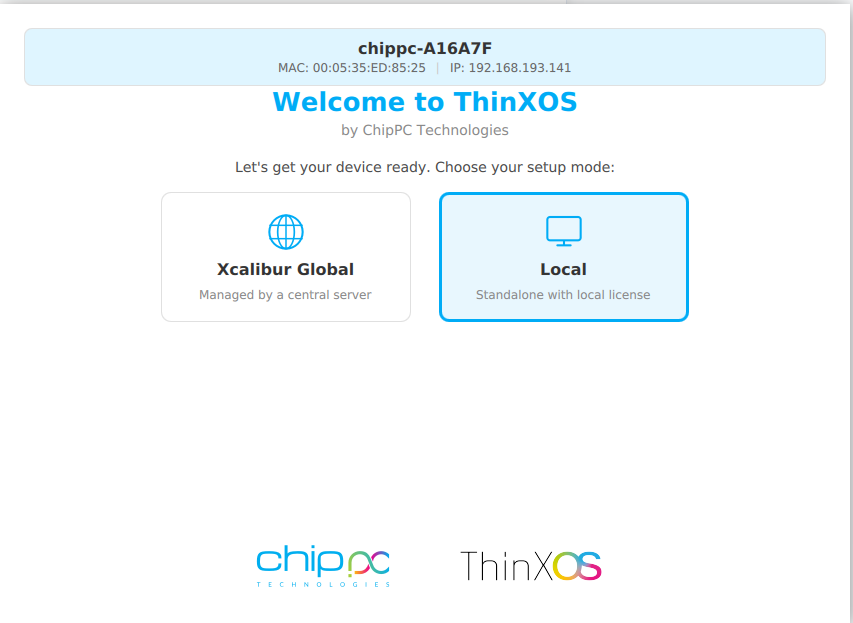
De ThinX OS-installatiewizard is zo eenvoudig dat uw gebruikers het zelf kunnen doen
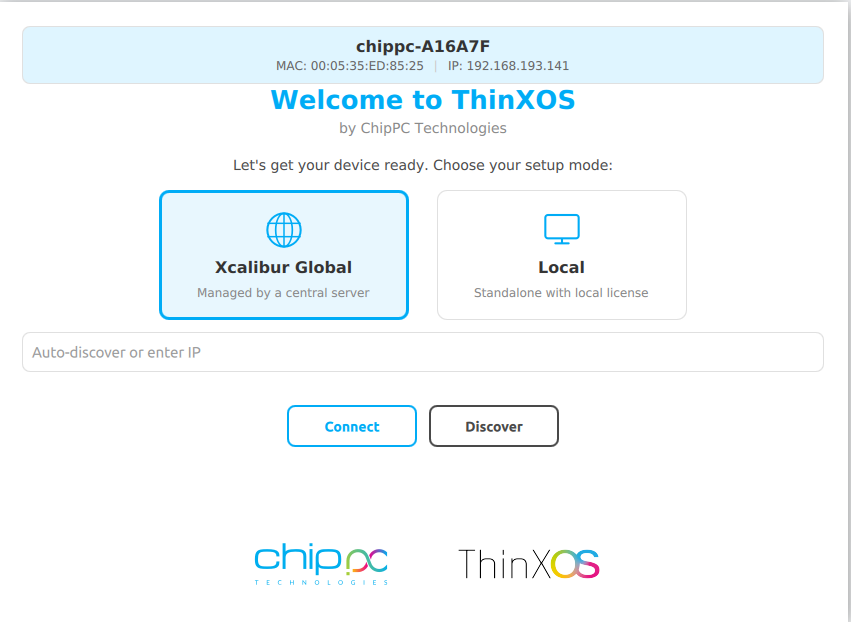
Choose between Xcalibur Global (managed fleet) or Local (standalone).
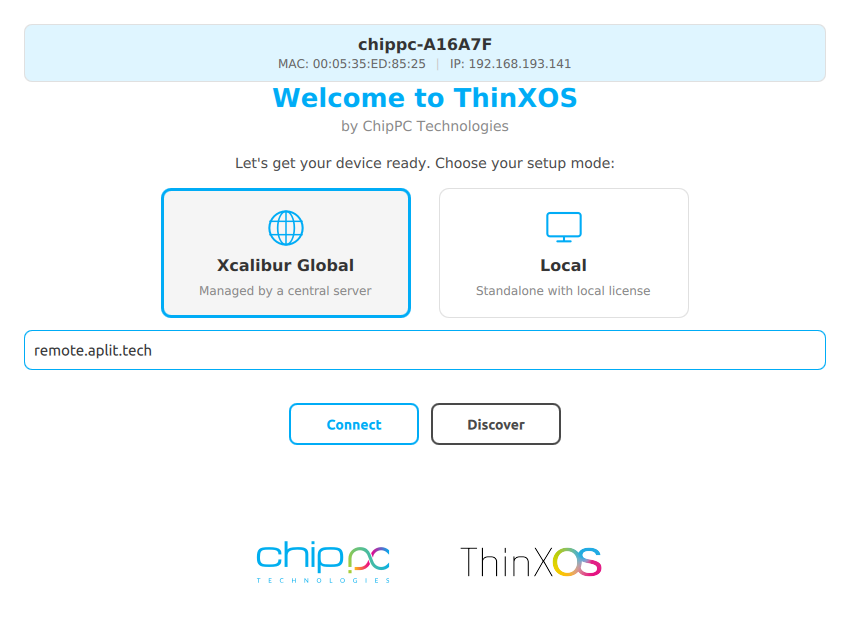
Voer uw Xcalibur-serveradres in. Het apparaat registreert en schrijft zich automatisch in.
Type your XXXX-XXXX-XXXX license code (received by email) and click Apply.
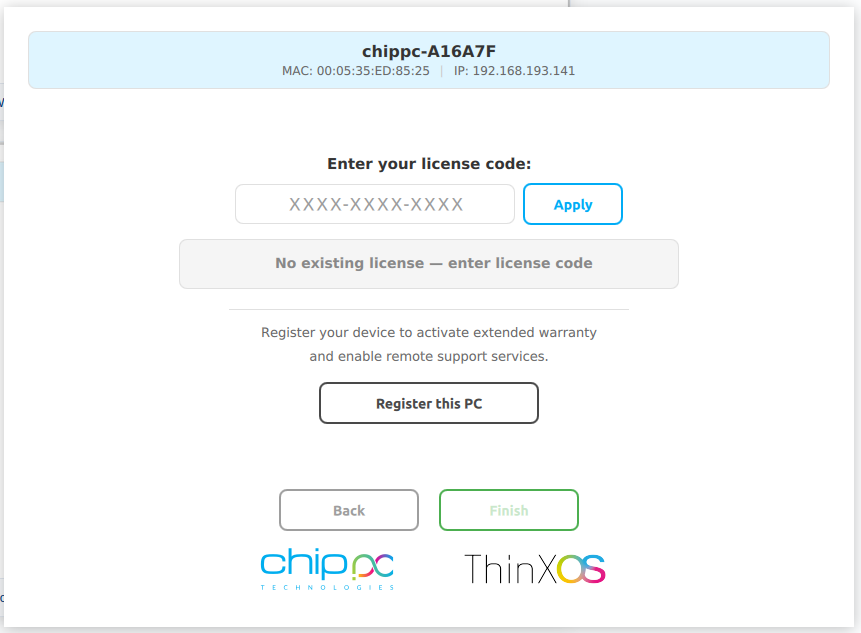
Click Registreer deze pc voor garantie en ondersteuning. Het apparaat verschijnt in uw Xcalibur-dashboard.
Vervang de onderstaande citaten door uw eigen klantgetuigenissen in de WordPress-paginaeditor.
We replaced 800 Windows endpoints with ChipPC thin clients running ThinX OS. Boot time dropped from 90 seconds to a few seconds, and helpdesk tickets fell by more than 60%.
The read-only filesystem changed our security posture overnight. We stopped worrying about ransomware on endpoints — there's literally nothing to encrypt.
Pushing a new RDP connection to 1,200 thin clients now takes one click in Xcalibur. Before, we used to plan the same operation as a two-week project.
Security is not an add-on in ThinX OS — it is the foundation. Every architectural decision was made to eliminate attack surfaces and protect end-user data, helping you meet enterprise security and privacy requirements in healthcare, finance, government, and education.
The entire ThinX OS root filesystem is mounted read-only at boot time. Ransomware heeft nergens om te schrijven. Malware kan niet overleven na herstart. Even if a session is compromised, the OS reverts to a clean state on next boot — automatically.
Xcalibur enforces USB policies on every ThinX OS device: alle USB-opslag blokkeren, alleen toegestane randapparatuur toestaan of alleen-lezenmodus instellen. Prevent data exfiltration and enforce BYOD policies without any local IT intervention.
ThinX OS supports 802.1X EAP authentication for wired and wireless networks. Alleen geverifieerde, geregistreerde apparaten mogen verbinding maken met uw bedrijfsnetwerk. Certificates are managed and deployed remotely via Xcalibur.
ThinX OS has no local administrator or user accounts to compromise. Er is geen wachtwoord te stelen, geen account te kraken, geen weg naar privilegeverhoging. All management is done through Xcalibur, protected by 2FA and role-based access control.
Deploy SSL/TLS certificates to any device or group remotely via Xcalibur. Elke verbinding versleutelen — RDP, VNC, beheerverkeer — van begin tot eind. Certificate renewal and distribution are fully automated, eliminating human error.
Every action on every device is logged with user identity, timestamp, and device ID. Ingebouwde auditlogexport en geplande rapporten help your organisation align with GDPR and internal compliance policies.
ThinX OS maakt standaard verbinding met alle grote virtuele desktopinfrastructuren
Pair ThinX OS with Xcalibur Global to add Azure AVD, Microsoft Teams, PuTTY, TN5250/3270 and Parallels connections, all deployable centrally.
Werkt op alle ChipPC thin client-hardware — minimale middelen, maximale prestaties
| Component | Minimum | Recommended |
|---|---|---|
| Device | Elke actuele ChipPC thin client | Nieuwste ChipPC thin client-model |
| CPU | x86 / x64 compatibel | Intel Atom / Celeron / Core i3+ |
| RAM | 2 GB | 4 GB+ |
| Storage | 4 GB Flash | 8 GB+ Flash / SSD |
| Network | 100 Mbps Ethernet | Gigabit Ethernet (Wi-Fi optional) |
| Management | Xcalibur Global (trial included) | Volledige licentie Xcalibur Global |
| USB-herstel | Rufus (Windows) + 8 GB USB | Rufus 4.x, 16 GB USB |
Voer uw naam, bedrijf en zakelijk e-mailadres in. Duurt 30 seconden.
Een automatische e-mail bezorgt de ThinX OS image-link direct.
Gebruik Rufus om de image naar een USB-stick te schrijven en uw ChipPC-apparaat te starten.
A second email brings your free trial licence (ThinX OS + Xcalibur Global). Start managing your fleet right away.
Alles wat u moet weten voordat u ThinX OS downloadt
XXXX-XXXX-XXXX).
ThinX OS is a commercieel product — but you can gratis evalueren for a limited time. Vul het formulier in to receive two emails: one with the ThinX OS download link, and one with your trial licence (covering ThinX OS and Xcalibur Global). No credit card. No commitment during the trial.
Your data is confidential and never shared. Privacybeleid