
ThinX OS ist ChipPCs eingebettetes Linux-Betriebssystem — von Grund auf für Thin Clients entwickelt. Startet in Sekunden, verbindet sofort, und Xcalibur steuert jede Einstellung remote. Keine lokale IT. Keine Komplexität. Nur Produktivität.
 Read-Only Filesystem
RDP · Citrix · Horizon
Zero-Touch Deployment
802.1X EAP-TLS
USB Policy Enforced
Read-Only Filesystem
RDP · Citrix · Horizon
Zero-Touch Deployment
802.1X EAP-TLS
USB Policy Enforced
ThinX OS — Sauber, schnell und vollständig verwaltet über Xcalibur Global
Most thin client OS solutions require local administrators, complex imaging workflows, and on-site technicians. ThinX OS flips this model completely. Every setting — from display resolution to VPN credentials — is pushed remotely from the Xcalibur console. Sie müssen ein Gerät nie wieder anfassen.
Kostenlose Testversion anfordern — Keine KreditkartePlug in a ChipPC device — it auto-registers to Xcalibur and receives its full configuration without any manual steps.
Display settings, connections, wallpaper, screensaver, security policies — all configured and deployed from Xcalibur in seconds.
Read-only filesystem means ransomware and malware have nowhere to persist. Nothing to patch, nothing to maintain locally.
Falls etwas schiefläuft, spielen Sie ein neues Gerät per USB-Stick mit Rufus auf. In unter 5 Minuten wieder online.
From hospitals to trading floors, ThinX OS delivers the same predictable, secure, and easy-to-manage endpoint experience.
HIS / EHR-Zugriff, schneller Benutzerwechsel, Kiosk-Sperrung für klinische Workstations.
Gehärtete Endpunkte für Handelssäle, Bankschalter und Back-Office-VDI-Sitzungen.
802.1X-gesicherte Geräte mit Audit-Trail, SSL/TLS-Zertifikaten und null lokalem Speicher.
Laborräume und gemeinsam genutzte Workstations mit zentral übertragenen Verbindungen und Richtlinien.
POS-, BackOffice- und Kiosk-Endpunkte — sofort startklar, in Minuten per USB-Stick ersetzt.
Plug-and-Play-VDI-Agentstationen mit USB-Headset-/Mikrofon-Umleitung und Fernunterstützung.
ThinX OS ist schlank by Design — kein Bloat, keine Hintergrundprozesse, keine Schwachstellen
Vom Kaltstart bis zum Verbindungsbildschirm in Sekunden. Keine Startbildschirme, keine Ladebalken, kein Warten.
Read-only Root-Dateisystem. Kein Schreibzugriff für Benutzer oder Anwendungen. Immun gegen Ransomware und persistente Malware.
RDP, Citrix ICA/HDX, VMware Horizon (Omnissa Blast/PCoIP) and VNC — all native, all optimised.
Neues Gerät startet, erkennt Xcalibur im Netzwerk und lädt seine vollständige Konfiguration — automatisch.
Every parameter pushed from Xcalibur. Display resolution, VNC password, auto-login, screensaver — all without touching the device.
Integrierter Ping, Traceroute und Konnektivitätstests. Probleme direkt vom Gerät oder remote über Xcalibur diagnostizieren.
Erstellen Sie einen bootfähigen USB-Stick mit Rufus. Gerät in Minuten neu installieren — kein Imaging-Server erforderlich.
Vollständige bidirektionale Verwaltung: Aufgaben pushen, OS aktualisieren, Fernsteuerung übernehmen, Audit-Logs einsehen — alles über Xcalibur.
Einfache Panels, klare Einstellungen, kein Durcheinander — konzipiert für Benutzer, die einfach arbeiten wollen
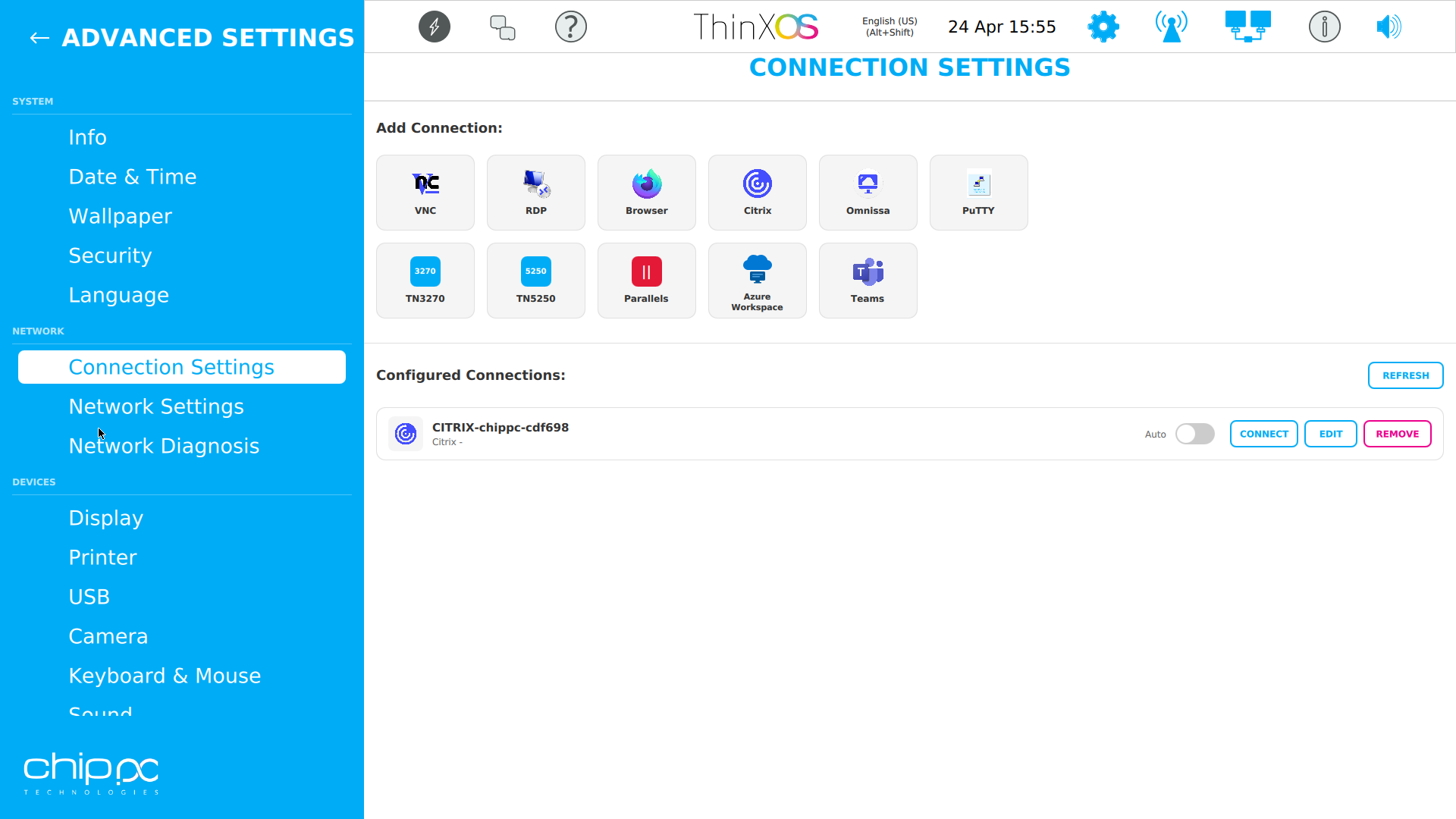
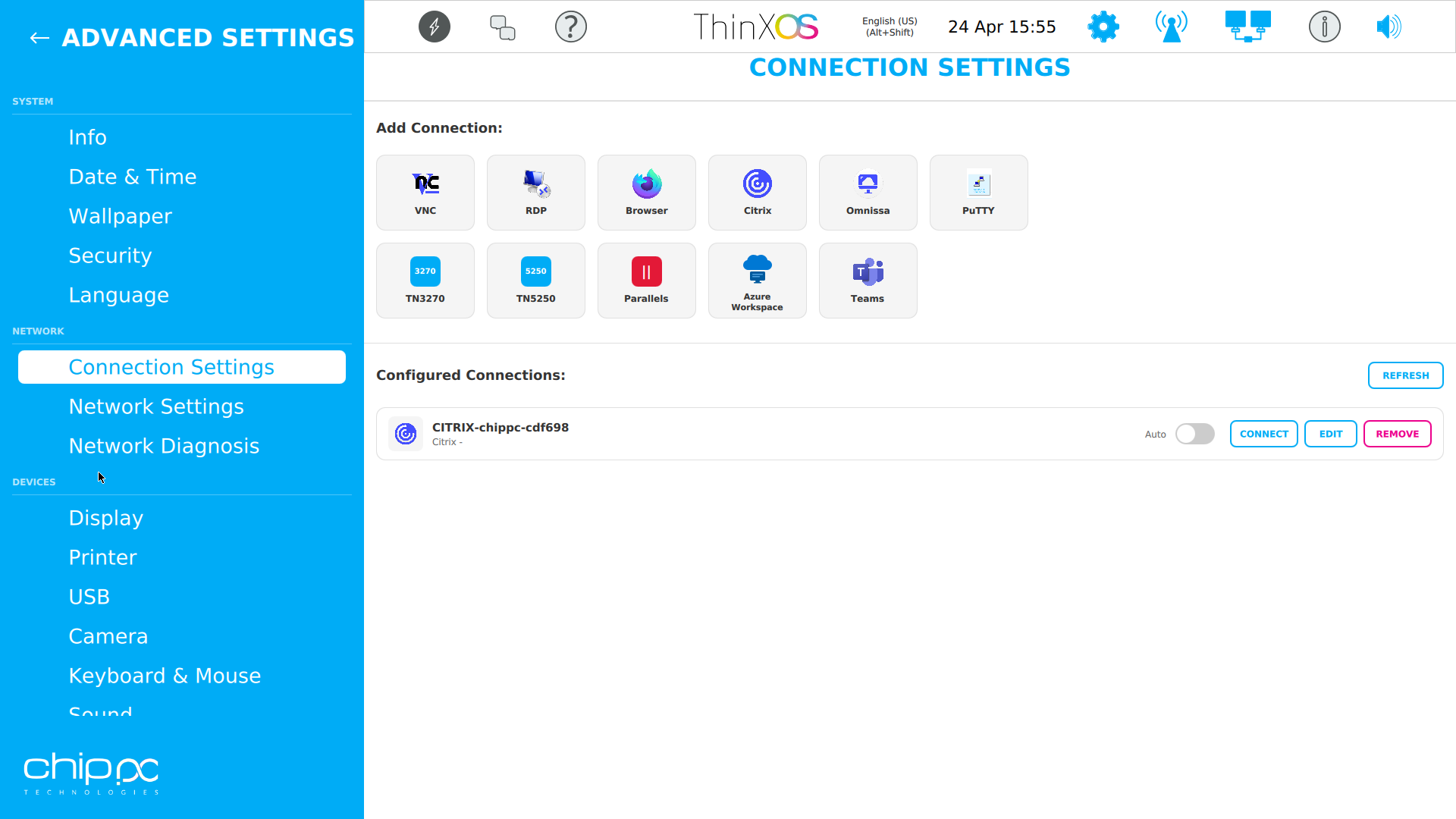
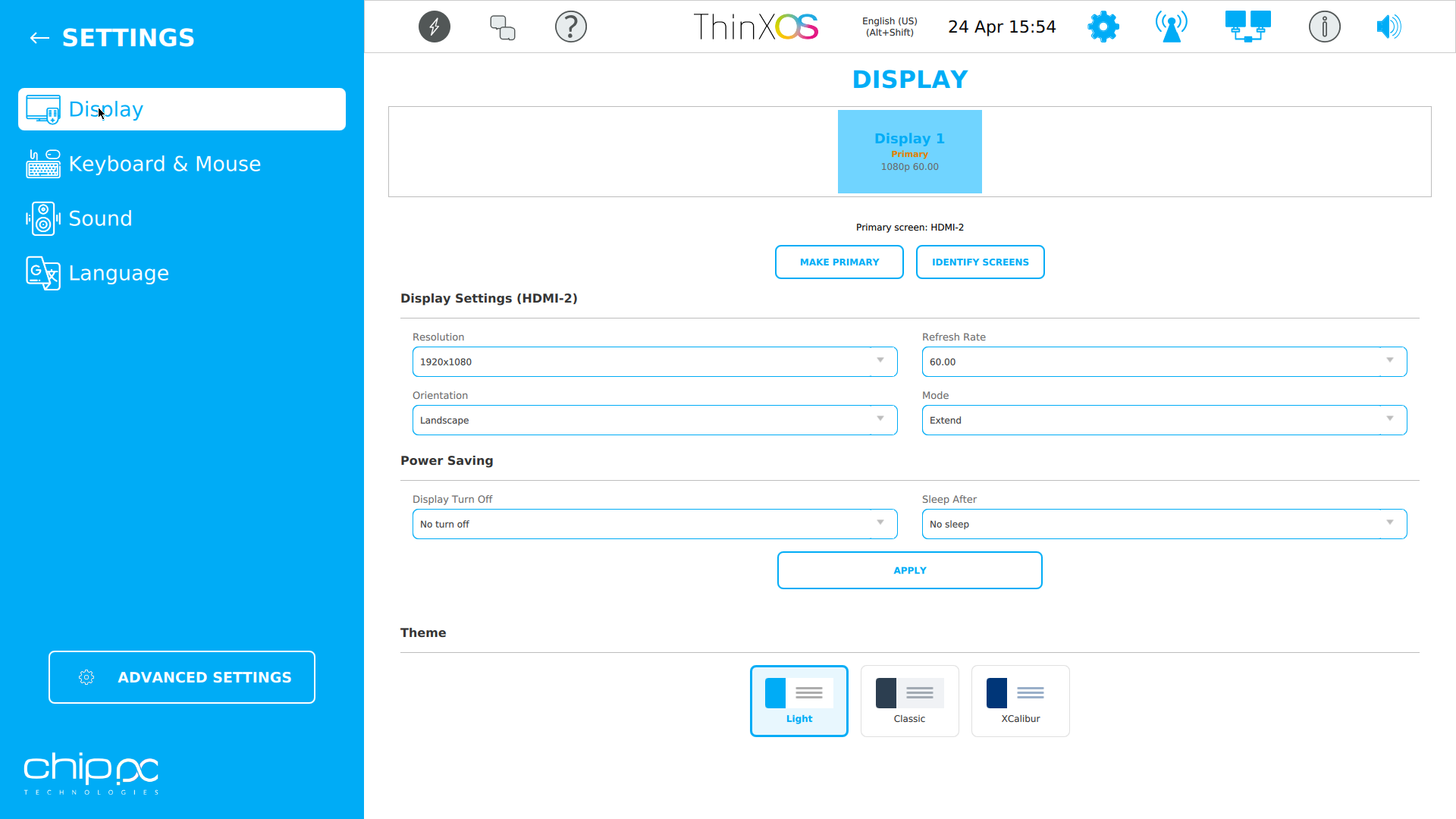
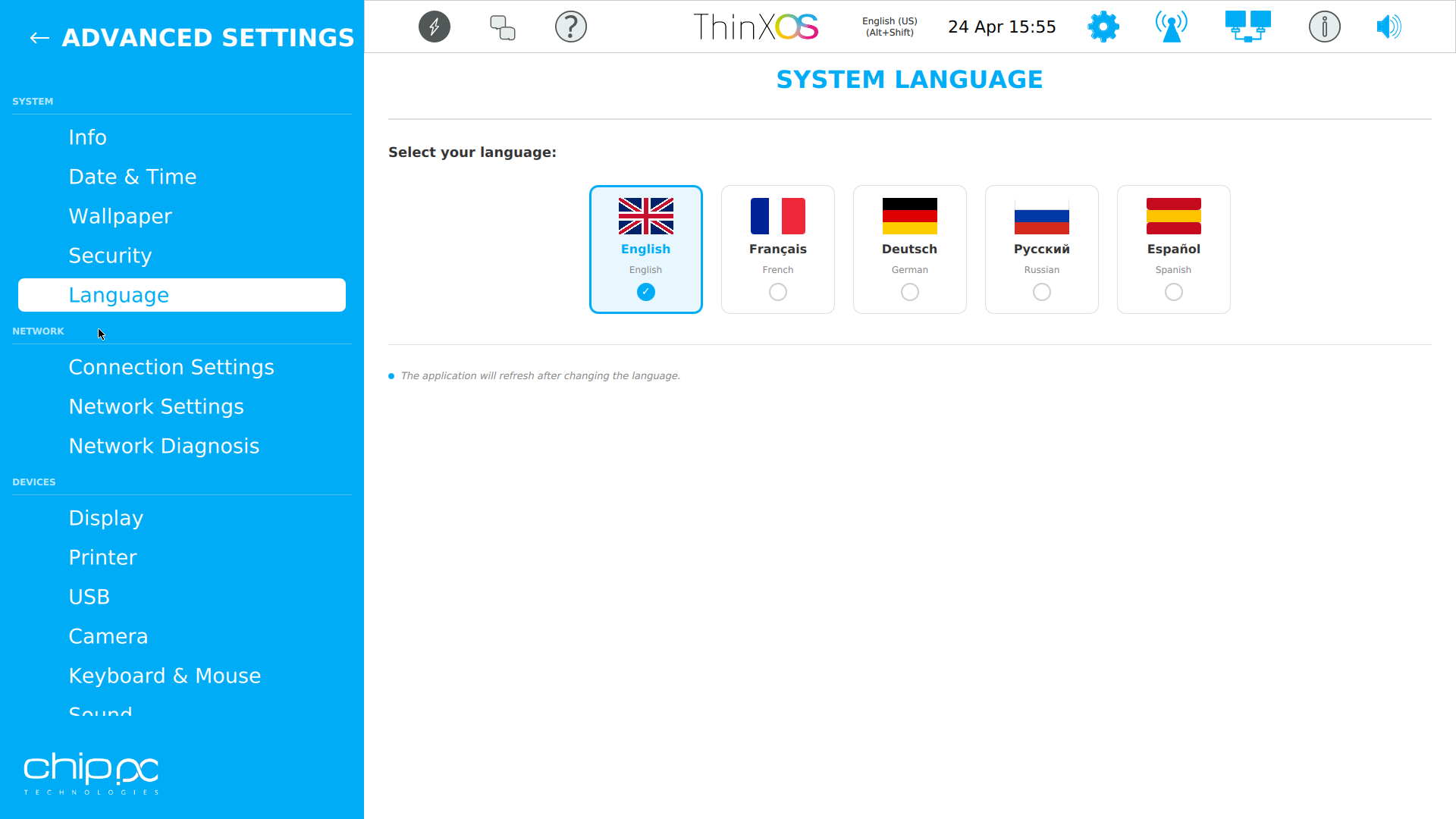
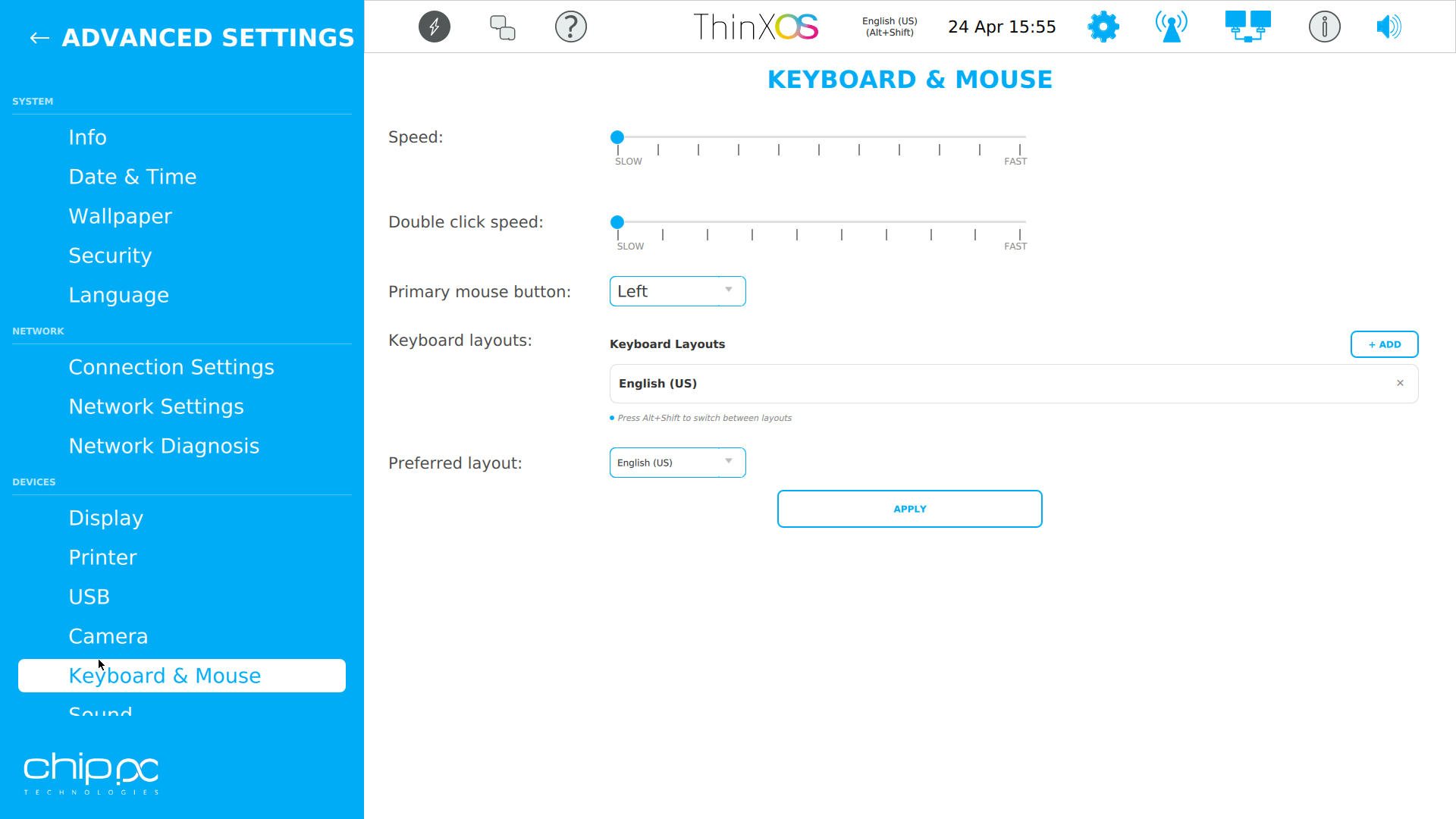
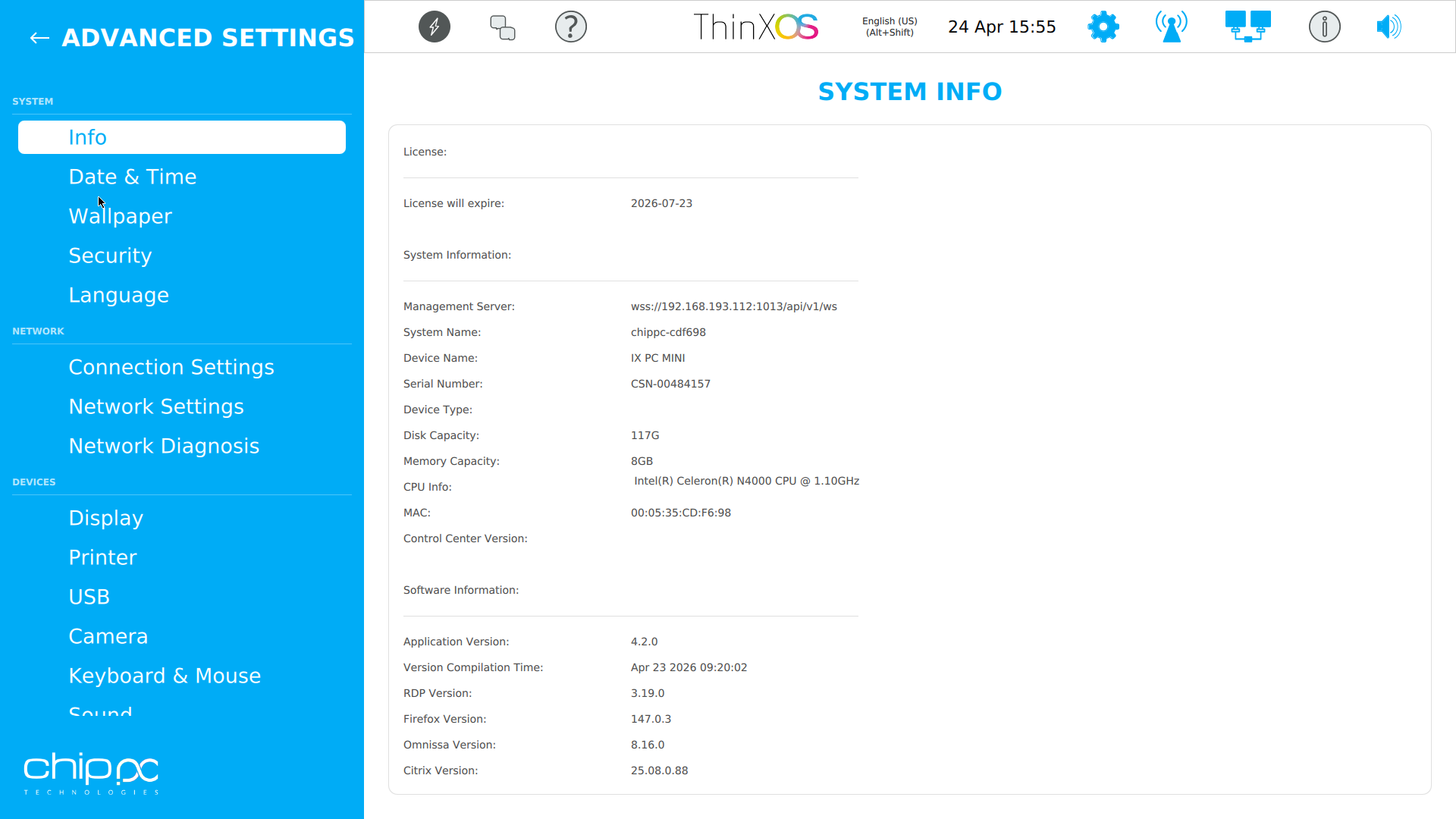
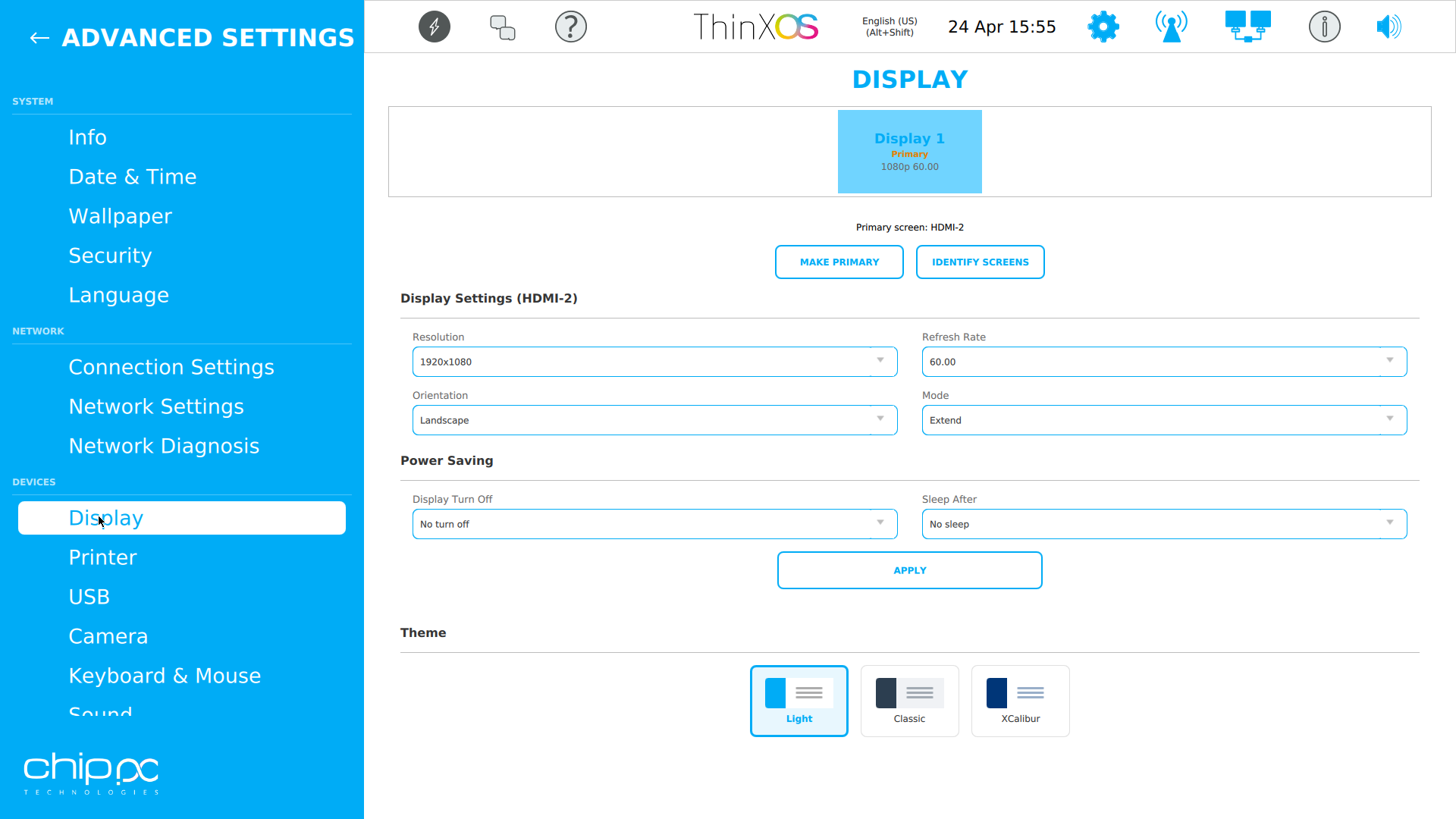
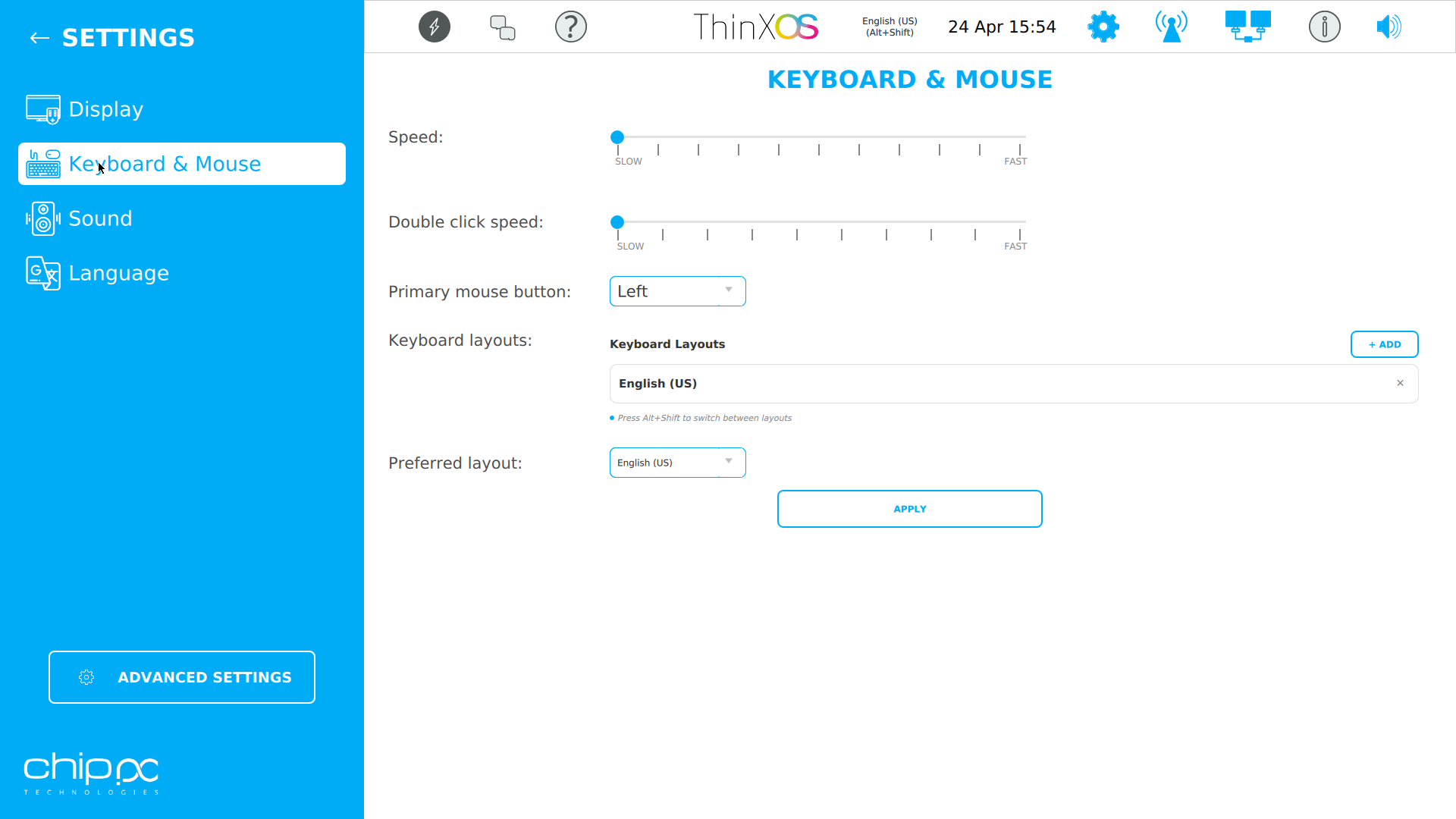
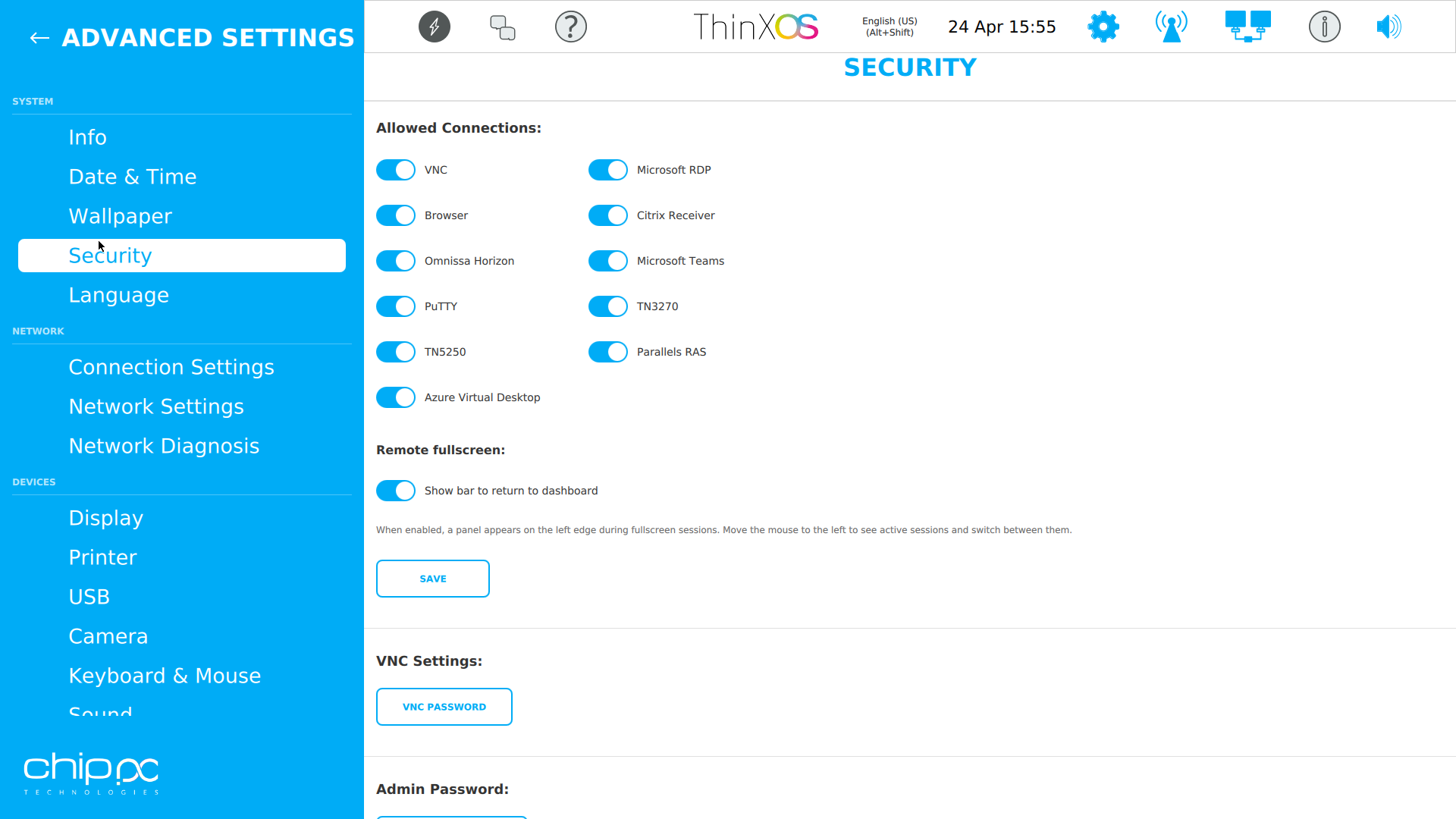
Klicken Sie auf einen Screenshot zum Vergrößern
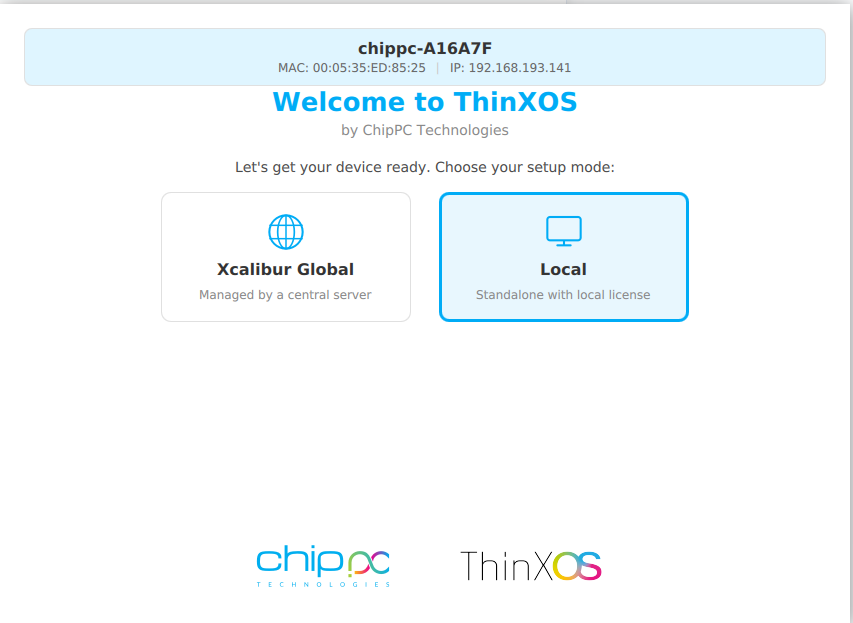
Der ThinX OS-Einrichtungsassistent ist so einfach, dass Ihre Benutzer es selbst tun können
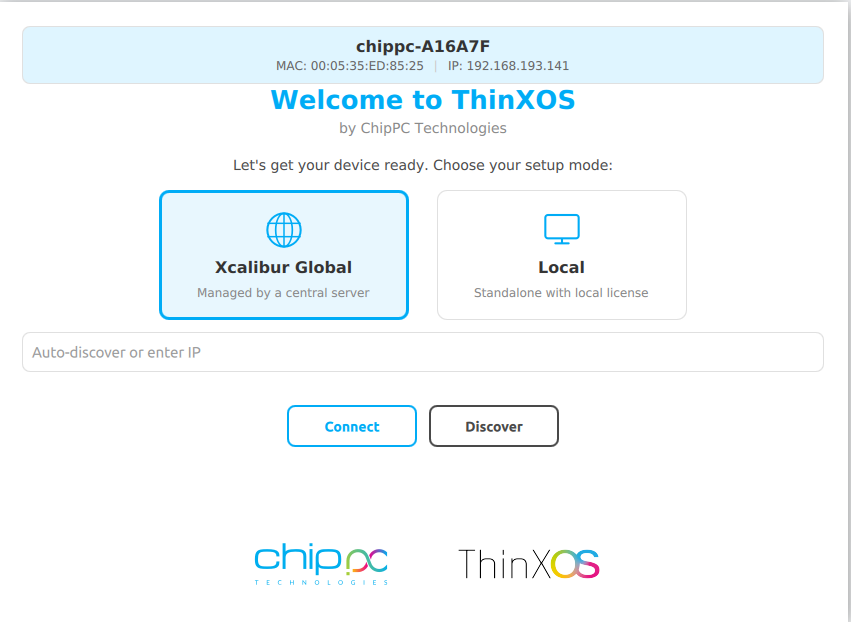
Choose between Xcalibur Global (managed fleet) or Local (standalone).
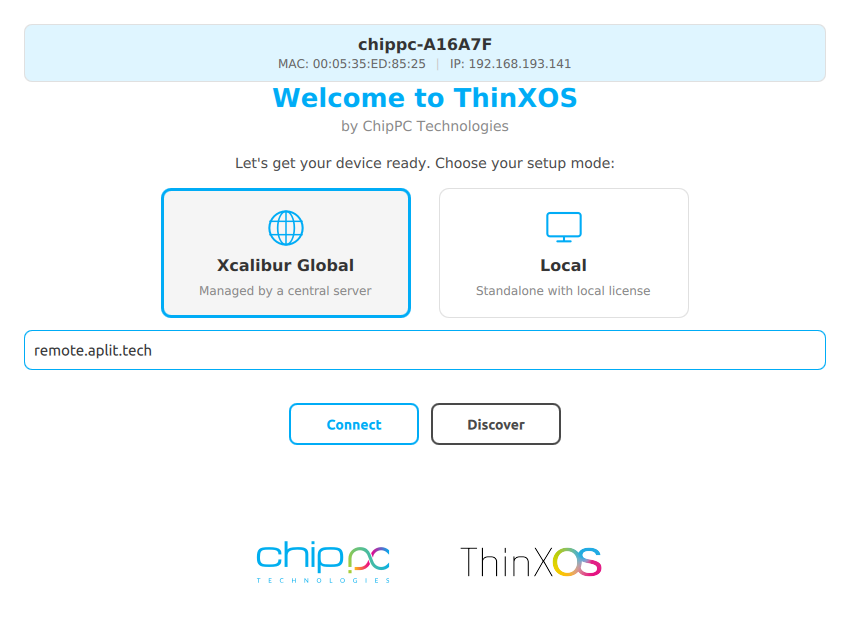
Geben Sie Ihre Xcalibur-Serveradresse ein. Das Gerät registriert und meldet sich automatisch an.
Type your XXXX-XXXX-XXXX license code (received by email) and click Apply.
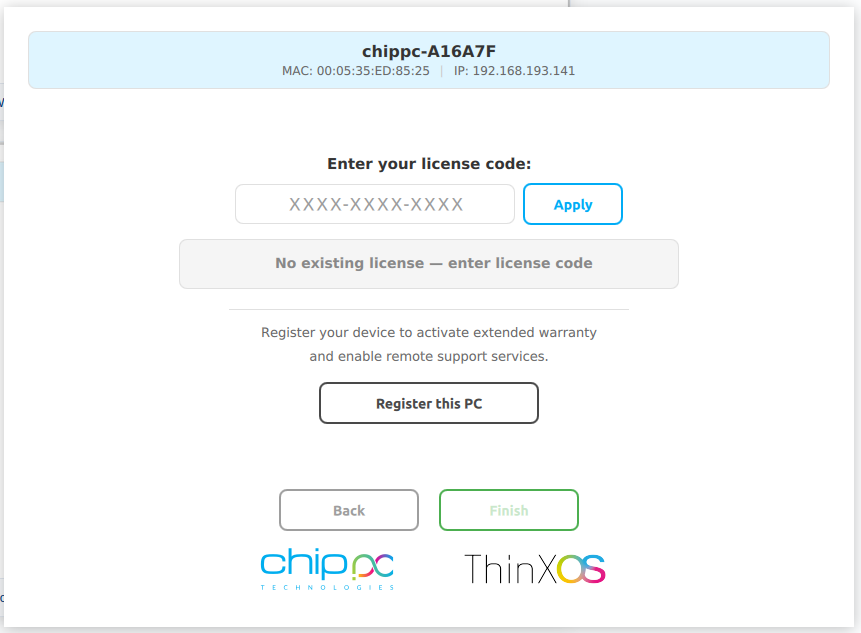
Click Diesen PC registrieren für Garantie und Support. Das Gerät erscheint in Ihrem Xcalibur-Dashboard.
Ersetzen Sie die folgenden Zitate durch Ihre eigenen Kundenbewertungen im WordPress-Seiteneditor.
We replaced 800 Windows endpoints with ChipPC thin clients running ThinX OS. Boot time dropped from 90 seconds to a few seconds, and helpdesk tickets fell by more than 60%.
The read-only filesystem changed our security posture overnight. We stopped worrying about ransomware on endpoints — there's literally nothing to encrypt.
Pushing a new RDP connection to 1,200 thin clients now takes one click in Xcalibur. Before, we used to plan the same operation as a two-week project.
Security is not an add-on in ThinX OS — it is the foundation. Every architectural decision was made to eliminate attack surfaces and protect end-user data, helping you meet enterprise security and privacy requirements in healthcare, finance, government, and education.
The entire ThinX OS root filesystem is mounted read-only at boot time. Ransomware hat keinen Platz zum Schreiben. Malware kann nach Neustarts nicht persistieren. Even if a session is compromised, the OS reverts to a clean state on next boot — automatically.
Xcalibur enforces USB policies on every ThinX OS device: Gesamten USB-Speicher blockieren, nur zugelassene Peripheriegeräte erlauben oder Read-only-Modus aktivieren. Prevent data exfiltration and enforce BYOD policies without any local IT intervention.
ThinX OS supports 802.1X EAP authentication for wired and wireless networks. Nur authentifizierte, registrierte Geräte können sich mit Ihrem Unternehmensnetzwerk verbinden. Certificates are managed and deployed remotely via Xcalibur.
ThinX OS has no local administrator or user accounts to compromise. Kein Passwort zu stehlen, kein Konto zu knacken, kein Weg zur Rechteeskalation. All management is done through Xcalibur, protected by 2FA and role-based access control.
Deploy SSL/TLS certificates to any device or group remotely via Xcalibur. Jede Verbindung verschlüsseln — RDP, VNC, Verwaltungsdatenverkehr — Ende zu Ende. Certificate renewal and distribution are fully automated, eliminating human error.
Every action on every device is logged with user identity, timestamp, and device ID. Integrierter Audit-Log-Export und geplante Berichte help your organisation align with GDPR and internal compliance policies.
ThinX OS verbindet sich direkt mit jeder wichtigen virtuellen Desktop-Infrastruktur
Pair ThinX OS with Xcalibur Global to add Azure AVD, Microsoft Teams, PuTTY, TN5250/3270 and Parallels connections, all deployable centrally.
Läuft auf gesamter ChipPC-Thin-Client-Hardware — minimale Ressourcen, maximale Leistung
| Component | Minimum | Recommended |
|---|---|---|
| Device | Jeder aktuelle ChipPC-Thin-Client | Neuestes ChipPC-Thin-Client-Modell |
| CPU | x86 / x64 kompatibel | Intel Atom / Celeron / Core i3+ |
| RAM | 2 GB | 4 GB+ |
| Storage | 4 GB Flash | 8 GB+ Flash / SSD |
| Network | 100 Mbit/s Ethernet | Gigabit Ethernet (Wi-Fi optional) |
| Management | Xcalibur Global (trial included) | Xcalibur Global Volllizenz |
| USB-Wiederherstellung | Rufus (Windows) + 8 GB USB | Rufus 4.x, 16 GB USB |
Name, Unternehmen und geschäftliche E-Mail eingeben. Dauert 30 Sekunden.
Eine automatische E-Mail liefert den ThinX OS-Image-Link sofort.
Verwenden Sie Rufus, um das Image auf einen USB-Stick zu schreiben und Ihr ChipPC-Gerät zu starten.
A second email brings your free trial licence (ThinX OS + Xcalibur Global). Start managing your fleet right away.
Alles, was Sie vor dem Herunterladen von ThinX OS wissen müssen
XXXX-XXXX-XXXX).
ThinX OS is a kommerzielles Produkt — but you can kostenlos testen for a limited time. Formular ausfüllen to receive two emails: one with the ThinX OS download link, and one with your trial licence (covering ThinX OS and Xcalibur Global). No credit card. No commitment during the trial.
Your data is confidential and never shared. Datenschutzrichtlinie