NetworkRéseauNetzwerkRedRedeReteרשת
Network Configuration Configuration Réseau Netzwerkkonfiguration Configuración de Red Configuração de Rede Configurazione Rete הגדרות רשת
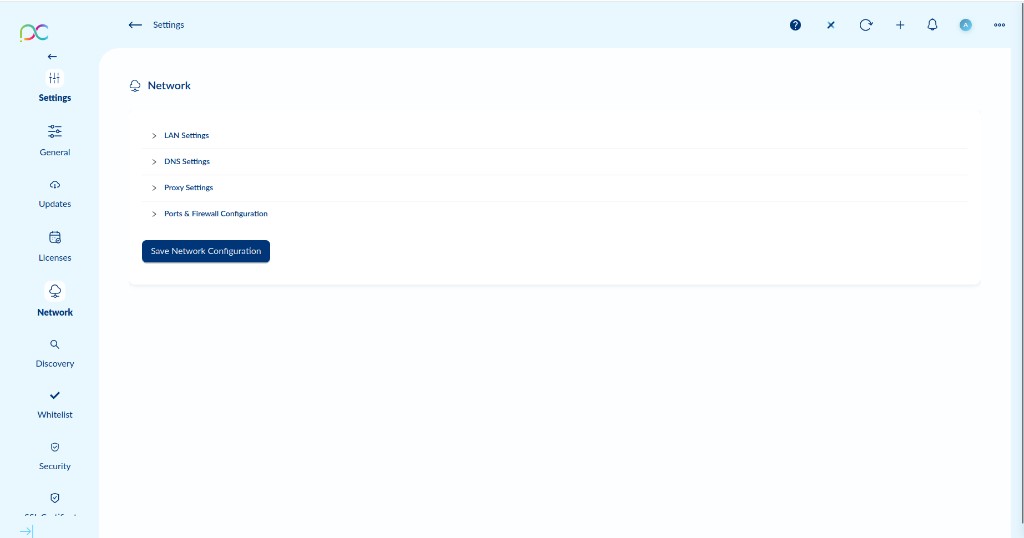
Access via Settings → Network. Configures the server's network identity and communication. Click Save Network Configuration to apply all changes.
Accédez via Paramètres → Réseau. Configure l'identité réseau du serveur. Cliquez sur Save Network Configuration pour appliquer.
Einstellungen → Netzwerk. Konfiguriert die Netzwerkidentität des Servers. Save Network Configuration klicken zum Speichern.
Configuración → Red. Configura la identidad de red del servidor. Clic en Save Network Configuration para aplicar.
Definições → Rede. Configura a identidade de rede do servidor. Clique em Save Network Configuration para aplicar.
Impostazioni → Rete. Configura l'identità di rete del server. Cliccare Save Network Configuration per applicare.
הגדרות ← רשת. מגדיר את זהות הרשת של השרת. לחץ על Save Network Configuration להחלת השינויים.
LAN Settings
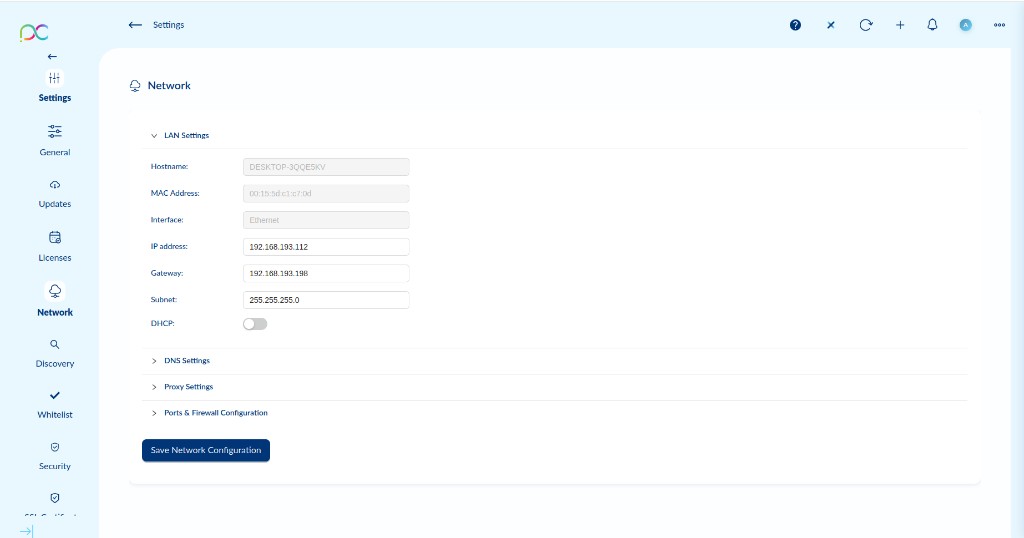
| Field | Description |
|---|---|
| Hostname | Read-only — the server machine's hostname. |
| MAC Address | Read-only — MAC address of the active network interface. |
| Interface | Read-only — active network interface type (e.g. Ethernet). |
| IP address | Server's static IP. Editable only when DHCP is disabled. |
| Gateway | Default gateway IP address. |
| Subnet | Subnet mask (e.g. 255.255.255.0). |
| DHCP | Toggle — when enabled, IP/gateway/subnet are obtained automatically. |
| Champ | Description |
|---|---|
| Hostname | Lecture seule — nom d'hôte du serveur. |
| MAC Address | Lecture seule — adresse MAC de l'interface active. |
| Interface | Lecture seule — type d'interface (ex. Ethernet). |
| IP address | IP statique du serveur. Modifiable uniquement si DHCP désactivé. |
| Gateway | Adresse IP de la passerelle par défaut. |
| Subnet | Masque de sous-réseau (ex. 255.255.255.0). |
| DHCP | Toggle — quand activé, IP/passerelle/sous-réseau obtenus automatiquement. |
LAN: Hostname (schreibgesch.), MAC (schreibgesch.), Interface (schreibgesch.), IP-Adresse, Gateway, Subnetzmaske, DHCP-Toggle.
LAN: Hostname (solo lectura), MAC (solo lectura), Interfaz (solo lectura), IP, Gateway, Subnet, DHCP toggle.
LAN: Hostname (só leitura), MAC (só leitura), Interface (só leitura), IP, Gateway, Subnet, DHCP toggle.
LAN: Hostname (solo lettura), MAC (solo lettura), Interfaccia (solo lettura), IP, Gateway, Subnet, DHCP toggle.
LAN: שם מארח (קריאה בלבד), MAC (קריאה בלבד), ממשק (קריאה בלבד), IP, שער, תת-רשת, מתג DHCP.
DNS Settings
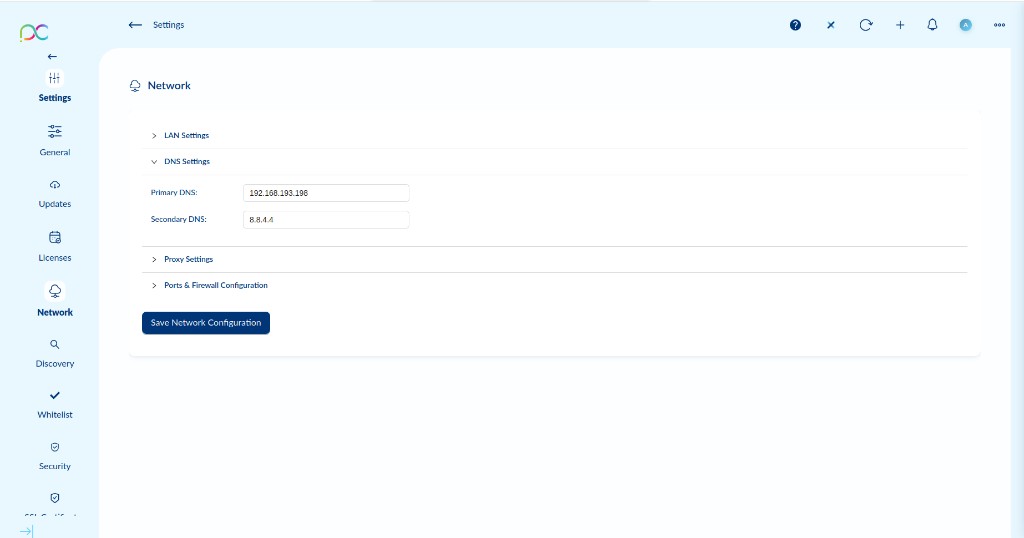
| Field | Description |
|---|---|
| Primary DNS | Primary DNS server IP for name resolution (e.g. your domain controller or local DNS). |
| Secondary DNS | Fallback DNS server (e.g. 8.8.4.4 for Google DNS). |
| Champ | Description |
|---|---|
| Primary DNS | IP du serveur DNS primaire (ex. contrôleur de domaine ou DNS local). |
| Secondary DNS | Serveur DNS de secours (ex. 8.8.4.4). |
DNS: Primary DNS — IP des primären DNS-Servers. Secondary DNS — Fallback (z.B. 8.8.4.4).
DNS: DNS primario — IP del servidor DNS principal. DNS secundario — reserva (ej. 8.8.4.4).
DNS: DNS primário — IP do servidor DNS. DNS secundário — reserva (ex. 8.8.4.4).
DNS: DNS primario — IP del server DNS. DNS secondario — riserva (es. 8.8.4.4).
DNS: DNS ראשי — IP שרת DNS. DNS משני — גיבוי (למשל 8.8.4.4).
Proxy Settings
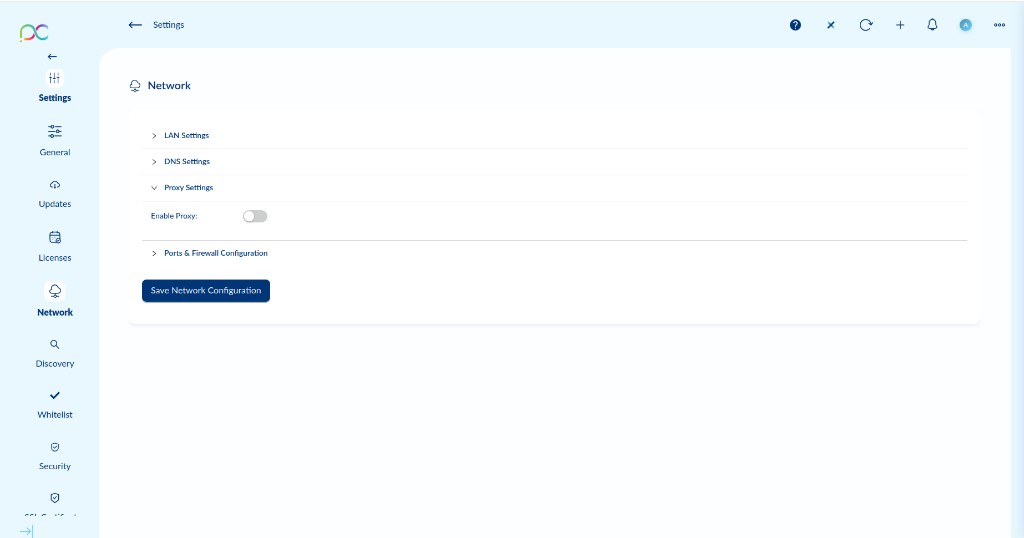
When Enable Proxy is toggled on, additional fields appear to configure the proxy host, port, and optional credentials.
Quand Enable Proxy est activé, des champs supplémentaires apparaissent pour l'hôte proxy, le port et les credentials.
Enable Proxy aktivieren um Proxy für ausgehende Verbindungen zu verwenden. Bei Aktivierung: Host, Port und Anmeldedaten konfigurieren.
Enable Proxy para usar proxy en conexiones salientes. Al activar: configurar host, puerto y credenciales.
Enable Proxy para usar proxy em ligações de saída. Ao ativar: configurar host, porta e credenciais.
Enable Proxy per usare proxy nelle connessioni in uscita. All'attivazione: host, porta e credenziali.
הפעל Enable Proxy לשימוש בפרוקסי לחיבורים יוצאים. בעת הפעלה: כתובת מארח, פורט ופרטי אישור.
Ports & Firewall Configuration
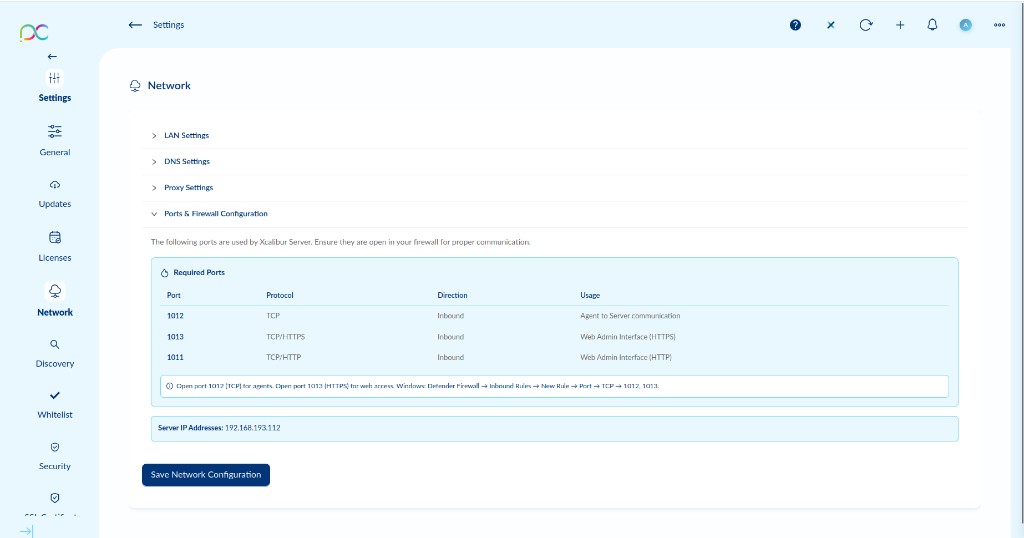
| Port | Protocol | Direction | Usage |
|---|---|---|---|
| 1012 | TCP | Inbound | Agent to Server communication — thin clients connect on this port |
| 1013 | TCP/HTTPS | Inbound | Web Admin Interface (HTTPS) |
| 1011 | TCP/HTTP | Inbound | Web Admin Interface (HTTP) — unencrypted fallback |
Port 1012 for agents. Port 1013 for HTTPS web access.
The Server IP Addresses field shows the server's current IP(s) — use these in your firewall rules.
| Port | Protocole | Direction | Usage |
|---|---|---|---|
| 1012 | TCP | Entrant | Communication Agent → Serveur |
| 1013 | TCP/HTTPS | Entrant | Interface Web Admin (HTTPS) |
| 1011 | TCP/HTTP | Entrant | Interface Web Admin (HTTP) |
| Port | Protokoll | Richtung | Verwendung |
|---|---|---|---|
| 1012 | TCP | Eingehend | Agent → Server |
| 1013 | TCP/HTTPS | Eingehend | Web-Admin (HTTPS) |
| 1011 | TCP/HTTP | Eingehend | Web-Admin (HTTP) |
| Puerto | Protocolo | Dirección | Uso |
|---|---|---|---|
| 1012 | TCP | Entrada | Agente → Servidor |
| 1013 | TCP/HTTPS | Entrada | Web Admin (HTTPS) |
| 1011 | TCP/HTTP | Entrada | Web Admin (HTTP) |
| Porta | Protocolo | Direção | Uso |
|---|---|---|---|
| 1012 | TCP | Entrada | Agente → Servidor |
| 1013 | TCP/HTTPS | Entrada | Web Admin (HTTPS) |
| 1011 | TCP/HTTP | Entrada | Web Admin (HTTP) |
| Porta | Protocollo | Direzione | Utilizzo |
|---|---|---|---|
| 1012 | TCP | In entrata | Agente → Server |
| 1013 | TCP/HTTPS | In entrata | Web Admin (HTTPS) |
| 1011 | TCP/HTTP | In entrata | Web Admin (HTTP) |
| פורט | פרוטוקול | כיוון | שימוש |
|---|---|---|---|
| 1012 | TCP | נכנס | סוכן ← שרת |
| 1013 | TCP/HTTPS | נכנס | Web Admin (HTTPS) |
| 1011 | TCP/HTTP | נכנס | Web Admin (HTTP) |