

Chip PC Technologies Is A Fast Growing Thin Client And Desktop Virtualization Company With Tens Of Thousands Of Customers Worldwide Using Its Innovative Zero, Thin And Smart Clients And Management Solutions.
Chip PC Technologies Is A Fast Growing Thin Client And Desktop Virtualization Company With Tens Of Thousands Of Customers Worldwide Using Its Innovative Zero, Thin And Smart Clients And Management Solutions.

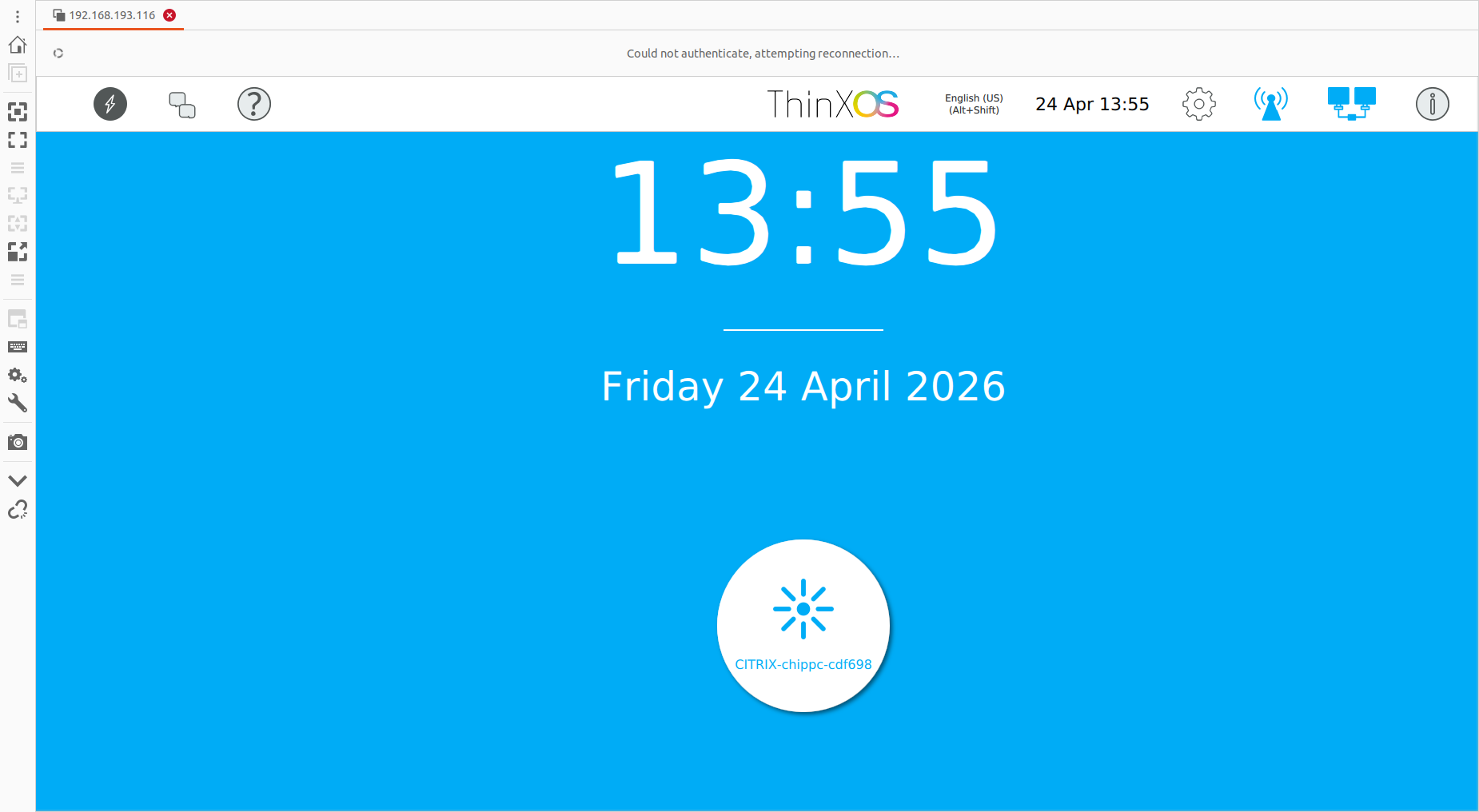
ThinX OS is ChipPC's embedded Linux operating system — engineered for thin clients from the ground up. Boots in seconds, connects instantly, and lets Xcalibur handle every setting remotely. No local IT. No complexity. Just productivity.
 Read-Only Filesystem
RDP · Citrix · Horizon
Zero-Touch Deploy
802.1X EAP-TLS
USB Policy Enforced
Read-Only Filesystem
RDP · Citrix · Horizon
Zero-Touch Deploy
802.1X EAP-TLS
USB Policy Enforced
ThinX OS — Clean, fast, and fully managed from Xcalibur Global
Most thin client OS solutions require local administrators, complex imaging workflows, and on-site technicians. ThinX OS flips this model completely. Every setting — from display resolution to VPN credentials — is pushed remotely from the Xcalibur console. You never need to touch a device again.
Request a Free Trial — No Credit CardPlug in a ChipPC device — it auto-registers to Xcalibur and receives its full configuration without any manual steps.
Display settings, connections, wallpaper, screensaver, security policies — all configured and deployed from Xcalibur in seconds.
Read-only filesystem means ransomware and malware have nowhere to persist. Nothing to patch, nothing to maintain locally.
If anything goes wrong, flash a new device from a USB stick with Rufus. Back online in under 5 minutes.
From hospitals to trading floors, ThinX OS delivers the same predictable, secure, and easy-to-manage endpoint experience.
HIS / EHR access, fast user switching, kiosk lockdown for clinical workstations.
Hardened endpoints for trading floors, branch tellers, and back-office VDI sessions.
802.1X-secured devices with audit trail, SSL/TLS certificates, and zero local storage.
Lab classrooms and shared workstations with centrally pushed connections and policies.
POS, BackOffice, and kiosk endpoints — boot ready, replaced in minutes from a USB stick.
Plug-and-play VDI agent stations with USB headset / mic redirection and remote support.
ThinX OS is lean by design — no bloat, no background processes, no vulnerabilities
From cold start to the connection screen in seconds. No splash screens, no loading bars, no waiting.
Read-only root filesystem. No write access for users or applications. Immune to ransomware and persistent malware.
RDP, Citrix ICA/HDX, VMware Horizon (Omnissa Blast/PCoIP) and VNC — all native, all optimised.
New device powers on, discovers Xcalibur on the network, downloads its full configuration — automatically.
Every parameter pushed from Xcalibur. Display resolution, VNC password, auto-login, screensaver — all without touching the device.
Built-in ping, traceroute, and connectivity tests. Diagnose issues directly from the device or remotely via Xcalibur.
Create a bootable USB stick with Rufus. Reinstall a device in minutes — no imaging server needed.
Full bi-directional management: push tasks, update OS, take remote control, view audit logs — all from Xcalibur.
Simple panels, clear settings, zero clutter — designed for users who just want to work
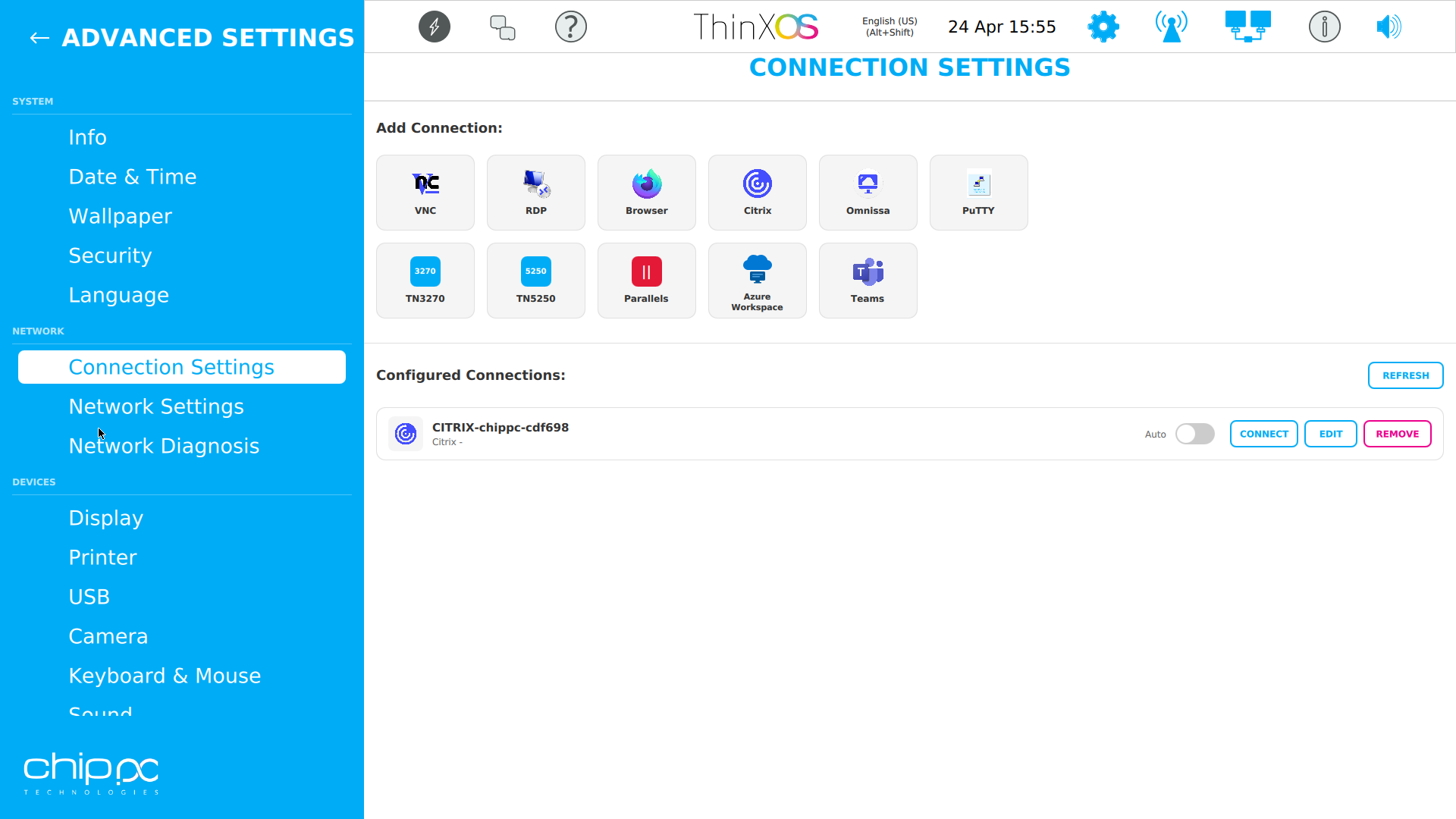
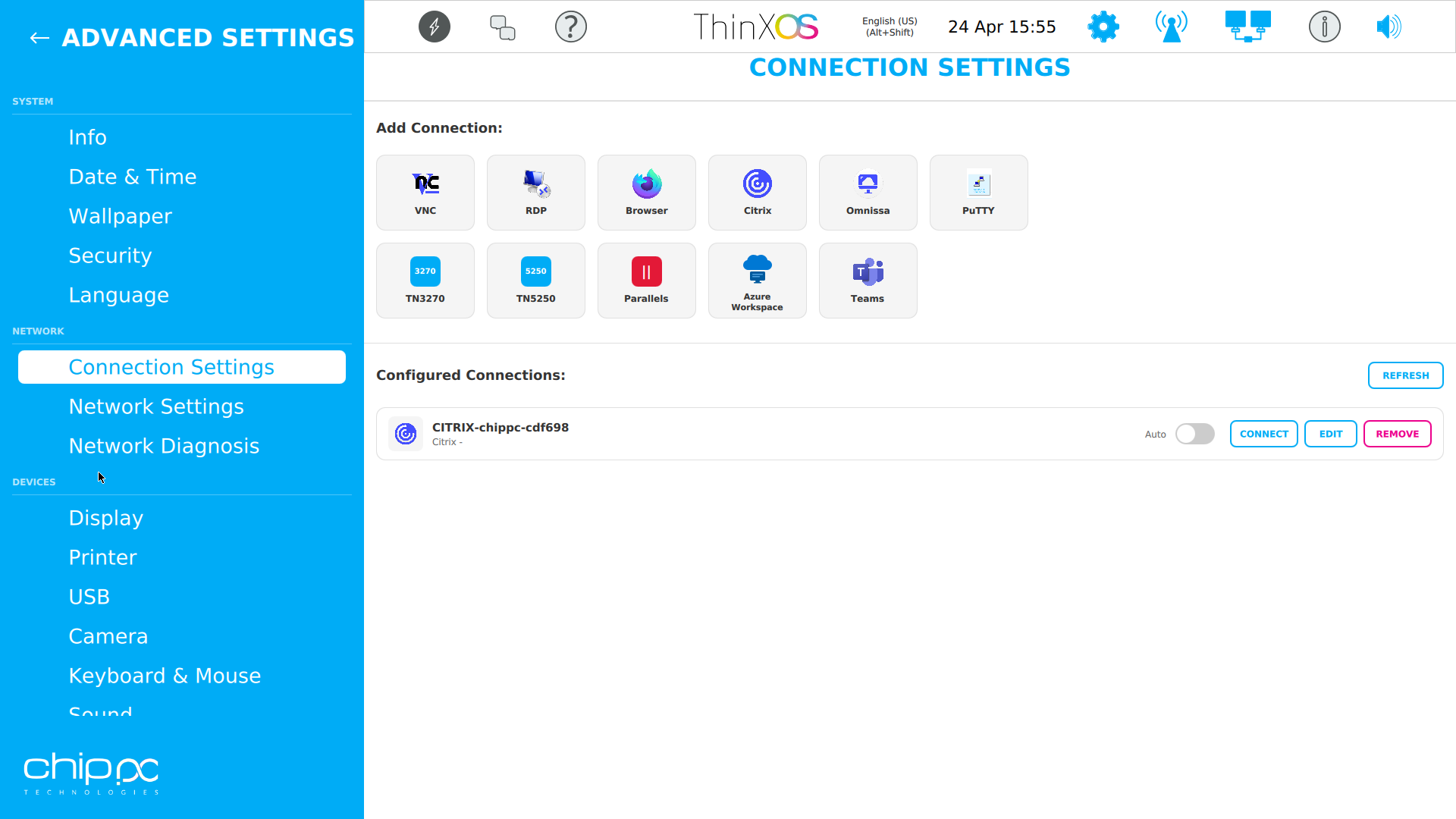
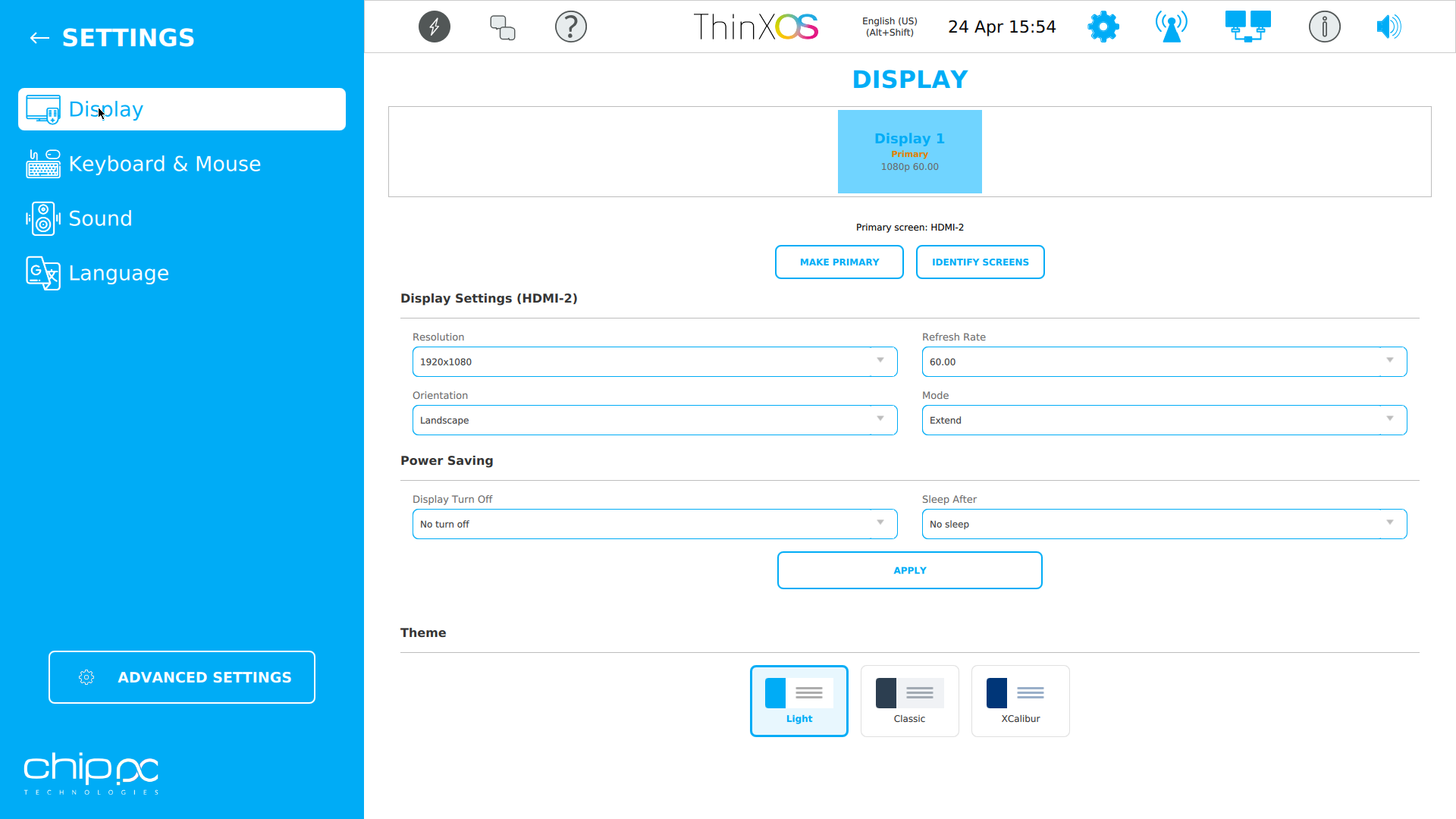
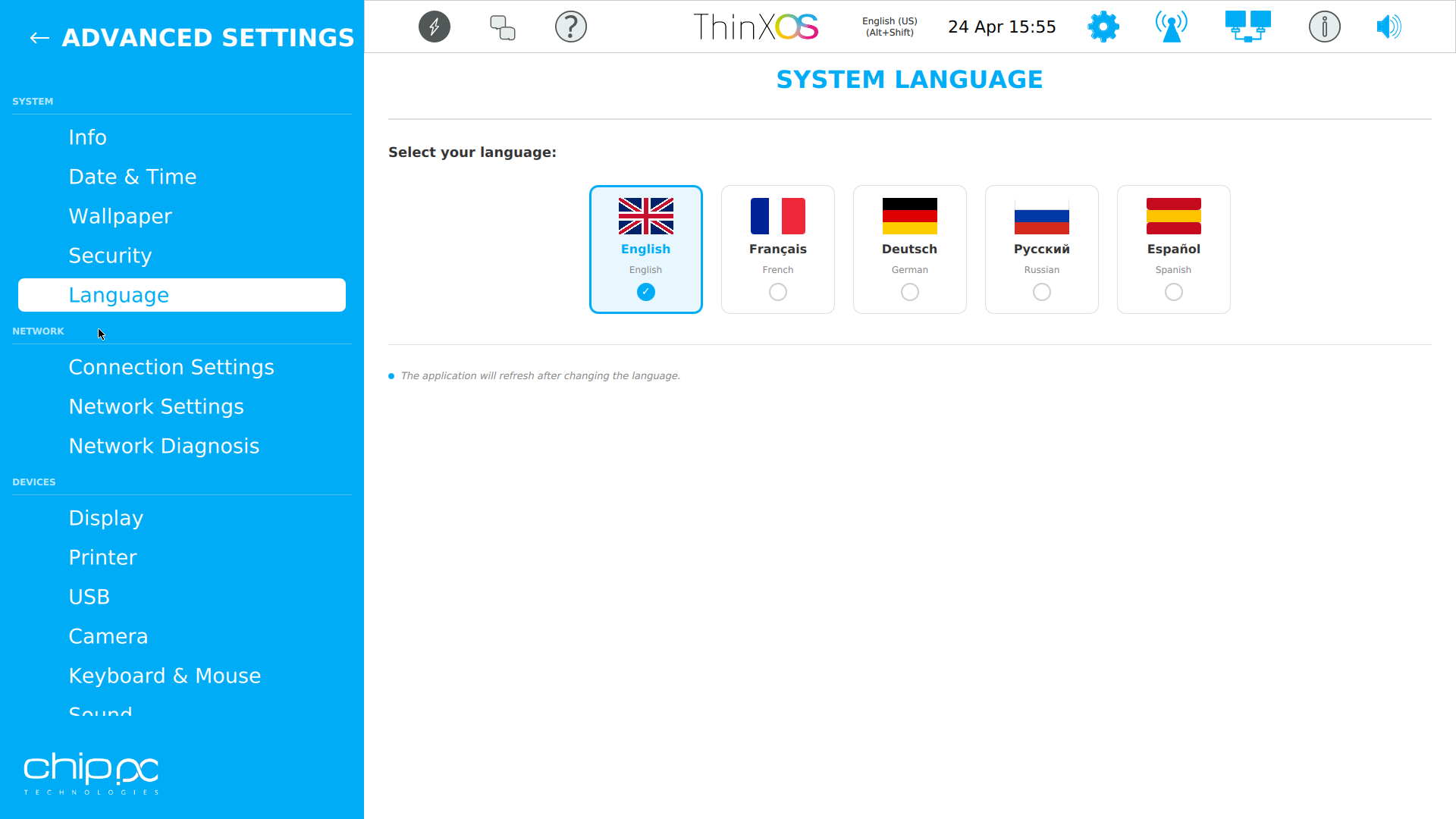
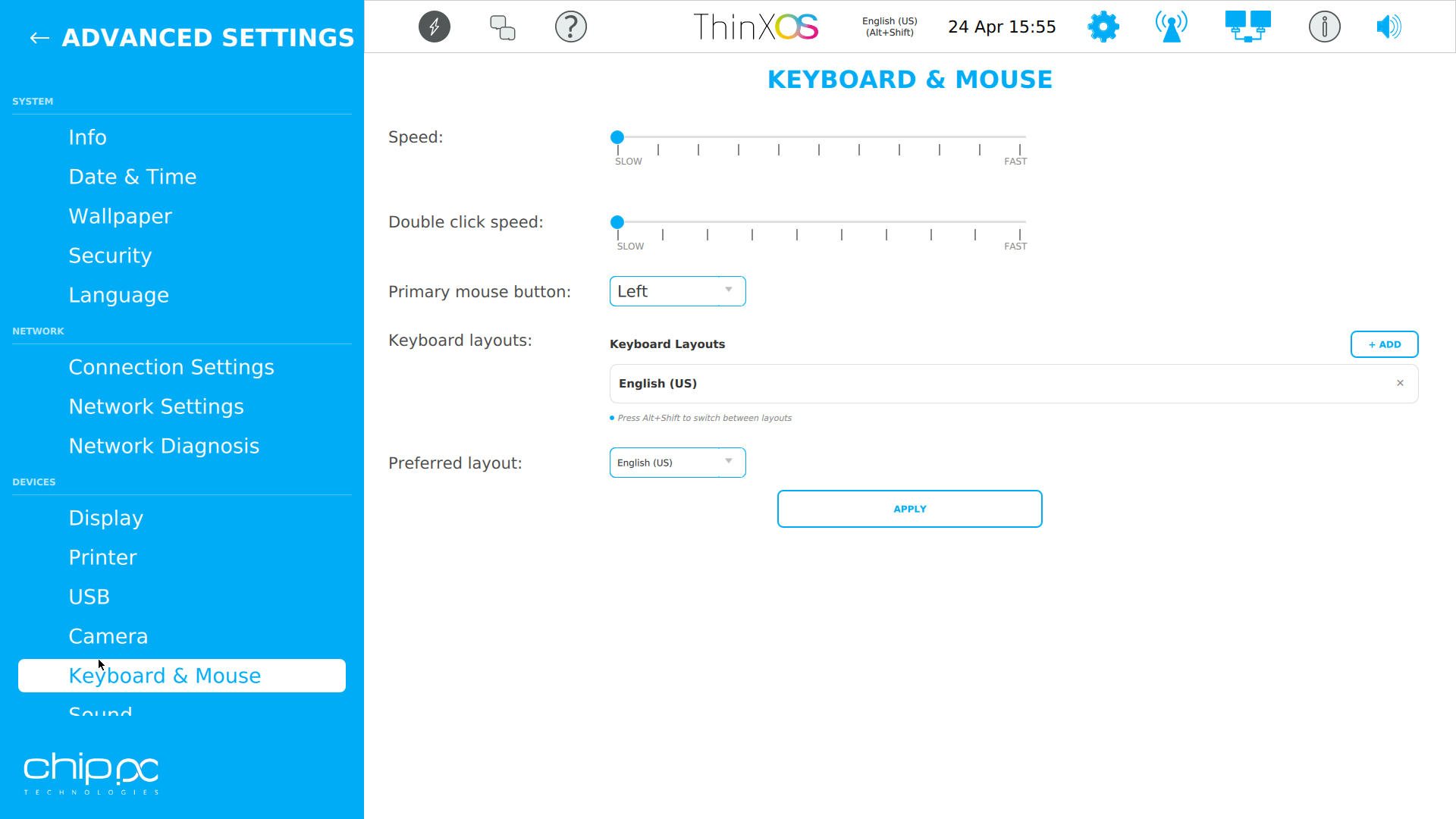
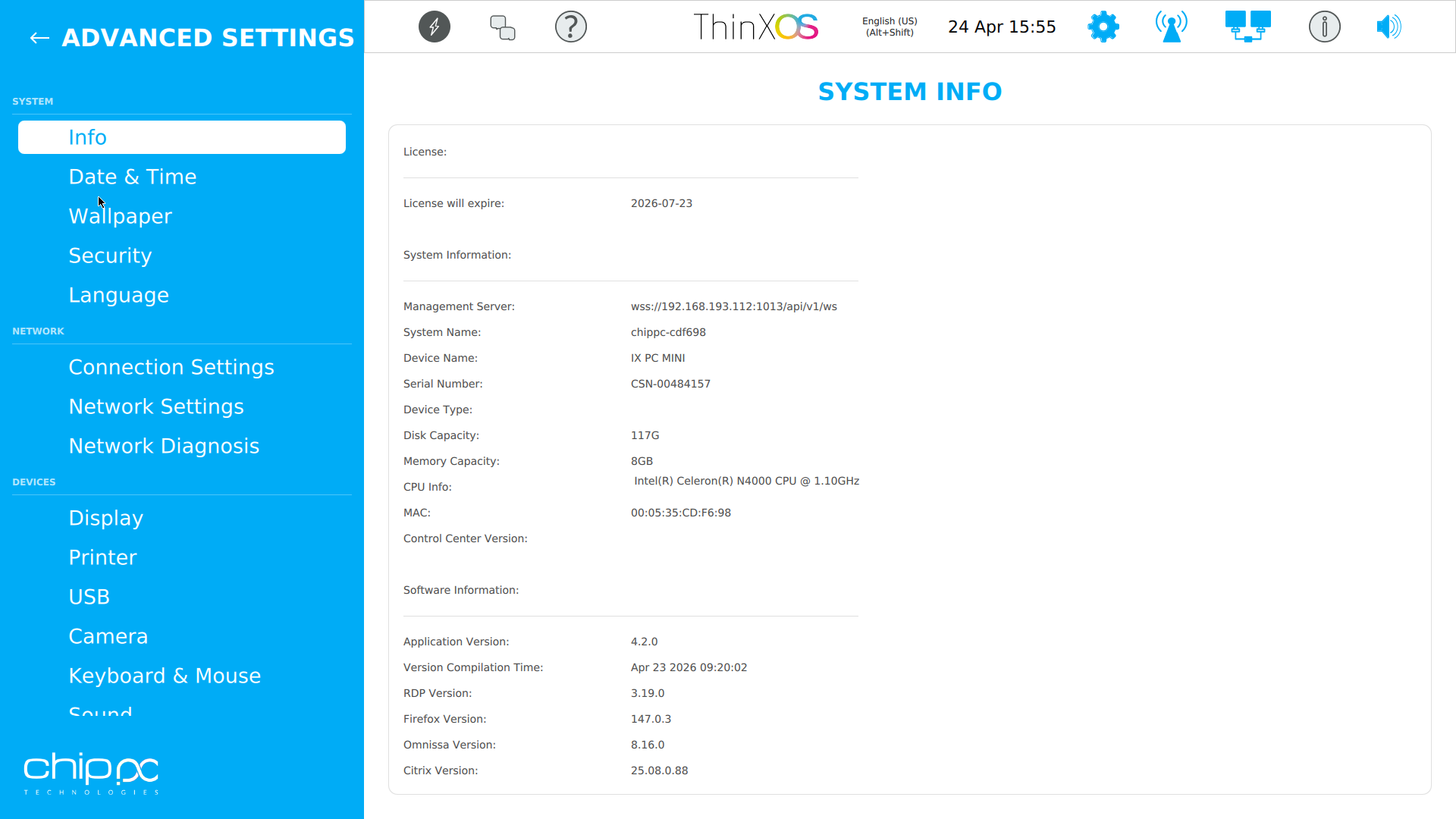
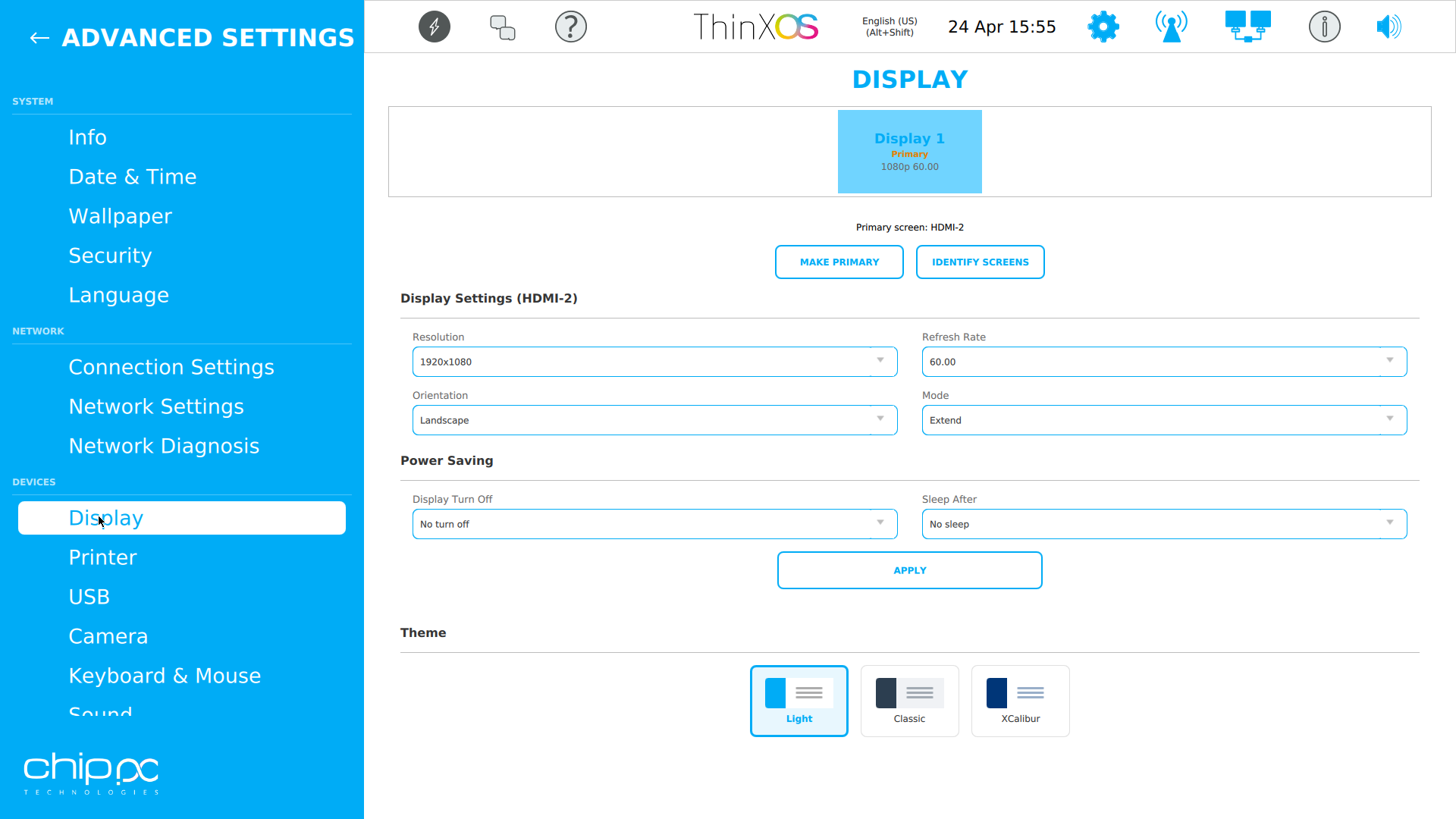
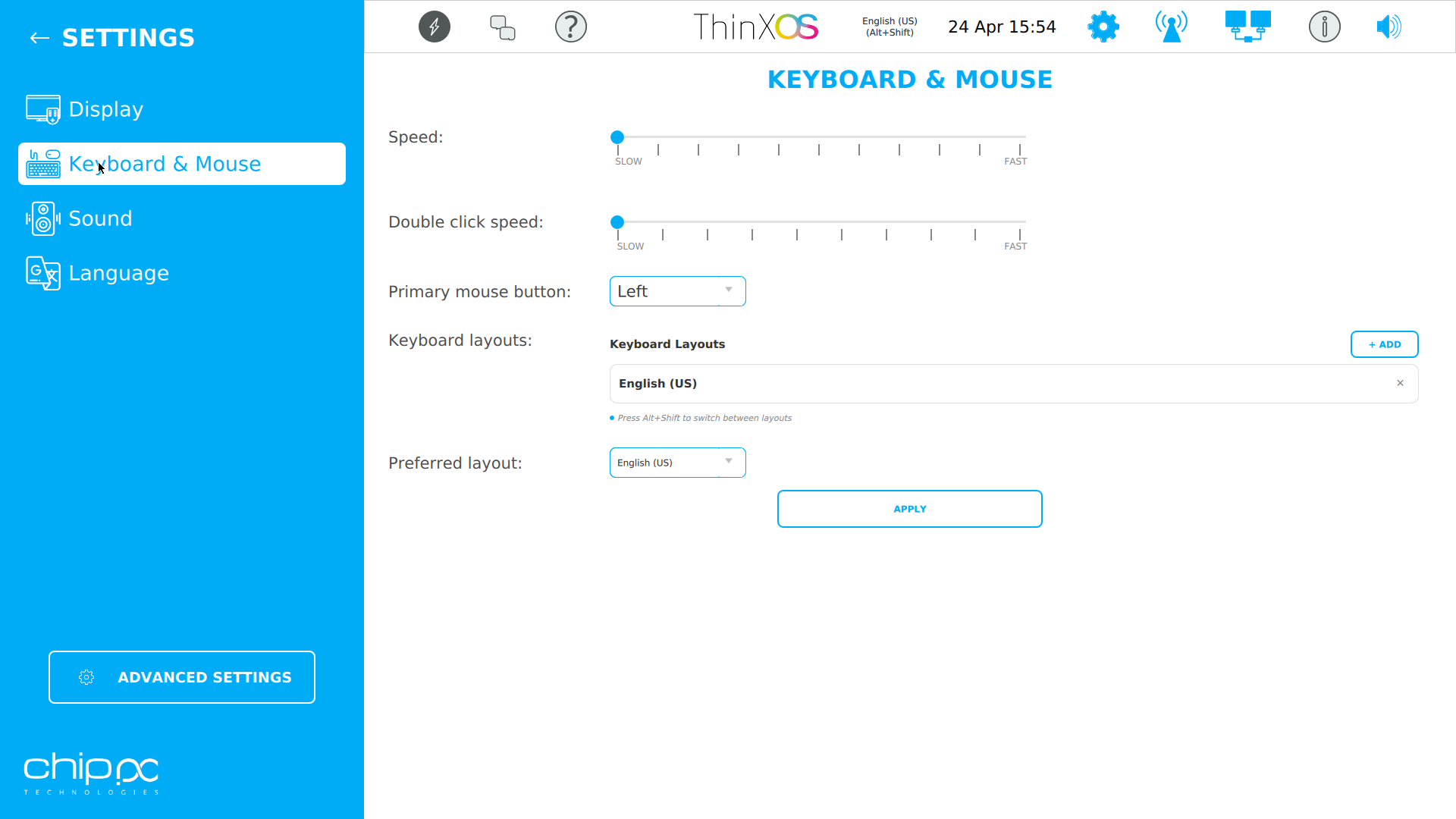
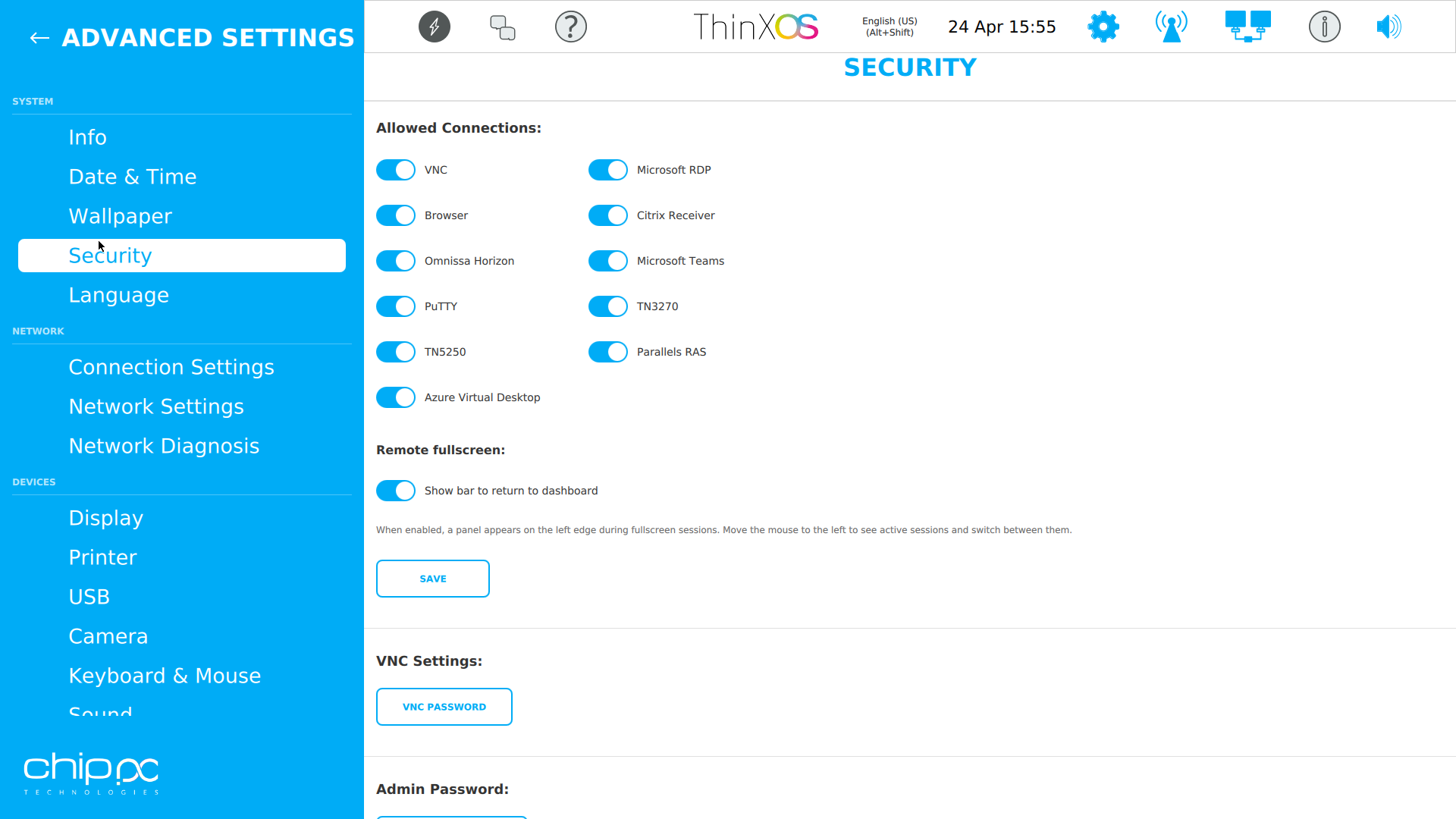
Click any screenshot to enlarge
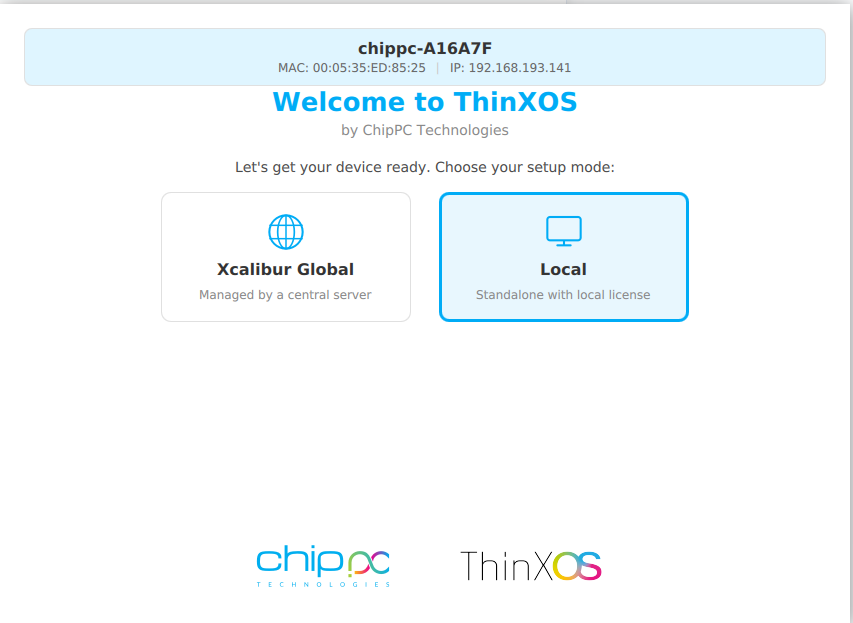
The ThinX OS setup wizard is so simple, your users can do it themselves
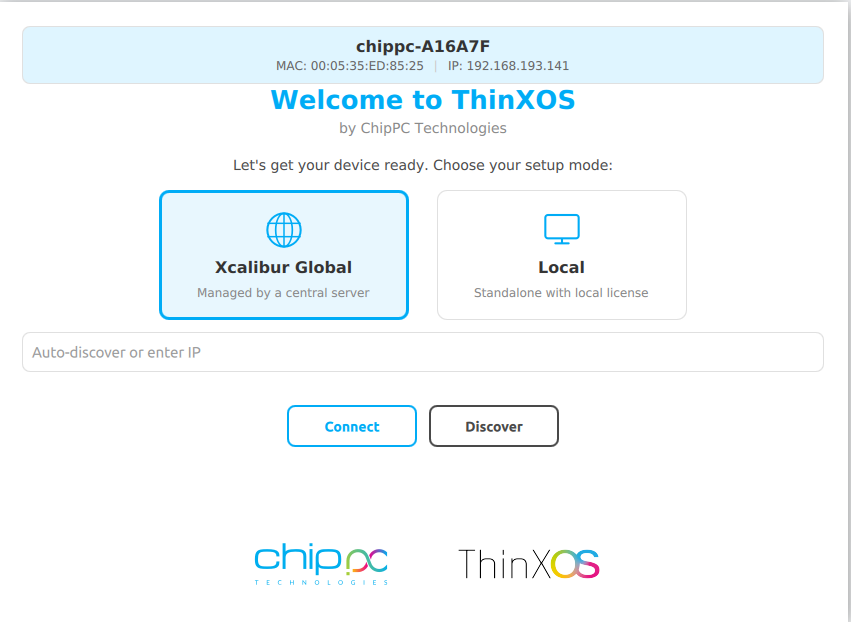
Choose between Xcalibur Global (managed fleet) or Local (standalone).
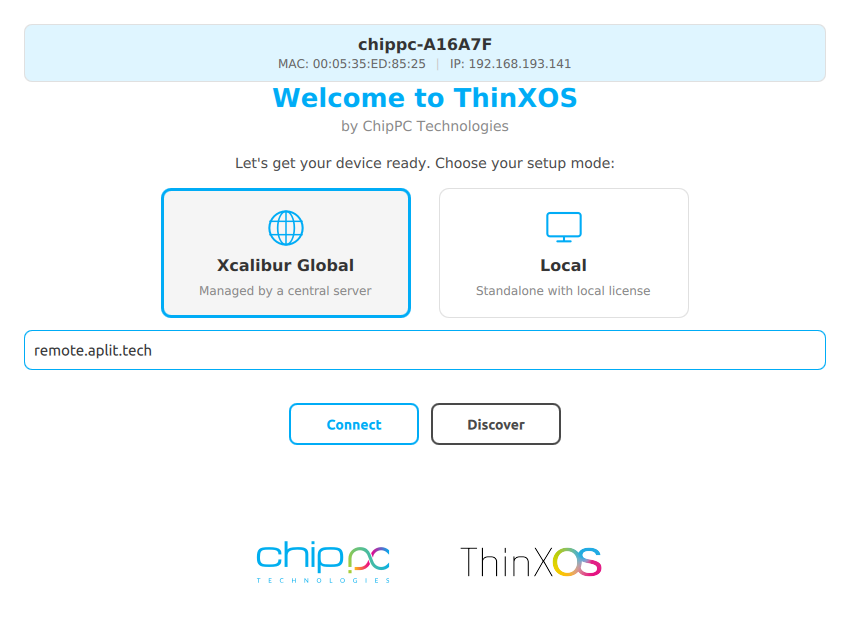
Enter your Xcalibur server address. The device registers and is enrolled automatically.
Type your XXXX-XXXX-XXXX license code (received by email) and click Apply.
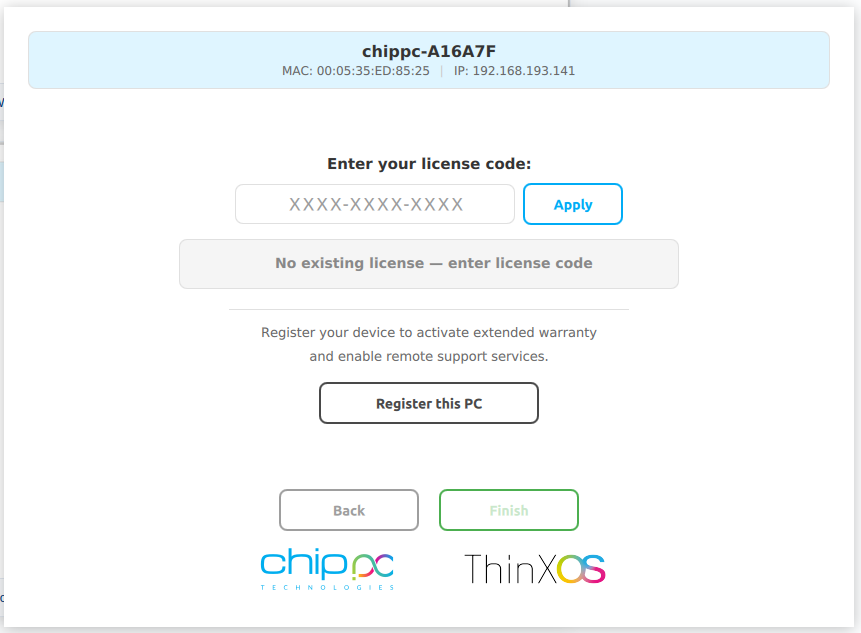
Click Register this PC for warranty and support. The device appears in your Xcalibur dashboard.
Replace the quotes below with your own customer testimonials in the WordPress page editor.
We replaced 800 Windows endpoints with ChipPC thin clients running ThinX OS. Boot time dropped from 90 seconds to a few seconds, and helpdesk tickets fell by more than 60%.
The read-only filesystem changed our security posture overnight. We stopped worrying about ransomware on endpoints — there's literally nothing to encrypt.
Pushing a new RDP connection to 1,200 thin clients now takes one click in Xcalibur. Before, we used to plan the same operation as a two-week project.
Security is not an add-on in ThinX OS — it is the foundation. Every architectural decision was made to eliminate attack surfaces and protect end-user data, helping you meet enterprise security and privacy requirements in healthcare, finance, government, and education.
The entire ThinX OS root filesystem is mounted read-only at boot time. Ransomware has nowhere to write. Malware cannot persist across reboots. Even if a session is compromised, the OS reverts to a clean state on next boot — automatically.
Xcalibur enforces USB policies on every ThinX OS device: block all USB storage, allow only whitelisted peripherals, or set read-only mode. Prevent data exfiltration and enforce BYOD policies without any local IT intervention.
ThinX OS supports 802.1X EAP authentication for wired and wireless networks. Only authenticated, registered devices can connect to your corporate network. Certificates are managed and deployed remotely via Xcalibur.
ThinX OS has no local administrator or user accounts to compromise. There is no password to steal, no account to brute-force, no privilege escalation path. All management is done through Xcalibur, protected by 2FA and role-based access control.
Deploy SSL/TLS certificates to any device or group remotely via Xcalibur. Encrypt every connection — RDP, VNC, management traffic — end to end. Certificate renewal and distribution are fully automated, eliminating human error.
Every action on every device is logged with user identity, timestamp, and device ID. Built-in audit log export and scheduled reports help your organisation align with GDPR and internal compliance policies.
ThinX OS connects to every major virtual desktop infrastructure out of the box
Pair ThinX OS with Xcalibur Global to add Azure AVD, Microsoft Teams, PuTTY, TN5250/3270 and Parallels connections, all deployable centrally.
Runs on all ChipPC thin client hardware — minimal resources, maximum performance
| Component | Minimum | Recommended |
|---|---|---|
| Device | Any current ChipPC thin client | Latest ChipPC thin client model |
| CPU | x86 / x64 compatible | Intel Atom / Celeron / Core i3+ |
| RAM | 2 GB | 4 GB+ |
| Storage | 4 GB Flash | 8 GB+ Flash / SSD |
| Network | 100 Mbps Ethernet | Gigabit Ethernet (Wi-Fi optional) |
| Management | Xcalibur Global (trial included) | Xcalibur Global full license |
| USB Recovery | Rufus (Windows) + 8 GB USB | Rufus 4.x, 16 GB USB |
Enter your name, company, and work email. Takes 30 seconds.
An automatic email delivers the ThinX OS image link instantly.
Use Rufus to write the image to a USB stick and boot your ChipPC device.
A second email brings your free trial licence (ThinX OS + Xcalibur Global). Start managing your fleet right away.
Everything you need to know before downloading ThinX OS
XXXX-XXXX-XXXX).
ThinX OS is a commercial product — but you can evaluate it free for a limited time. Fill in the form to receive two emails: one with the ThinX OS download link, and one with your trial licence (covering ThinX OS and Xcalibur Global). No credit card. No commitment during the trial.
Your data is confidential and never shared. Privacy Policy

Chip PC Technologies Is A Fast Growing Thin Client And Desktop Virtualization Company With Tens Of Thousands Of Customers Worldwide Using Its Innovative Zero, Thin And Smart Clients And Management Solutions.
