
ThinX OS es el sistema Linux embebido de ChipPC — diseñado desde cero para thin clients. Arranca en segundos, conecta al instante y Xcalibur gestiona cada ajuste en remoto. Cero IT local. Cero complejidad. Solo productividad.
 Read-Only Filesystem
RDP · Citrix · Horizon
Implementación sin intervención
802.1X EAP-TLS
USB Policy Enforced
Read-Only Filesystem
RDP · Citrix · Horizon
Implementación sin intervención
802.1X EAP-TLS
USB Policy Enforced
ThinX OS — Limpio, rápido y totalmente gestionado desde Xcalibur Global
La mayoría de los SO thin client requieren administradores locales, flujos de imaging complejos y técnicos in situ. ThinX OS invierte por completo este modelo. Cada ajuste — desde la resolución hasta las credenciales VPN — se despliega en remoto desde la consola Xcalibur. Nunca más necesitará tocar un dispositivo.
Solicitar prueba gratuita — Sin tarjetaPlug in a ChipPC device — it auto-registers to Xcalibur and receives its full configuration without any manual steps.
Display settings, connections, wallpaper, screensaver, security policies — all configured and deployed from Xcalibur in seconds.
Read-only filesystem means ransomware and malware have nowhere to persist. Nothing to patch, nothing to maintain locally.
Si algo falla, restaure un dispositivo desde un USB con Rufus. De vuelta en línea en menos de 5 minutos.
From hospitals to trading floors, ThinX OS delivers the same predictable, secure, and easy-to-manage endpoint experience.
Acceso HIS / EHR, cambio rápido de usuario, bloqueo de kiosco para estaciones clínicas.
Endpoints reforzados para salas de operaciones, cajeros de sucursal y sesiones VDI de back-office.
Dispositivos seguros con 802.1X, rastro de auditoría, certificados SSL/TLS y cero almacenamiento local.
Aulas de laboratorio y estaciones compartidas con conexiones y políticas aplicadas centralmente.
Endpoints POS, BackOffice y kioscos — listos para arrancar, reemplazados en minutos desde un USB.
Estaciones VDI plug-and-play con redirección de auriculares USB / micrófono y soporte remoto.
ThinX OS es ligero por diseño — sin bloat, sin procesos en segundo plano, sin vulnerabilidades
Del arranque en frío a la pantalla de conexión en segundos. Sin pantallas de inicio, sin barras de carga, sin esperas.
Sistema de archivos raíz de solo lectura. Sin acceso de escritura para usuarios o aplicaciones. Inmune al ransomware y malware persistente.
RDP, Citrix ICA/HDX, VMware Horizon (Omnissa Blast/PCoIP) and VNC — all native, all optimised.
El nuevo dispositivo se enciende, descubre Xcalibur en la red y descarga su configuración completa — automáticamente.
Every parameter pushed from Xcalibur. Display resolution, VNC password, auto-login, screensaver — all without touching the device.
Ping, traceroute y pruebas de conectividad integrados. Diagnostique problemas directamente desde el dispositivo o de forma remota a través de Xcalibur.
Cree un USB arrancable con Rufus. Reinstale un dispositivo en minutos — sin necesidad de servidor de imágenes.
Gestión bidireccional completa: enviar tareas, actualizar OS, control remoto, ver registros de auditoría — todo desde Xcalibur.
Paneles simples, ajustes claros, sin desorden — diseñado para usuarios que solo quieren trabajar
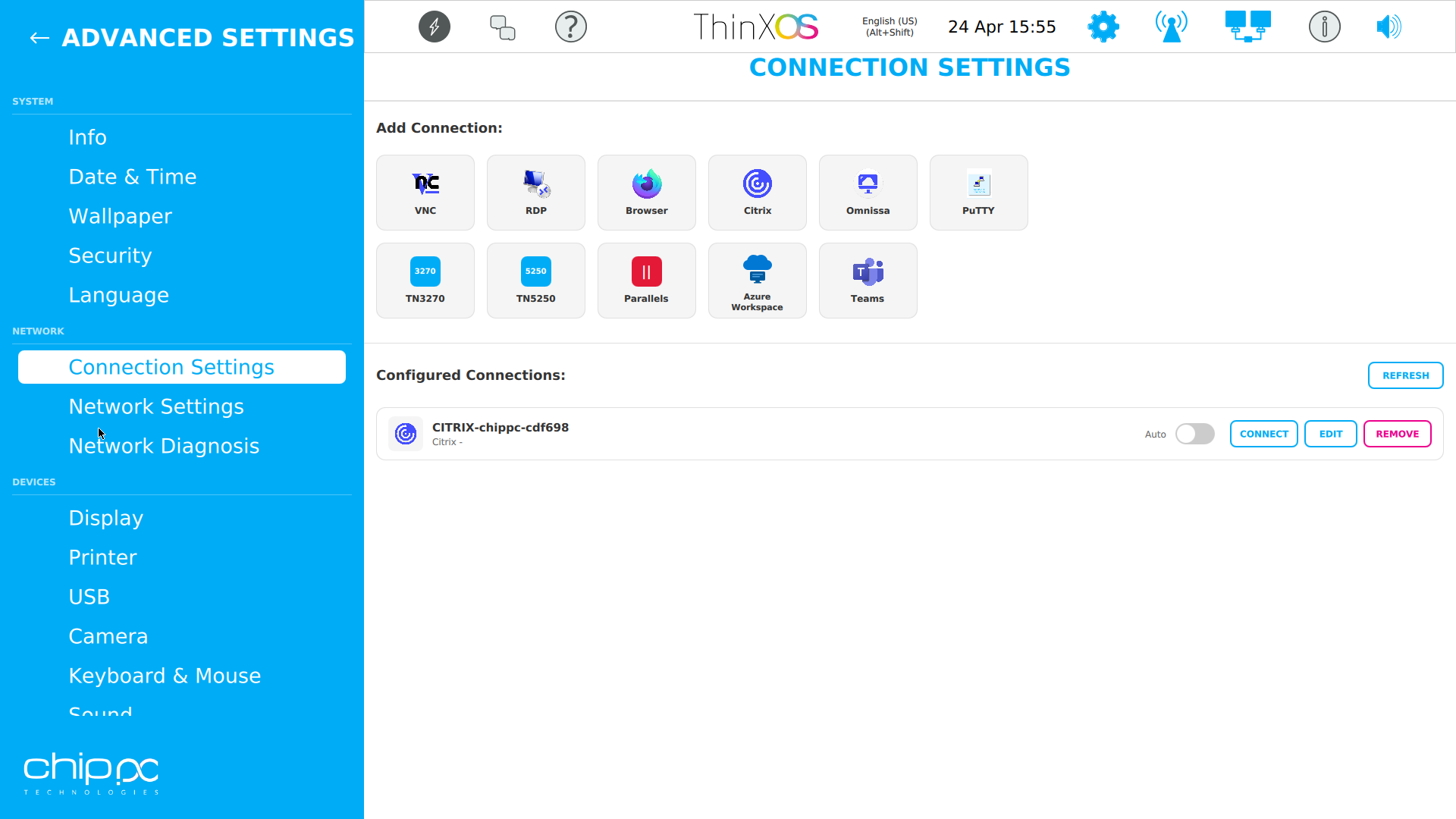
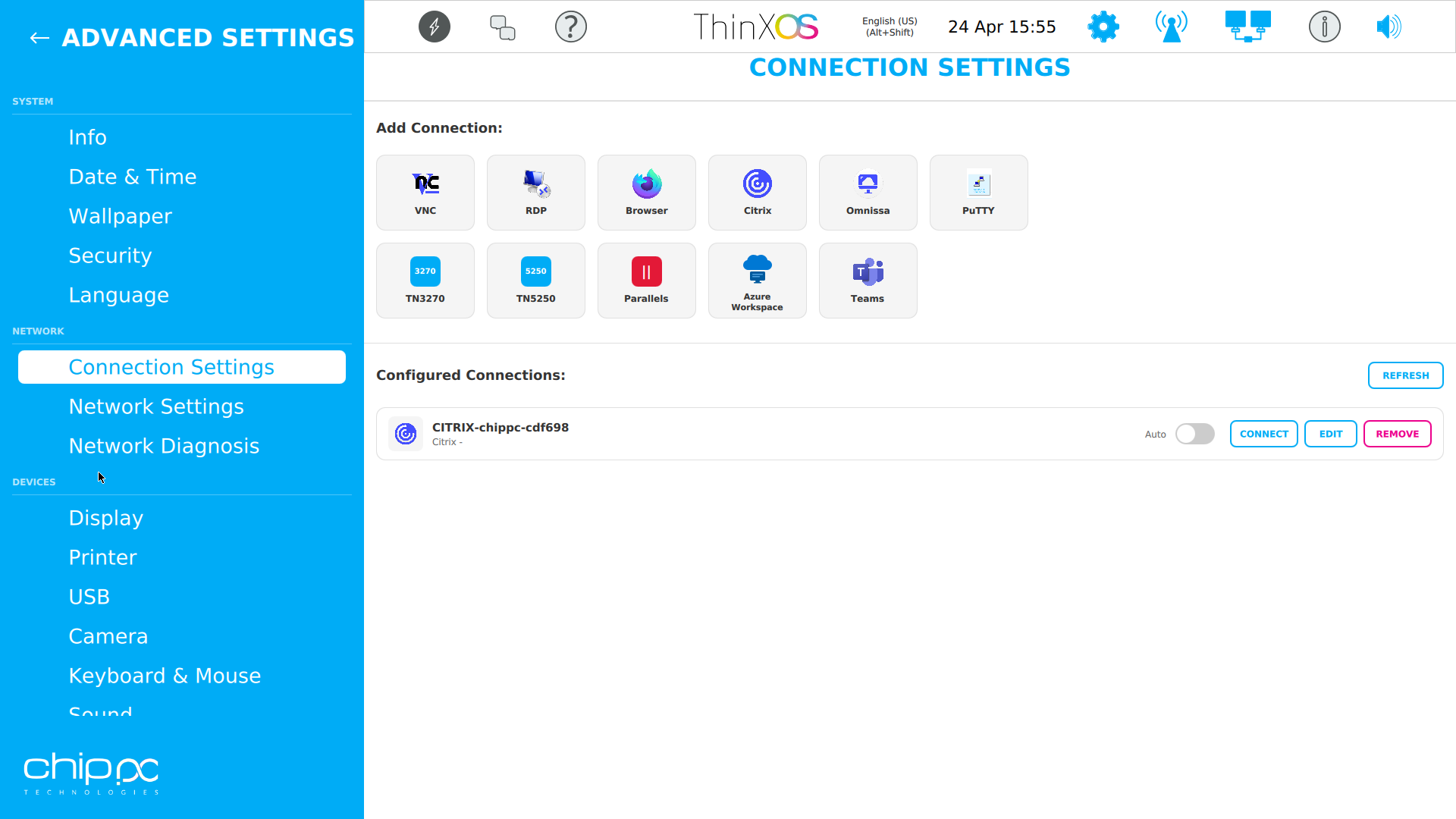
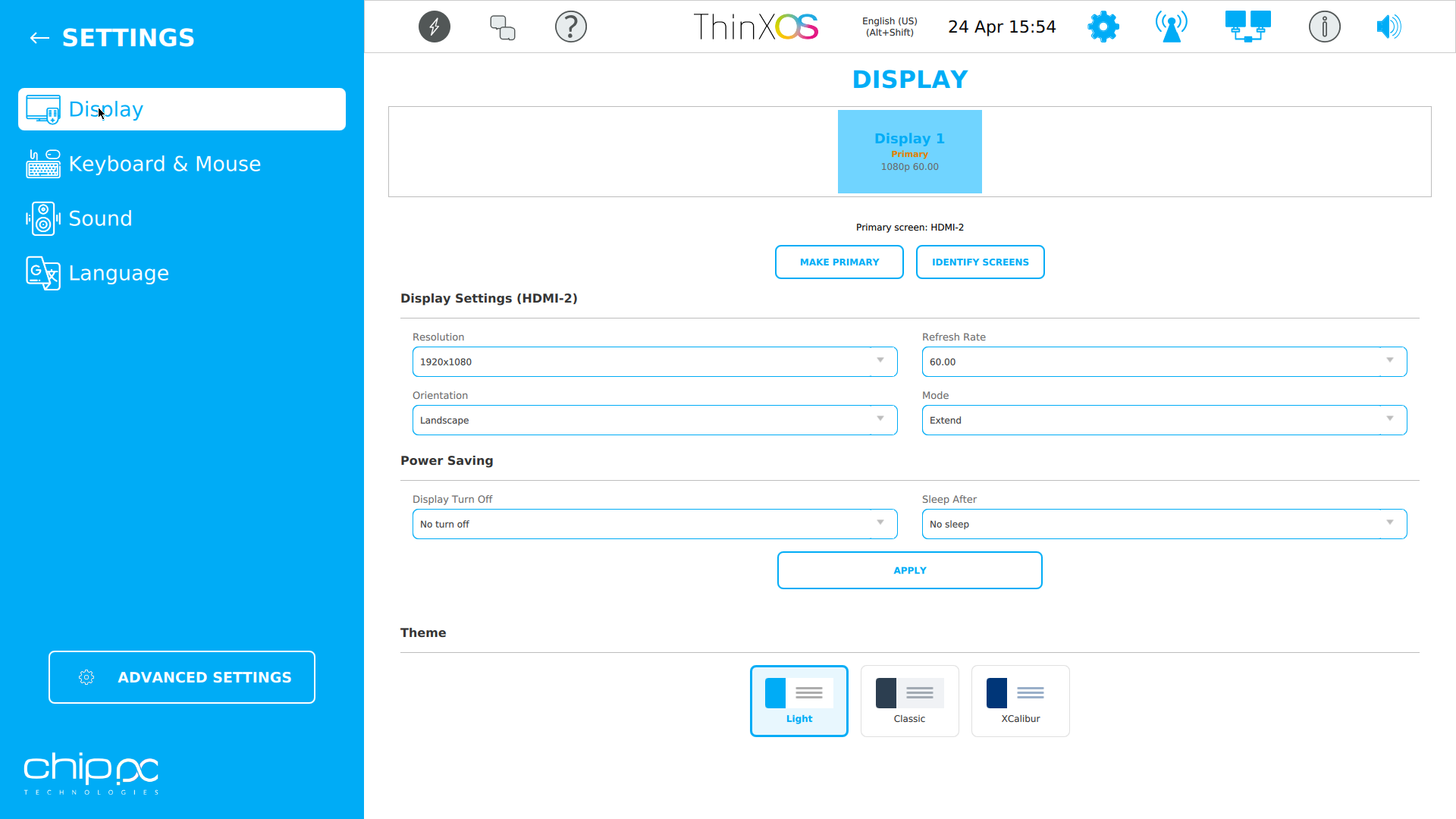
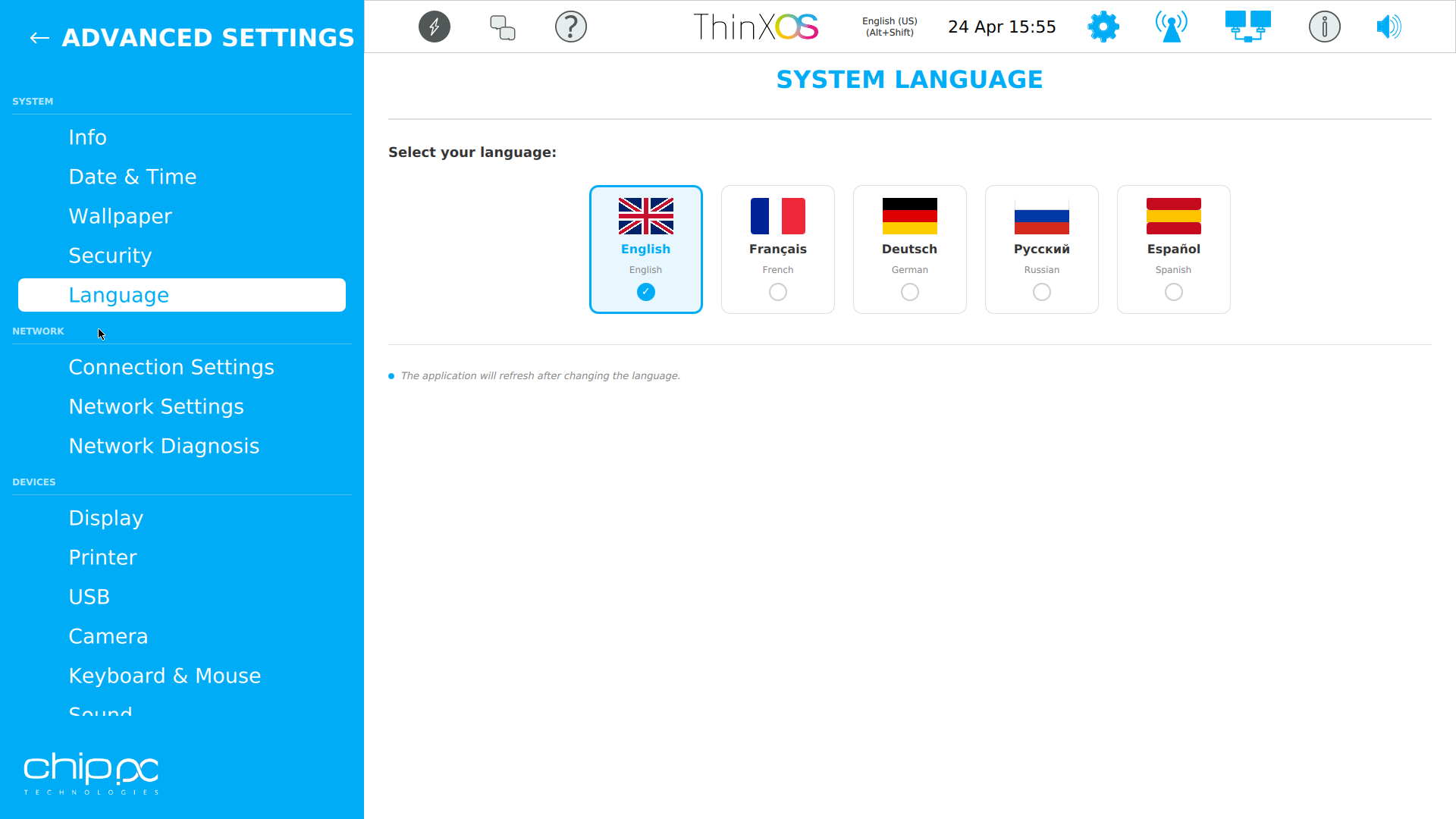
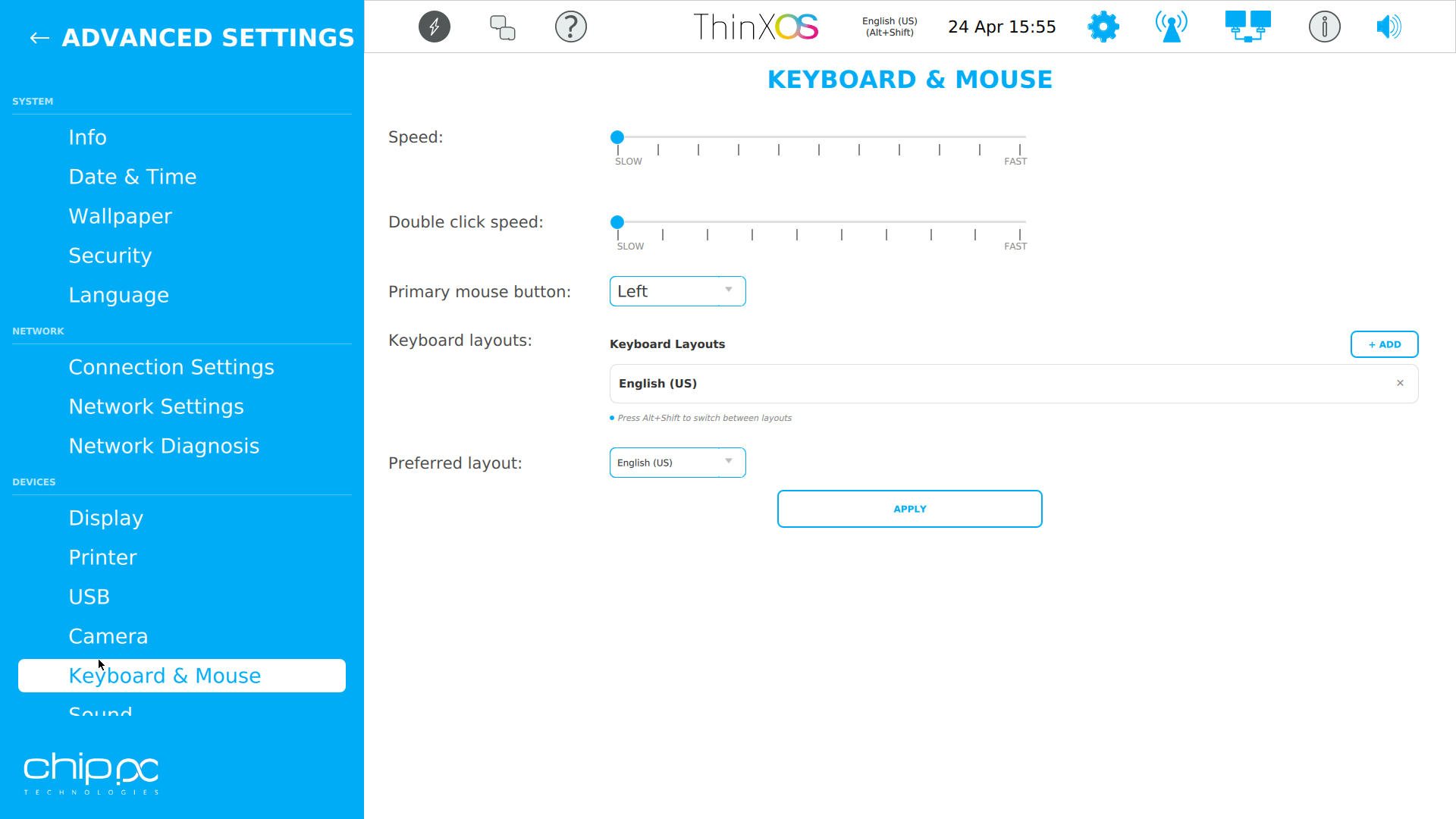
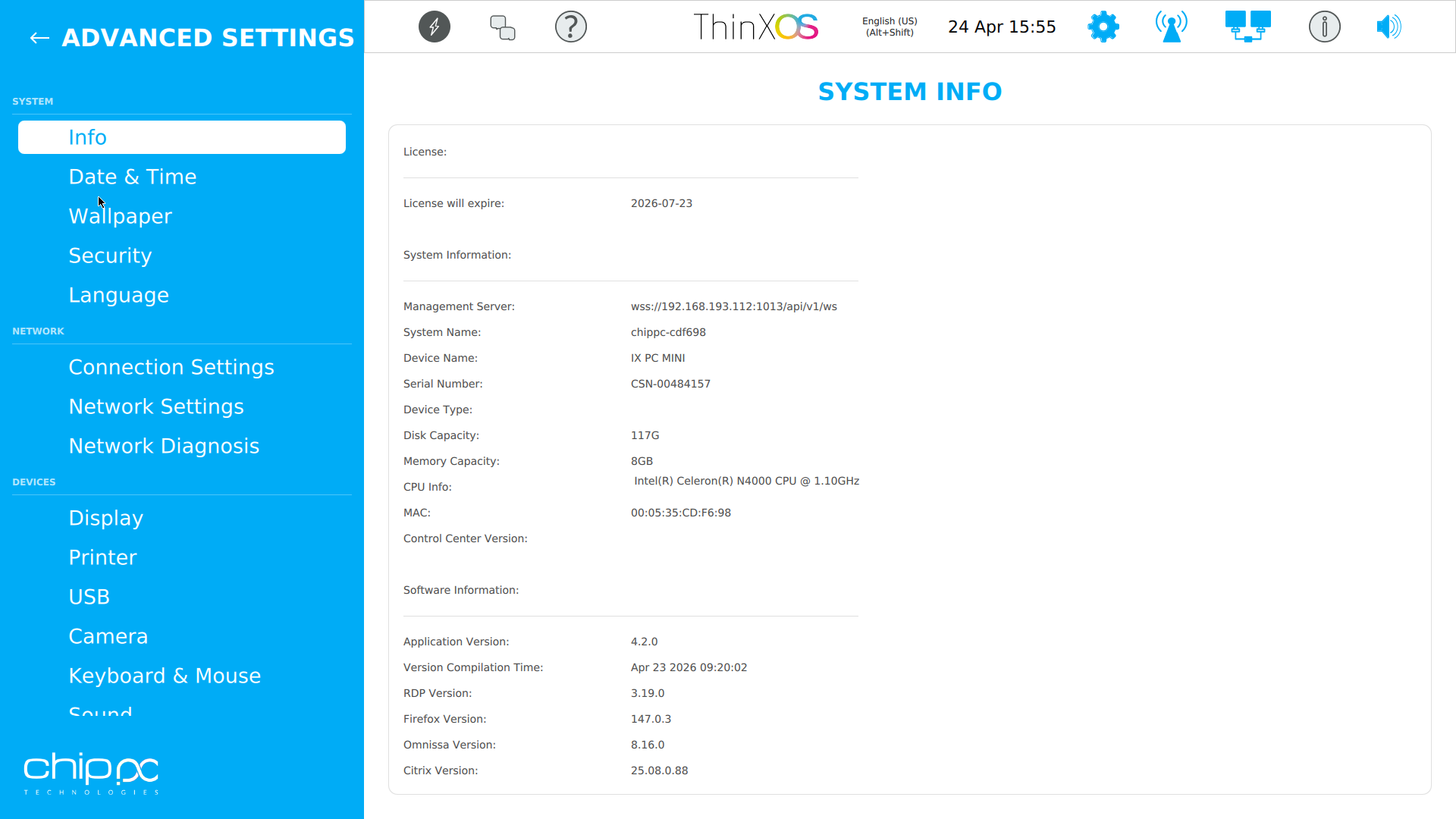
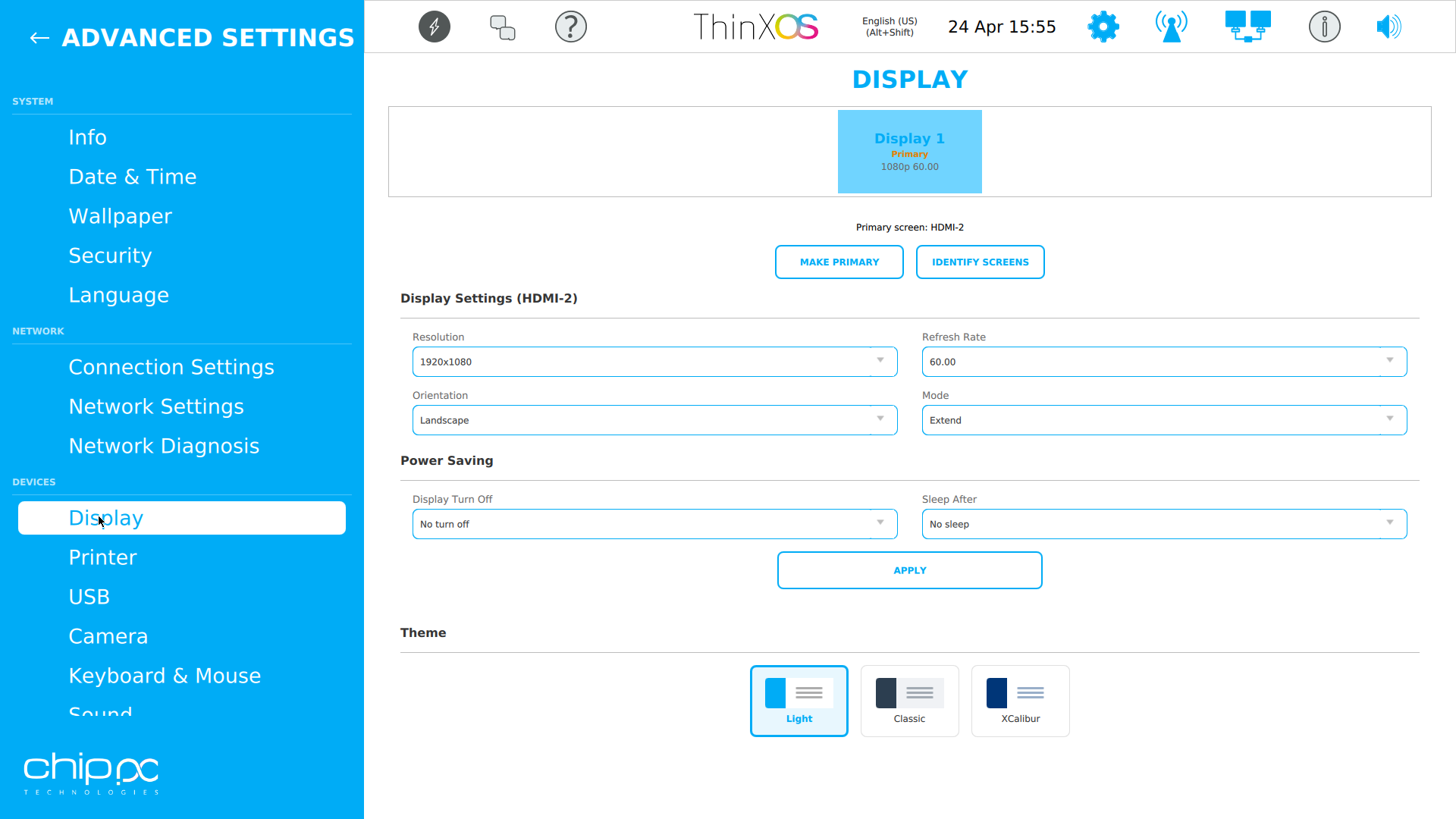
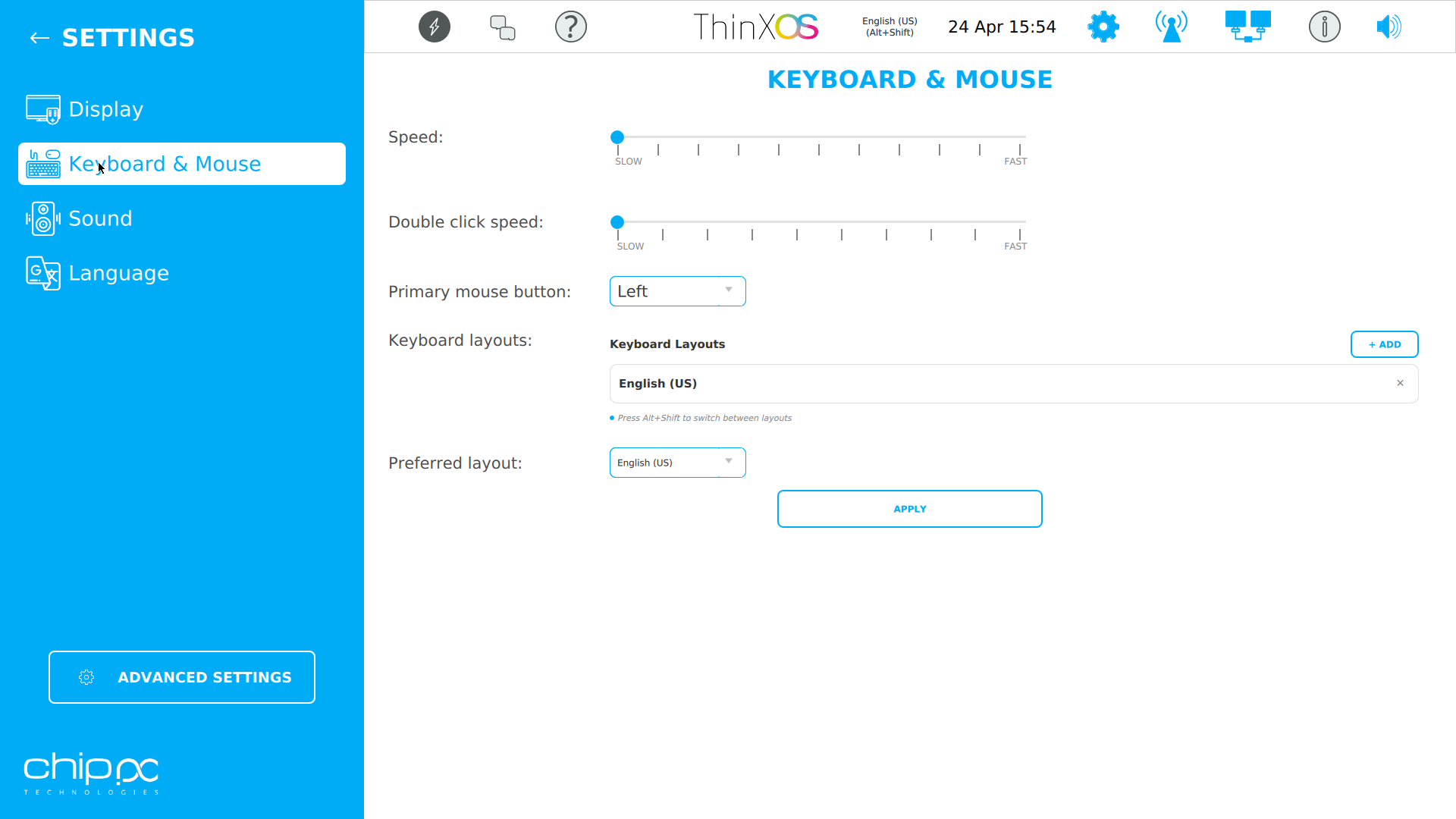
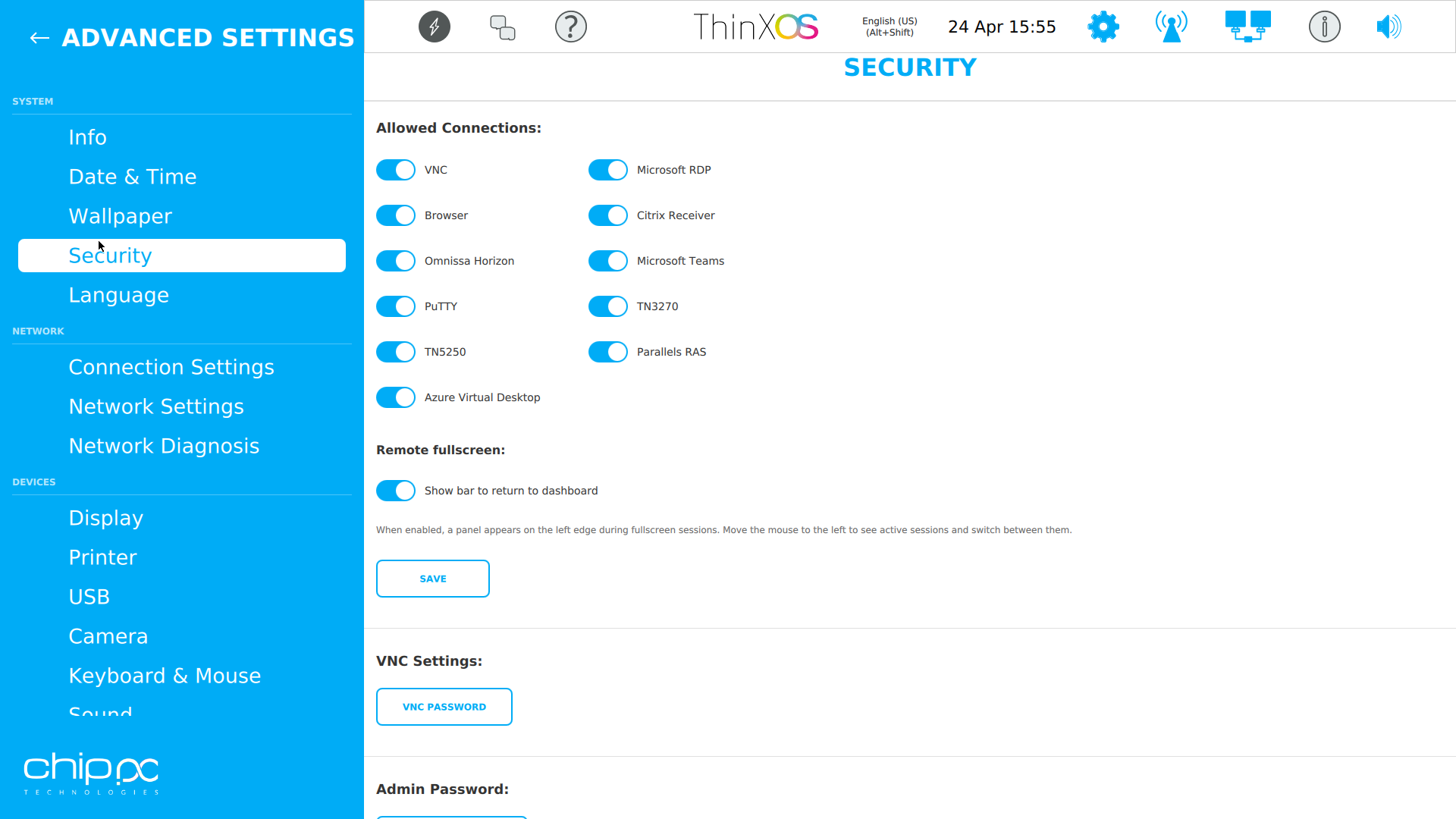
Haga clic en cualquier captura para ampliarla
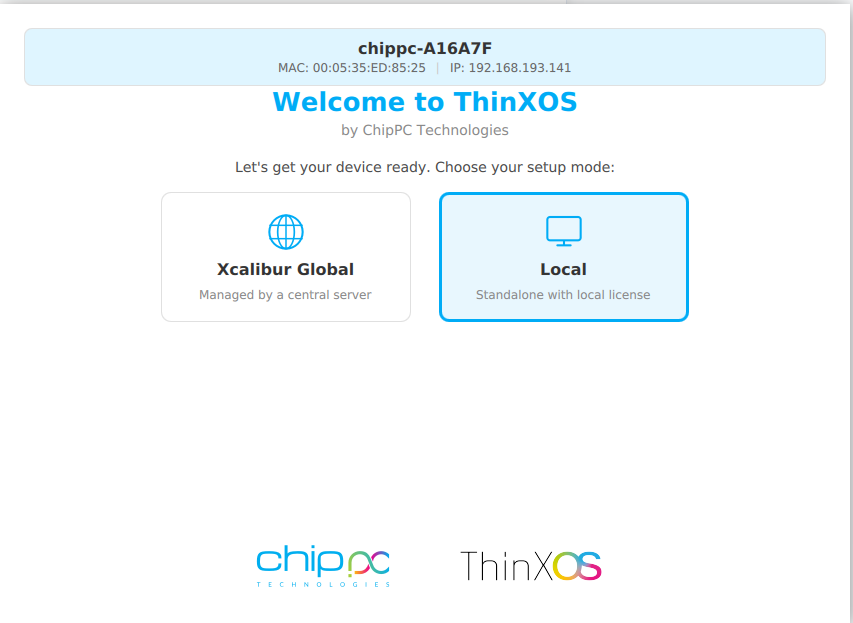
El asistente de configuración de ThinX OS es tan sencillo que sus usuarios pueden hacerlo ellos mismos
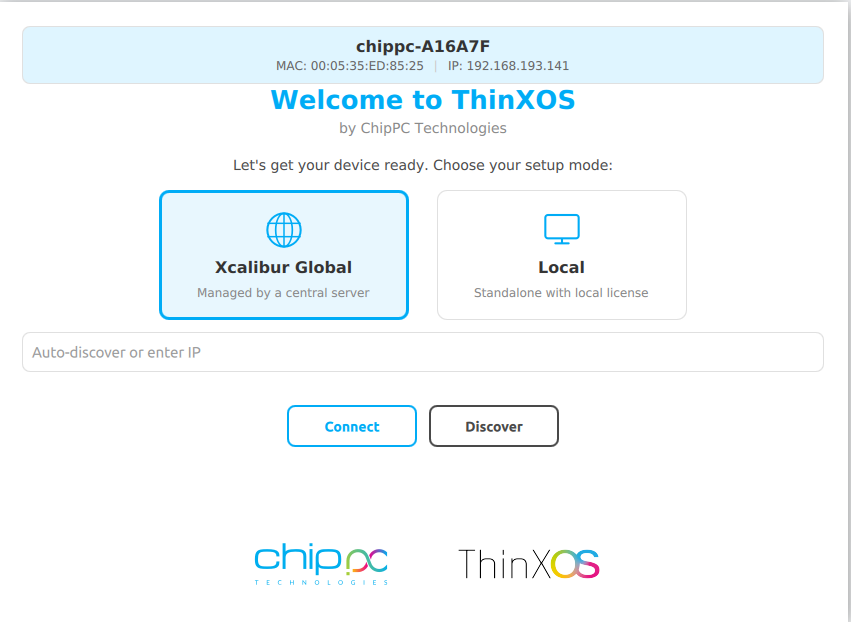
Choose between Xcalibur Global (managed fleet) or Local (standalone).
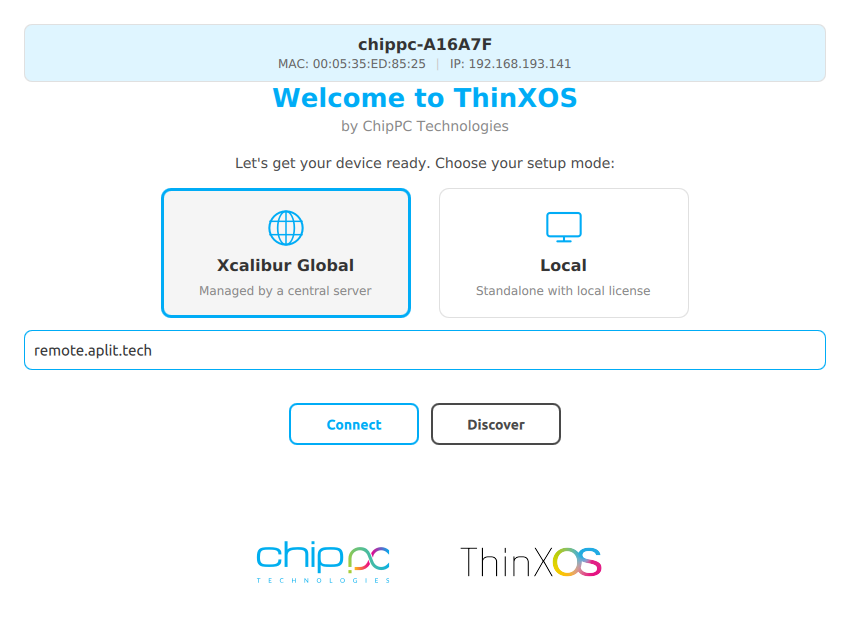
Introduzca la dirección del servidor Xcalibur. El dispositivo se registra e inscribe automáticamente.
Type your XXXX-XXXX-XXXX license code (received by email) and click Apply.
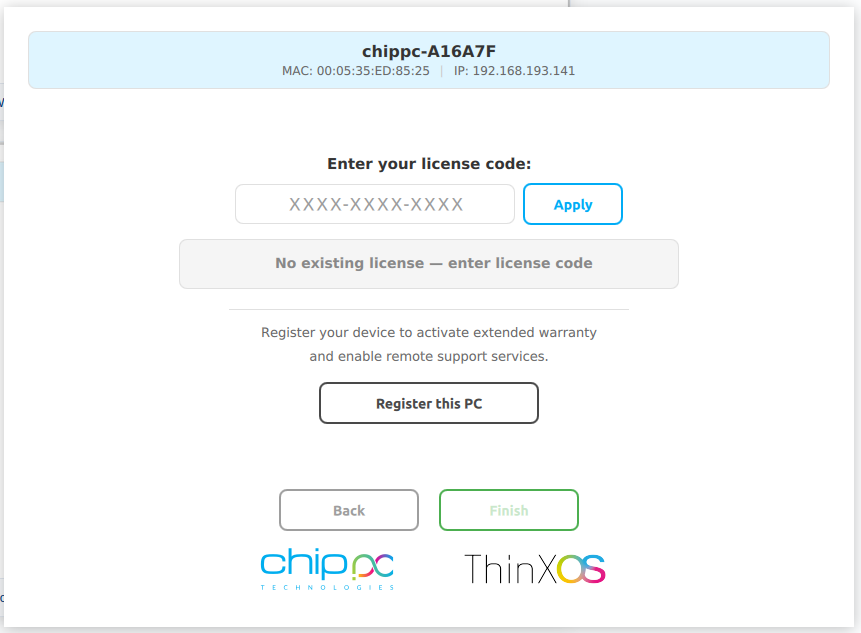
Click Registre este PC para garantía y soporte. El dispositivo aparece en su panel de Xcalibur.
Nuestras soluciones cuentan con la confianza de agencias gubernamentales, instituciones financieras y proveedores de atención médica en todo el mundo. Para respetar las políticas de seguridad y confidencialidad de nuestros clientes, las referencias directas y los casos de estudio detallados están disponibles bajo petición.
La seguridad no es un complemento en ThinX OS — es la base. Cada decisión de arquitectura busca eliminar superficies de ataque y proteger los datos de usuario, para cumplir requisitos de seguridad y privacidad en sanidad, finanzas, administración y educación.
The entire ThinX OS root filesystem is mounted read-only at boot time. El ransomware no tiene donde escribir. El malware no puede persistir entre reinicios. Even if a session is compromised, the OS reverts to a clean state on next boot — automatically.
Xcalibur enforces USB policies on every ThinX OS device: bloquear todo el almacenamiento USB, permitir solo periféricos en lista blanca o establecer modo de solo lectura. Prevent data exfiltration and enforce BYOD policies without any local IT intervention.
ThinX OS supports 802.1X EAP authentication for wired and wireless networks. Solo los dispositivos autenticados y registrados pueden conectarse a su red corporativa. Certificates are managed and deployed remotely via Xcalibur.
ThinX OS has no local administrator or user accounts to compromise. No hay contraseñas que robar, cuentas que forzar ni vías de escalada de privilegios. All management is done through Xcalibur, protected by 2FA and role-based access control.
Deploy SSL/TLS certificates to any device or group remotely via Xcalibur. Cifre cada conexión — RDP, VNC, tráfico de gestión — de extremo a extremo. Certificate renewal and distribution are fully automated, eliminating human error.
Every action on every device is logged with user identity, timestamp, and device ID. Exportación de registros de auditoría integrada e informes programados help your organisation align with GDPR and internal compliance policies.
ThinX OS se conecta a todas las principales infraestructuras de escritorio virtual de forma nativa
Pair ThinX OS with Xcalibur Global to add Azure AVD, Microsoft Teams, PuTTY, TN5250/3270 and Parallels connections, all deployable centrally.
Funciona en todo el hardware thin client ChipPC — recursos mínimos, rendimiento máximo
| Component | Minimum | Recommended |
|---|---|---|
| Device | Cualquier thin client ChipPC actual | Último modelo de thin client ChipPC |
| CPU | x86 / x64 compatible | Intel Atom / Celeron / Core i3+ |
| RAM | 2 GB | 4 GB+ |
| Storage | 4 GB Flash | 8 GB+ Flash / SSD |
| Network | 100 Mbps Ethernet | Gigabit Ethernet (Wi-Fi optional) |
| Management | Xcalibur Global (trial included) | Licencia completa de Xcalibur Global |
| Recuperación USB | Rufus (Windows) + 8 GB USB | Rufus 4.x, 16 GB USB |
Introduzca su nombre, empresa y correo del trabajo. Tarda 30 segundos.
Un correo automático le entrega el enlace de la imagen ThinX OS al instante.
Use Rufus para escribir la imagen en un USB y arrancar su dispositivo ChipPC.
A second email brings your free trial licence (ThinX OS + Xcalibur Global). Start managing your fleet right away.
Todo lo que necesita saber antes de descargar ThinX OS
XXXX-XXXX-XXXX).
ThinX OS is a producto comercial — but you can evaluarlo gratis for a limited time. Complete el formulario to receive two emails: one with the ThinX OS download link, and one with your trial licence (covering ThinX OS and Xcalibur Global). No credit card. No commitment during the trial.
Sus datos son confidenciales y nunca se comparten. Política de privacidad