

Quick answer: Thin clients for Omnissa Horizon work best as locked VDI endpoints: users work in the Horizon desktop or published app, while the local OS stays small and standardized. Chip PC, an Israeli manufacturer of thin clients and mini PCs, can run ThinX OS or Windows 11 IoT Enterprise on those endpoints, and manage ThinX fleets with Xcalibur Global (or Windows fleets with XcaliburW).
Start from the dedicated Omnissa Horizon thin client page, or from By technology — Omnissa Horizon. This buyer’s guide is for IT teams comparing an Omnissa Horizon thin client or a legacy VMware Horizon thin client: which OS, which form factor, and how the fleet will be managed. Chip PC designs and manufactures the hardware and management software; it does not replace the official Omnissa Horizon Client download.
Why thin clients still fit Omnissa Horizon VDI
Omnissa Horizon (the current name for the portfolio formerly known as VMware Horizon) is still a core virtual desktop platform. The endpoint still matters. An unoptimized PC can create protocol issues, inconsistent images and extra desk-side visits.
A purpose-built thin client keeps the local OS minimal because the workload stays in Horizon. On Chip PC’s Horizon page, typical buyer needs include reliable desktop and published-app delivery, a locked device that does not become an unmanaged PC, and a repeatable image across branches and campuses. Compared with a traditional PC, a thin-client fleet is also easier to lock down for shared desks, healthcare, finance and call centers, and it is designed for lower power and longer refresh cycles. For a site-level cost view, use the Chip PC TCO calculator — this article does not list prices.
- Users work in the Horizon desktop or app, so the local OS can stay minimal
- Lower power and longer refresh cycles versus traditional PCs
- Easier lockdown for shared desks and multi-site rollouts
- Central image and policy control through Chip PC management software
ThinX OS vs Windows 11 IoT Enterprise for Horizon endpoints
Chip PC documents two OS paths beside Horizon: ThinX OS (Linux-based) or Windows 11 IoT Enterprise. Choose the OS from the desk’s real requirement, then pick the matching management console. Compare the paths on By operating system.
ThinX OS for locked VDI desks
ThinX OS fits when the desk is Horizon-session-first and you want a small, locked Linux thin-client OS. On the Horizon solution page, Chip PC positions ThinX OS for devices that should only connect to Horizon. Manage those fleets with Xcalibur Global.
Windows 11 IoT Enterprise when local Windows is required
Choose a Windows 11 IoT Enterprise thin client when local Windows applications, peripheral workflows or Windows policies remain. Some iX PC Plus configurations are listed as Windows 11 IoT Enterprise 2024 LTSC on the iX PC Plus range. Windows fleets typically pair with XcaliburW.
Xcalibur Global management for Horizon fleets
Xcalibur Global management is the console Chip PC documents for ThinX OS fleets: remote configuration, a consistent image and scheduled or pushed updates, including protocol-client updates, without imaging desks one by one. Windows IoT fleets use XcaliburW instead. Decide the management path before you scale sites. See Xcalibur Global and XcaliburW.
Buying checklist for an Omnissa Horizon thin client
Use this list when you specify a Horizon endpoint. Protocol, display and OS facts below are taken from Chip PC’s public Horizon and thin-client pages. For CPU, memory, storage and connectivity, treat the figures as examples from listed SKUs and confirm the exact configuration on the product page — configurations vary, and this guide does not publish prices or certifications that the product page does not state.
- Protocols (Blast Extreme, PCoIP, RDP): Chip PC documents optimized support for Blast Extreme, PCoIP and RDP on its Omnissa Horizon thin client page, including hardware-accelerated video decoding (H.264/H.265). Confirm the protocol your Horizon environment actually uses (Blast Extreme is common; some estates still run PCoIP) before you standardize.
- Displays: the same page cites iX PC Mini and iX PC Plus thin clients with multi-4K display support. If you need two or more 4K monitors, start there and confirm connectors on the chosen SKU.
- CPU class, memory and storage: on the thin clients hub, example iX PC Plus configurations use an Intel N100, 8 GB memory and 128 GB M.2 storage; an example iX PC Mini configuration uses an Intel Celeron N4000, 8 GB memory and 128 GB eMMC. These are examples, not a universal spec. Confirm the SKU.
- USB redirection, headsets and smart cards: confirm USB, headset and smart-card requirements in your Horizon agent and client policy. Do not assume a particular reader or dongle is built in unless the SKU page says so.
- Wi-Fi or wired: some iX PC Plus and iX PC Core models are listed with Wi-Fi as well as Gigabit LAN; other Plus models offer RJ45 only or Gigabit SFP. See the iX PC Plus comparison. Confirm wireless needs per site.
- Power and acoustics (PoE, fanless): do not assume PoE or a fanless chassis unless the chosen product page states it. Confirm environmental and power constraints with Chip PC when you request a configuration.
- Operating system: ThinX OS for locked Horizon-only desks; Windows 11 IoT Enterprise when local Windows is mandatory.
- Management: Xcalibur Global for ThinX OS; XcaliburW for Windows. Decide this before you scale.
- Security and image control: Chip PC describes locked, standardized configurations and, on the Horizon page, a secure read-only operating-system approach so local settings cannot drift. Align this with your Horizon security baseline.
- TCO: compare energy, refresh and support effort versus a traditional PC with the TCO calculator, then validate with a pilot site before you clone the golden configuration.
Thin client, zero client or mini PC for Horizon?
Chip PC’s portfolio, described on About us, includes thin clients, zero clients and mini PCs. For most Horizon desks, a thin client is the usual VDI endpoint: a small local OS plus the Horizon session. A zero client is a more locked, often protocol-specific device with little or no local general-purpose OS — use it only if that model of deployment is what you actually need. A mini PC fits when the desk still needs more local Windows capacity, I/O or a different form factor, and can still connect to Horizon.
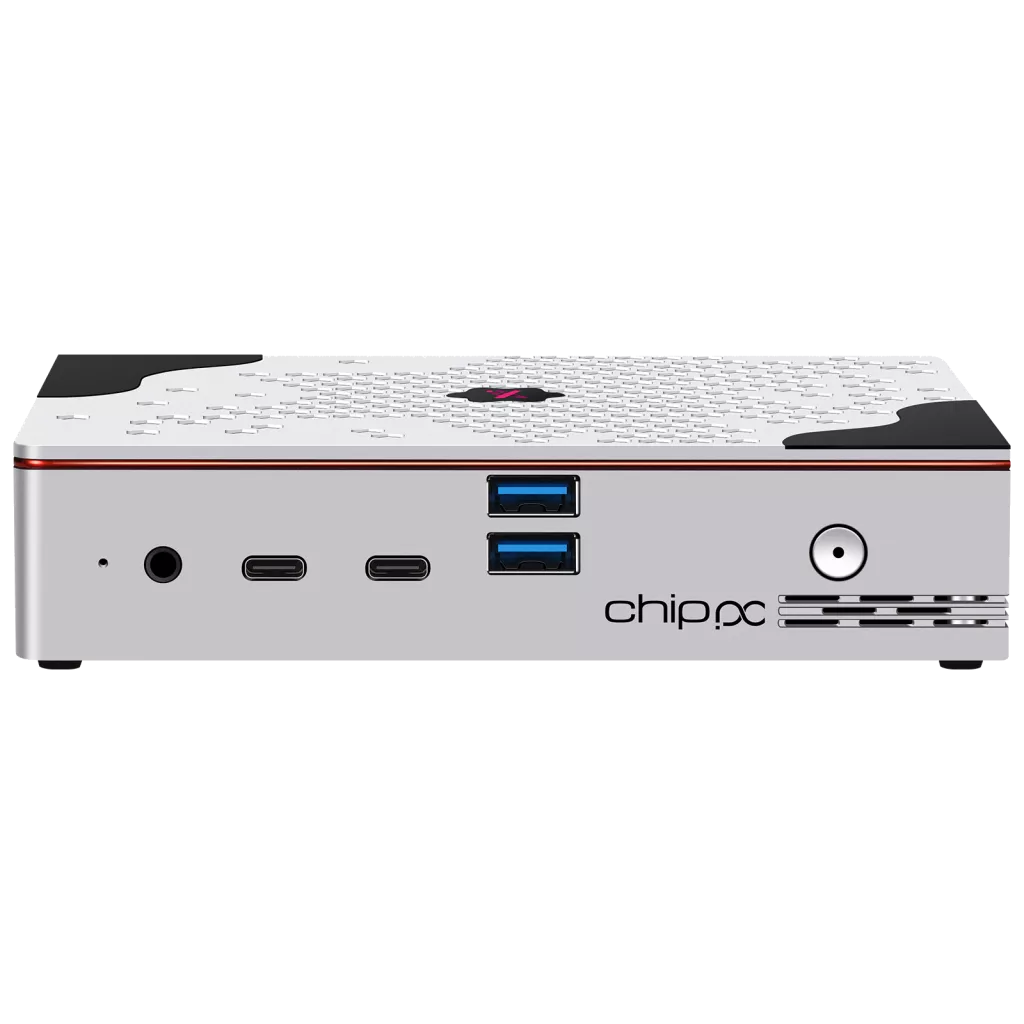
On the thin-clients hub, iX PC Mini is positioned as a compact, locked VDI form factor; iX PC Plus adds connectivity choices (LAN, Wi-Fi, SFP) explicitly for Citrix, Microsoft and Omnissa Horizon environments.
How to choose a Chip PC VDI endpoint
Browse thin clients (including iX PC Mini and iX PC Plus) or open the thin-client product filter and combine operating system with connectivity. If you want to convert existing x86/x64 PCs into ThinX OS endpoints aimed at Horizon, see PC to TC.
Then run a pilot on one site, confirm Blast Extreme or PCoIP performance, peripherals and image updates through Xcalibur, and only then clone the configuration.
FAQ
Is Omnissa Horizon the same as VMware Horizon? What is a VMware Horizon thin client today?
Omnissa is the current branding for the Horizon portfolio formerly associated with VMware. A buyer searching for a VMware Horizon thin client is usually looking for the same class of locked endpoint that now connects to Omnissa Horizon. On chippc.com, some filters and anchors still use legacy VMware / View labels for compatibility.
Do Chip PC thin clients support Blast Extreme and PCoIP?
Yes. Chip PC’s Horizon solution page states that its thin clients are optimized for the Blast Extreme protocol, with hardware-accelerated decoding, and it also documents PCoIP and RDP. Confirm the protocol in your own Horizon environment during the pilot.
Do I need Windows on every Horizon endpoint?
No. Many Horizon desks work well on ThinX OS when the device should only connect to Horizon. Use Windows 11 IoT Enterprise when local Windows software or policies are mandatory.
What is the difference between a thin client and a zero client for Horizon?
A thin client runs a compact local OS (for Chip PC, typically ThinX OS or Windows 11 IoT Enterprise) and then the Horizon session. A zero client is a more locked, often protocol-focused device with little local general-purpose OS. Chip PC manufactures both families; choose from the actual security and protocol requirement, not from the name alone.
What about the Omnissa Horizon Client?
Horizon sessions use the Horizon client software (Omnissa Horizon Client, formerly VMware Horizon Client). Chip PC documents integration with those clients on the endpoint. Chip PC is the manufacturer of the thin client or mini PC, not the publisher of the official Horizon Client installer.
Can we convert existing PCs into Horizon endpoints?
Yes. Chip PC’s PC to TC path can convert older x86/x64 PCs into ThinX OS thin clients configured to reach Horizon connection servers. Validate performance and peripherals in a pilot, just as you would with new hardware.
Who should I contact for sizing?
Chip PC is an Israeli manufacturer (headquarters in Ness Ziona; see About us). Contact Chip PC with user count, Horizon version and use case, protocol preference (Blast Extreme or PCoIP), peripheral needs, preferred OS and site count. No prices are published on this page.
Browse ChipPC thin clients and Mini PCs by OS, then request a quote with quantity and VDI stack.