Sound Settings
Sound Settings Paramètres Audio Toneinstellungen Configuración de sonido Configurações de som Impostazioni audio הגדרות שמע
The Sound panel controls audio output and microphone. ThinX OS uses PulseAudio to manage multiple audio sinks.
| Setting | Details |
|---|---|
| Sound Enable / Disable | Globally mute or enable all audio output |
| Output Volume | 0–100% with slider; can also be set by Xcalibur task |
| Microphone Volume | 0–100% for microphone input (used in remoting sessions) |
| Active Audio Output | Select sink: HDMI Audio, 3.5mm Analog, USB Speaker, Bluetooth |
| Audio Redirect | Audio redirection to/from remote session (RDP, Citrix, Horizon) |
Active sink selection (4.3.16)
From 4.3.16, choosing the Active Audio Output sink is more reliable across HDMI / analog / USB devices. Apply the selection in Sound Settings; the chosen sink remains the active PulseAudio output after reconnecting a device when possible.
Product: ThinX OS · Feature: Sound ActiveSink stability · Introduced/stabilized in: 4.3.16 · Note: volume and enable/mute can still be pushed by Xcalibur Sound tasks.
Le panneau Audio contrôle la sortie audio et le microphone. ThinX OS utilise PulseAudio pour gérer plusieurs sorties audio.
| Paramètre | Détails |
|---|---|
| Activer / Désactiver | Couper ou activer globalement toutes les sorties audio |
| Volume de sortie | 0–100% avec curseur ; peut aussi être défini par une tâche Xcalibur |
| Volume microphone | 0–100% pour l'entrée microphone |
| Sortie audio active | Sélectionner : HDMI Audio, Analogique 3,5mm, Haut-parleur USB, Bluetooth |
Sélection de sortie active (4.3.16)
Depuis la 4.3.16, le choix de la sortie audio active (ActiveSink) est plus fiable entre HDMI / analogique / USB.
לוח שמע שולט בפלט אודיו ומיקרופון. ThinX OS משתמש ב-PulseAudio לניהול מספר מוצאי שמע.
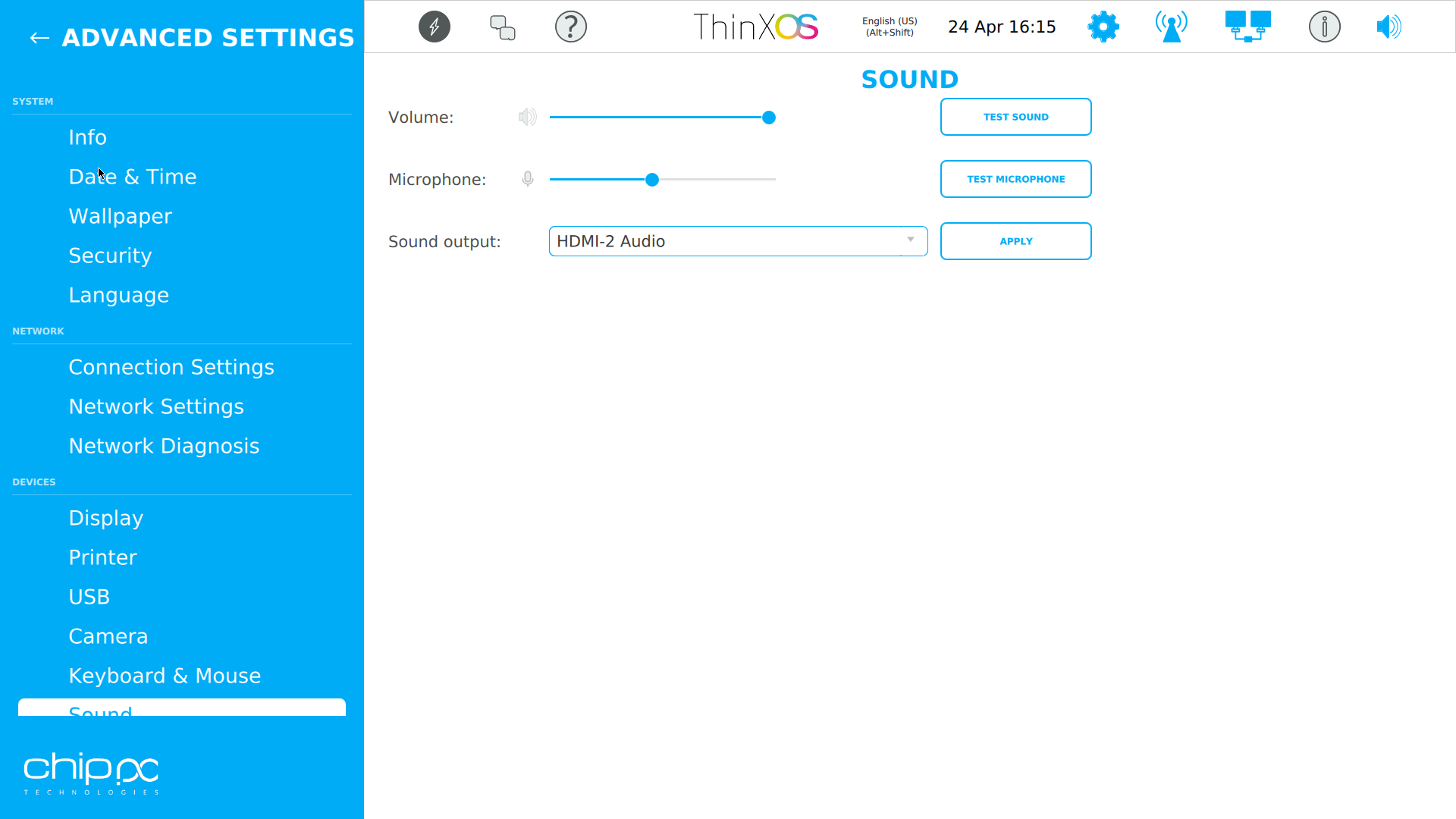
Sound — volume, microphone, and audio output selection